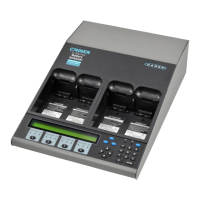
Cadex Electronics Inc. C7000-C Series Battery Analyzers .
Problem Possible Reasons or Solutions
Clicking noise is heard from the
analyzer when batteries are being
charged.
The noise is caused by pulse charges in the
analyzer circuits. This noise is normal.
Code 150 appears when Li-ion
batteries are serviced. Temperature
Sensing in the C-Code cannot be
Disabled.
For Li-ion batteries, adapters must have
temperature-sensing capability. A custom-
designed adapter is strongly recommended.
Connection between battery and the
analyzer is intermittent.
The battery may be intrinsically safe. Change the
charge method in the extended C-Code to DC
Charge; lower the charge and discharge rates;
reduce the end-of-discharge setting to 0.92
V/cell. Ensure that the adapter is correct. Verify
if the battery contacts or adapter terminals are
damaged.
Capacity of the analyzer is different
from the older model C7000-C
analyzer.
Check that all the C-Codes match. Calibrate the
adapter. Set the ‘Charge Optimization’ to
‘Charge’, (see Optimizing Charge Time or
Capacity, page 70)
Display is frozen and there are
clicking sounds
Contact Cadex.
Fan changes speed. This is normal.
LED is flashing irregularly Contact Cadex.
N
ULL
C
ODE
appears on the display C-Code is blank. Program a C-Code, (see Create
or Edit a C-Code, page 55).
Program did not resume after a
power failure.
Default power-off time out is 1 hour. Users can
increase the default time to 2; 12; 24; 48 or 72
hours.
Note: if using BatteryShop, servicing data will
not be saved.
If the power fails during the information save
(this occurs every minute), the program will not
continue when power resumes.


 To Next Page
 Loading...