Configuring 60 GHz cnWave™ 151
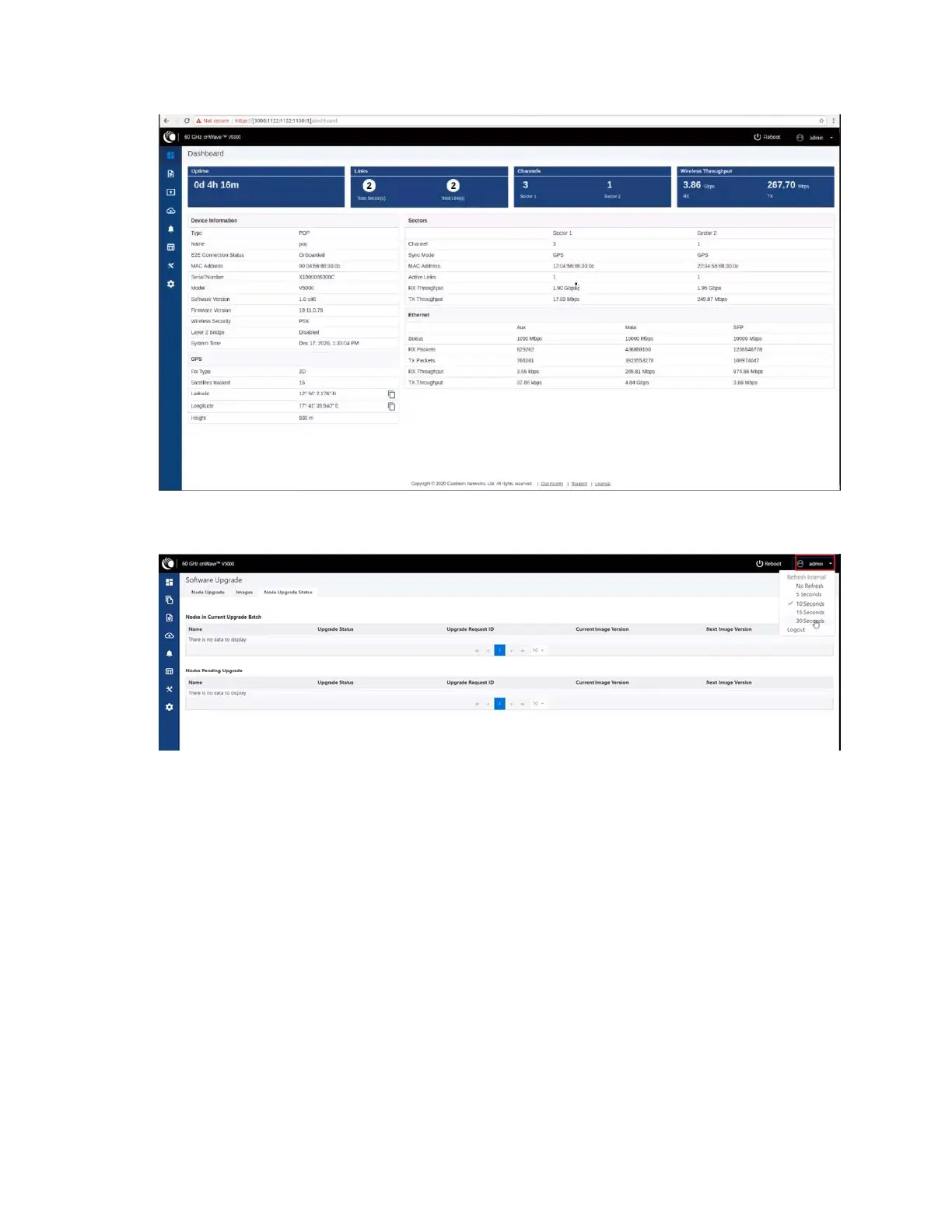
Users can select the refresh time interval. Click admin at the top-right and select the Refresh
Interval from the drop-down.
The Dashboard contains the following options at the top:
l Uptime
l Links
l Channels
l Wireless Throughput
Uptime
Displays the total running time of the device.
Links
Displays the total number of active links which are connected to the 60 GHz cnWave™ device.
Channels
Displays the total number of channels (Sector 1, Sector 2, etc.,) which are connected to the 60 GHz
cnWave™ device.









 To Next Page