Configuring 60 GHz cnWave™ 152
Wireless Throughput
Displays the transmitting and receiving throughput values.
Dashboard elements
Dashboard home page consist of the below elements:
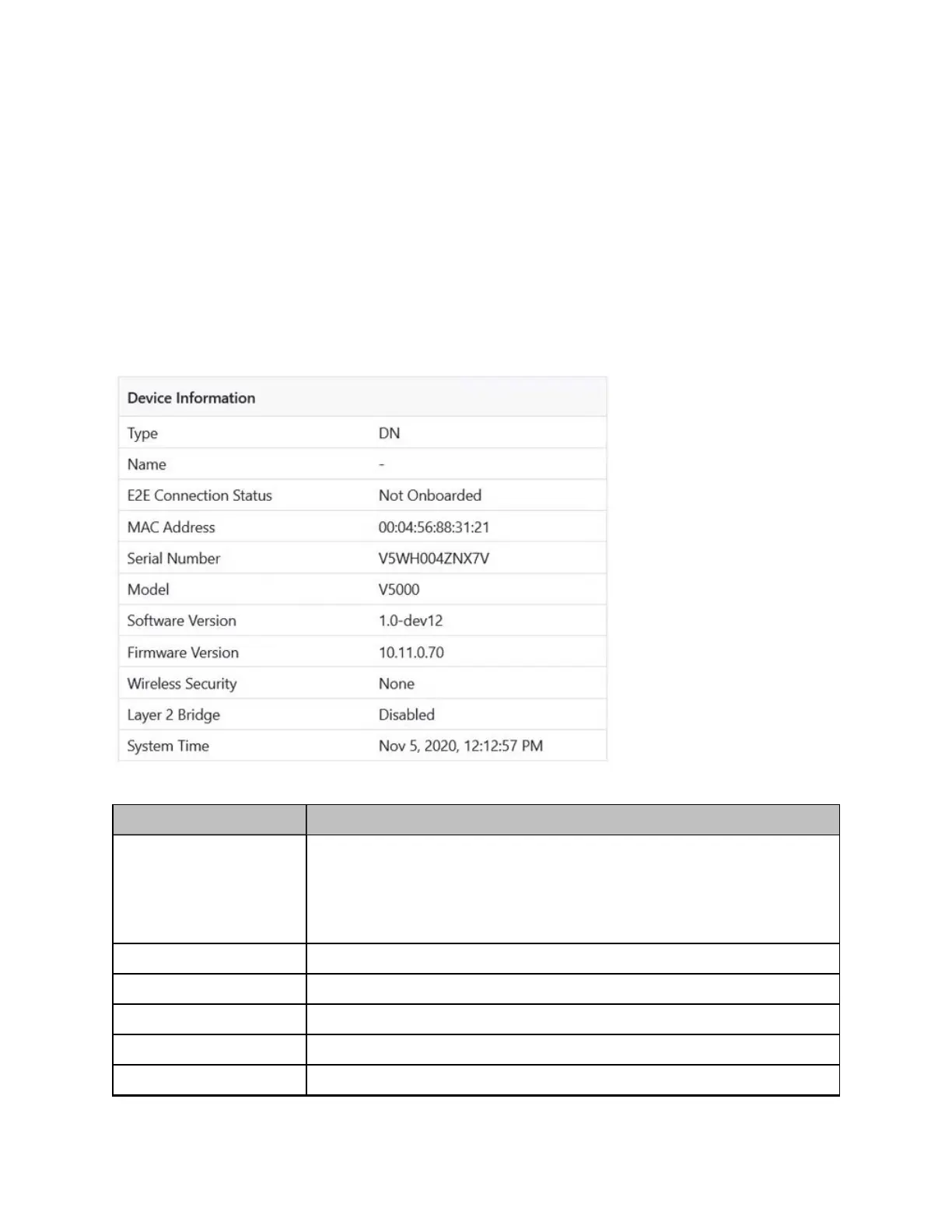
l Device Information
l GPS
l Sectors
l Ethernet
Figure 157:
Dashboard - Device Information
Table 37: Elements in the Device Information section
Element Description
Type Displays type of the device. The device types are:
l DN
l PoP DN
l CN
Name Displays name of the device.
E2E Connection Status Displays the connection status of the E2E controller.
MACaddress Displays the MACaddress of the 60 GHz cnWave device.
Serial Number Displays the serial number of the 60 GHz cnWave device
Model Displays the model of the 60 GHz cnWave device. The models are:









 To Next Page