Configuring 60 GHz cnWave™ 175
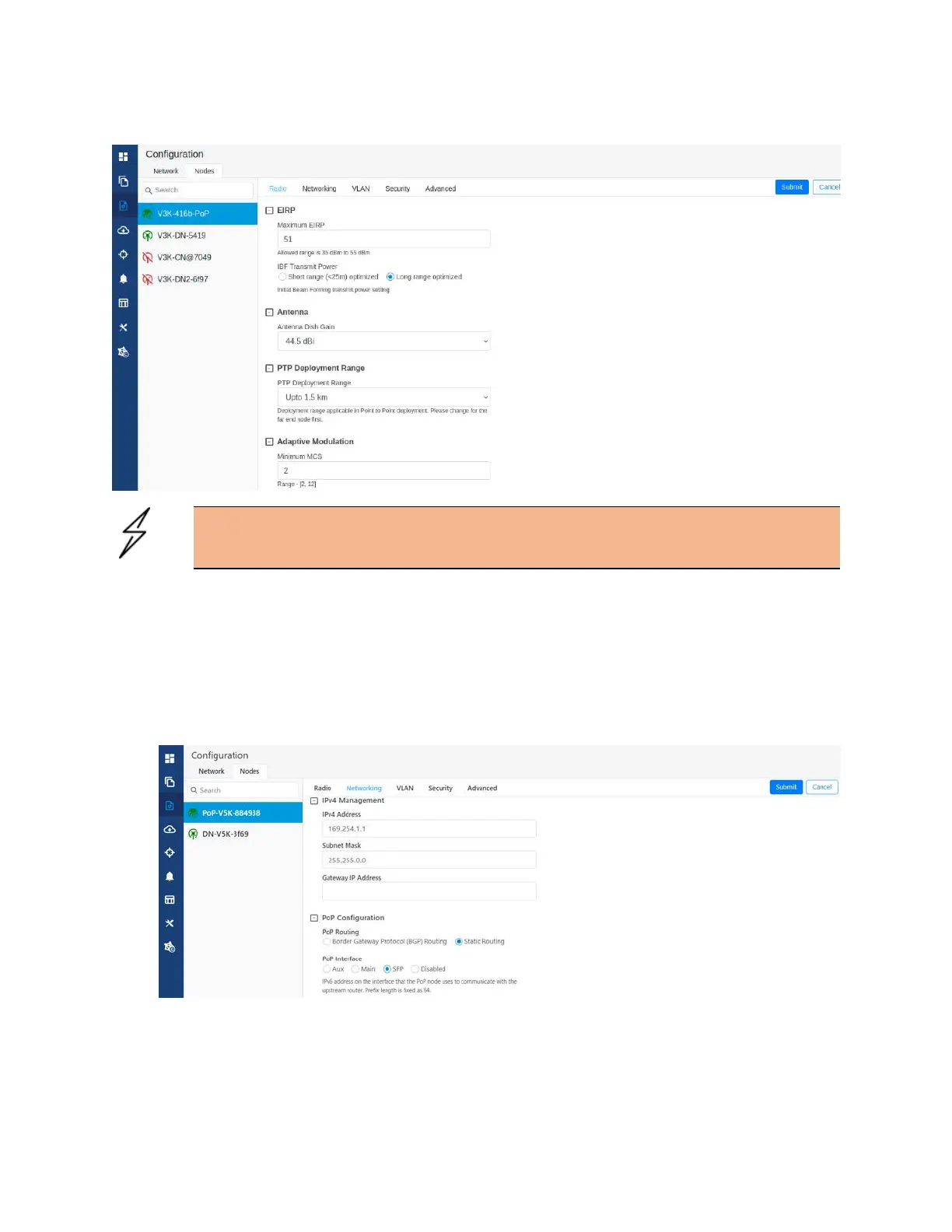
Figure 180:
The Antenna section
Caution
Small dish is supported only for 60 GHz cnWave V3000.
Networking tab
When you navigate to Nodes > Networking from the home page, the Networking page appears.
In the Networking page, perform the following steps:
1. Enter the local IPv4 address.
Figure 181:
The IPv4 Management section in the Networking page




 To Next Page