Configuring 60 GHz cnWave™ 176
Table 42: Elements in the IPv4 Management section
Elements Description
IPv4
Address
Static IPv4 address of the individual node. Node’s GUI /CLI can be opened using
this IP address when directly connected over Ethernet. For Over the air access, L2
Bridge should be enabled. Its predominantly used on PoP nodes with the onboard
controller.
Subnet
Mask
Subnet mask for the IPv4 address.
Gateway
IP Address
IPv4 Gateway address.
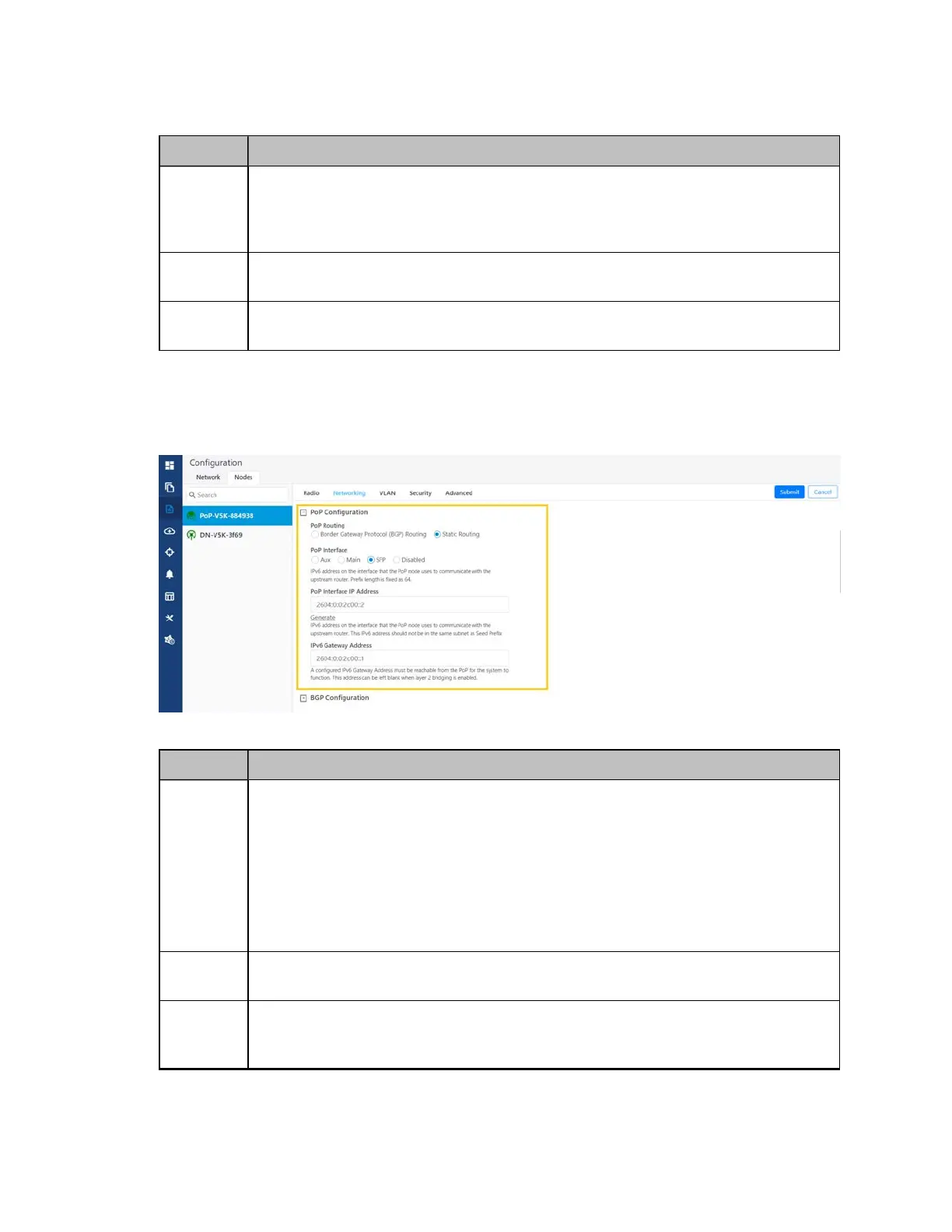
2. Under PoP Configuration, select the options for PoP Routing, PoP Interface, and click Generate to
generate PoP Interface IP Address.
Figure 182:
The PoP Configuration section in the Networking page
Table 43: Elements in the PoP Configuration section
Elements Description
PoP
Routing
PoP nodes connect to the upstream IPv6 router in one of two ways:
l Border Gateway Protocol (BGP) Routing – PoP acts as a BGP peer
l Static routing – IP gateway address should be specified on the PoP and static
route should be added on the upstream router.
When the system is targeted for L2 traffic (Layer 2 bridge enabled) and an onboard
controller is used, this configuration is of not much significance, recommended to
set to static routing.
PoP
Interface
The wired interface on which PoP communicates to an upstream router or switch
when the L2 bridge is enabled.
PoP
Interface
IP Address
IPv6 address on the interface that the PoP node uses to communicate with the
upstream router.




 To Next Page