Operation 211
l Complete a Link Plan with the help of a Link Planner from Cambium Networks. This prerequisite
task provides the information on the RSSI expected for the PTP link. This must be used as target
while using the antenna alignment tool.
l Enter the PTP topology in cnMaestro or in the UI of a device (with the Onboard Controller on it).
Then, ensure that the following tasks are performed:
l Creating two Sites and nodes.
l Setting up the wireless link between the two nodes.
l Ensure that the nodes are already mounted at the sites.
l An installer must have access to the UI of the device.
Note
When the antenna alignment test is executed between the following devices, ensure that
GPS is disabled at the CN side:
l V3000 PoP and V1000 CN
l V3000 PoP and V2000 CN
l V3000 PoP and V3000 CN
Using the Antenna Alignment tool
To use the Antenna Alignment tool, perform the following steps:
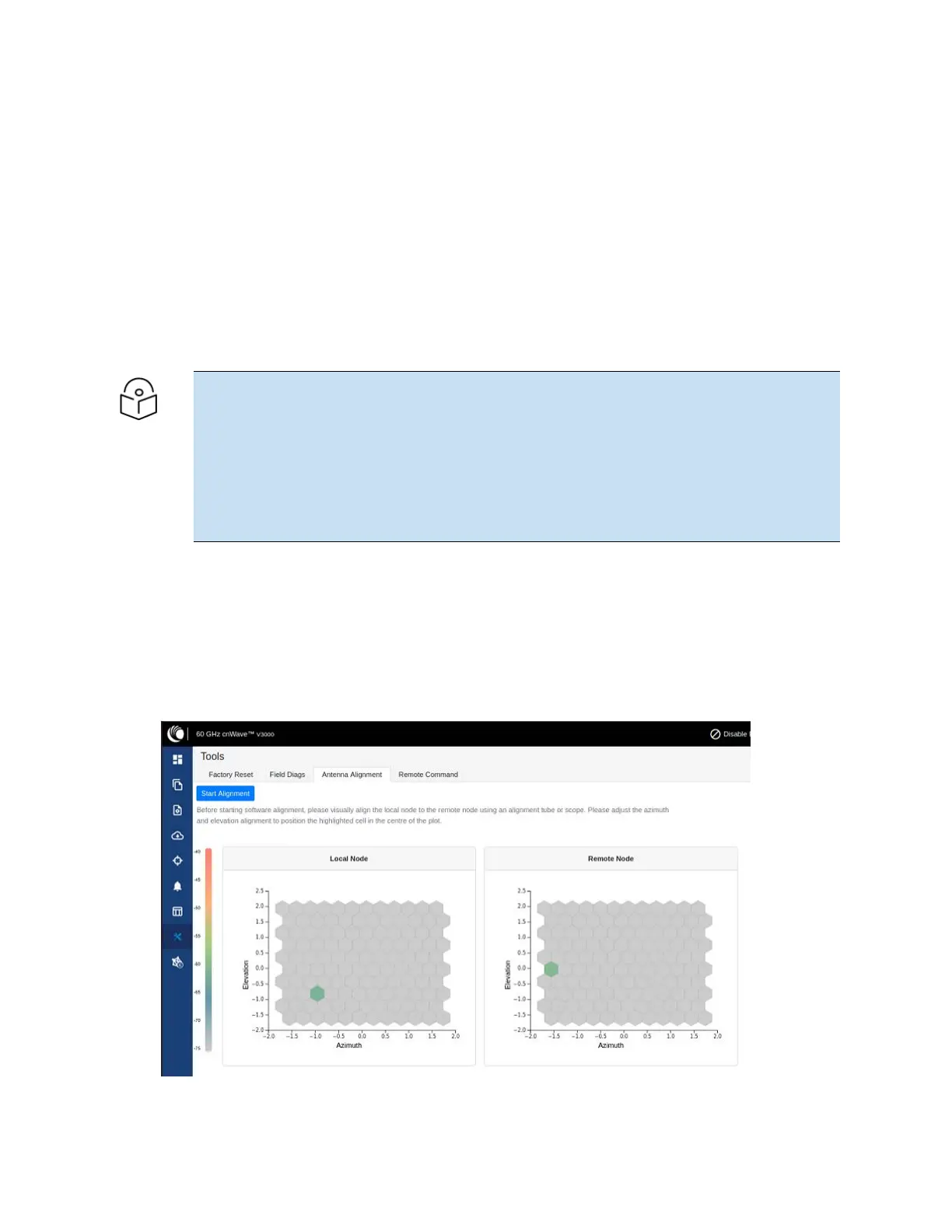
1. From the landing page of the device UI, navigate to Tools > Antenna Alignment.
The Antenna Alignment page appears, as shown in Figure 230.
Figure 230:
The Antenna Alignment page









 To Next Page