Operation 229
l true - When the value of this parameter is set to true, E2E Controller sends the prefix allocation
message to all PoPs individually.
l false -When the value of this parameter is set to false, E2E Controller sends the prefix allocation
message to one of the PoPs.
The default value of this parameter is false (default setting).
Note
You must set this parameter's flag to false when there is a wired or wireless path between
PoPs.
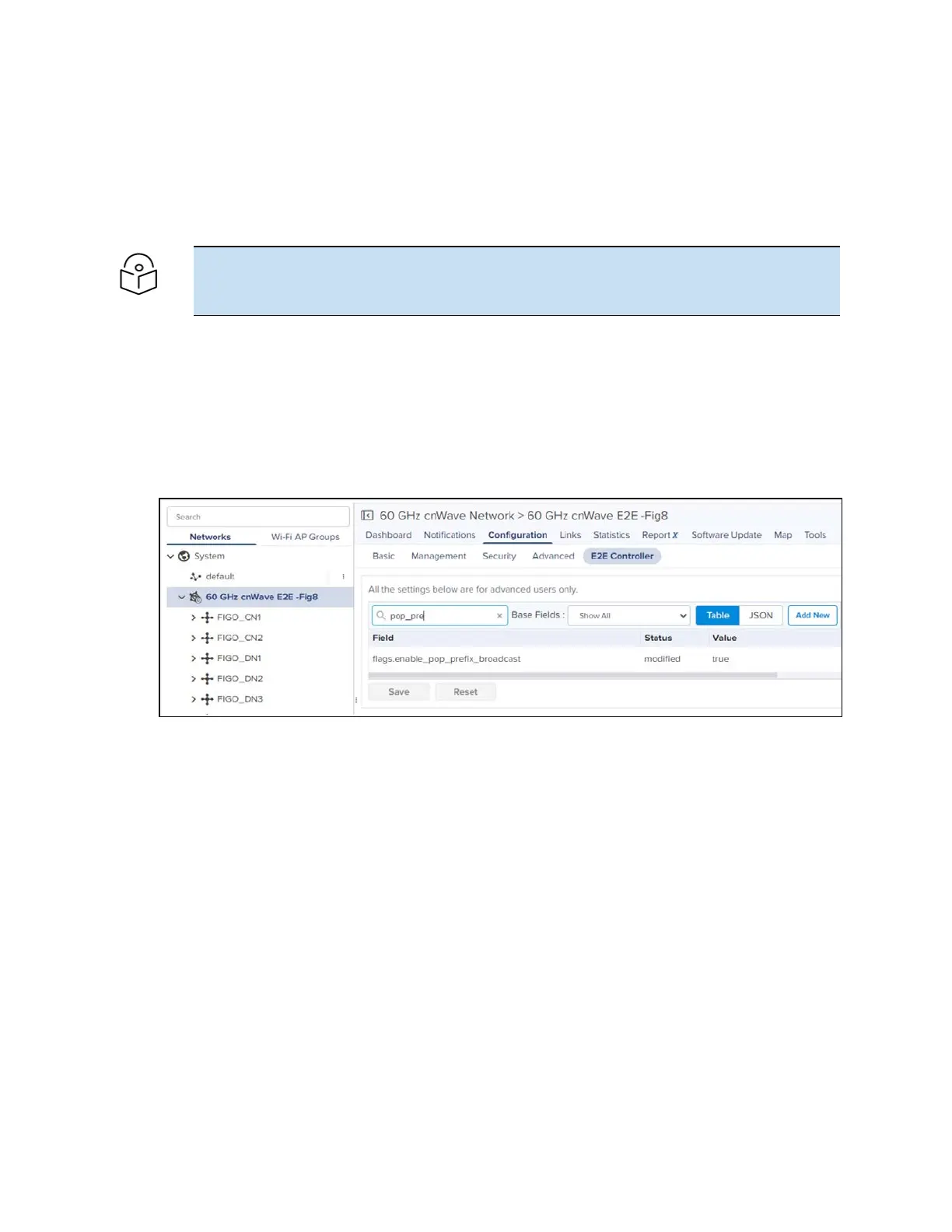
You can modify the flags.enable_pop_prefix_broadcast parameter in the UI of 60 GHz cnWave.
To configure the parameter, perform the following steps:
1. From the landing page of the device UI, navigate to Configuration > E2E Controller.
The E2E Controller page appears. The flags.enable_pop_prefix_broadcast parameter is available
in the E2E Controller page, as shown in Figure 254.
Figure 254:
The flags.enable_pop_prefix_broadcast parameter
2. Modify the value of the parameter.
3. Click Save to save the configuration changes.


 To Next Page
 Loading...





