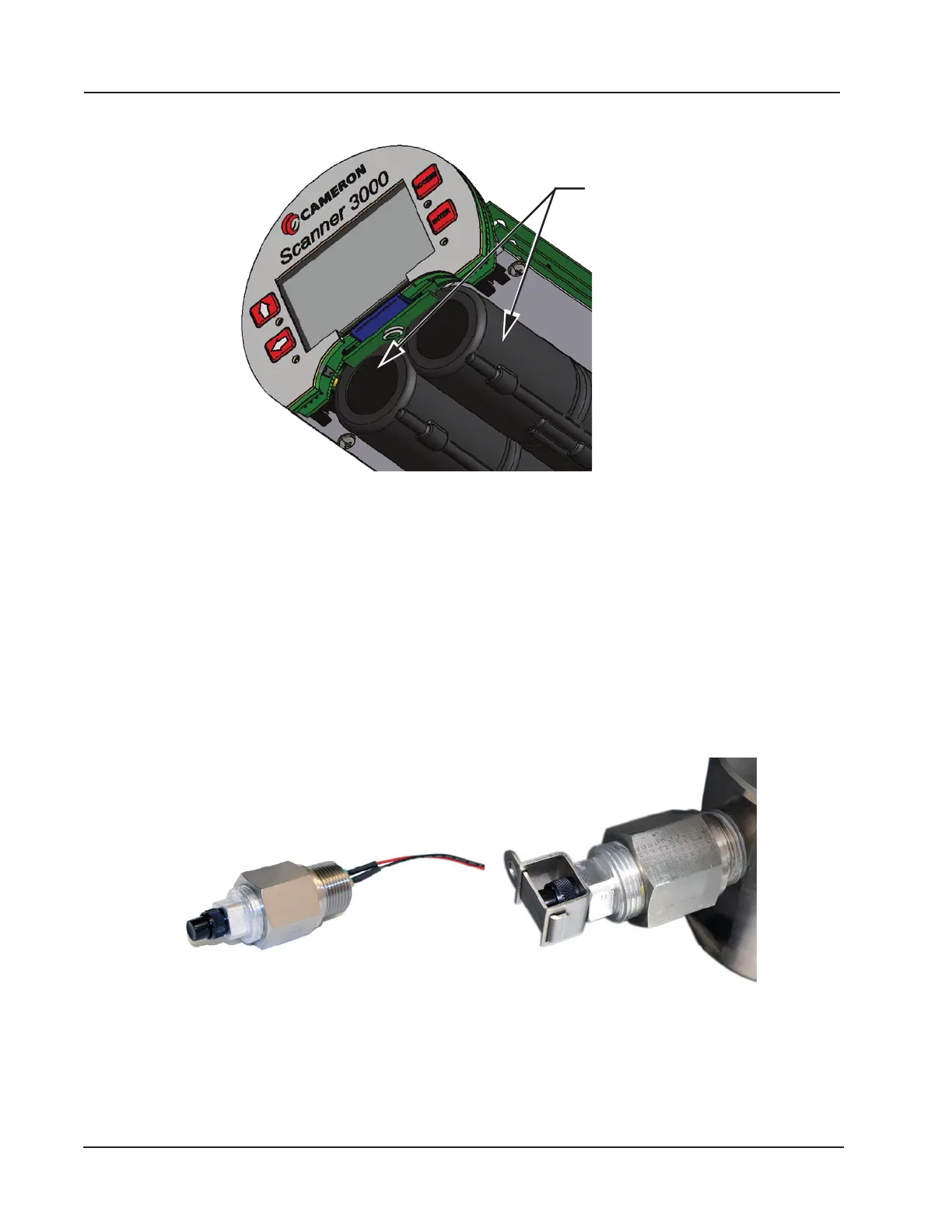
For more information on battery replacement, see Lithium Battery Pack Replacement, page 85.
Figure 1.3—Lithium stick-style battery packs
Explosion-Proof Control Switch
An external explosion-proof control switch (Figure 1.4) allows you to manually control the operation of a peripheral de-
vice (such as a radio), unlatch an alarm, or reset a total being accumulated by the device, depending on how it is cong-
ured. The switch is available in either of two models:
• Toggle Switch. Opens or closes a circuit with each push and release of the button. Uses include manual control of
ow accumulation, and manual control of a triggered archive.
• Momentary Switch. Opens or closes a circuit when the button is pushed and held in position. Unlike the toggle
switch, the switch action is terminated upon release of the button. Uses include pacing the display, toggling a wireless
transmitter on and off, resetting grand totals for ow run or pulse input accumulations, unlatching a digital output, and
resetting a latch on a triggered archive.
Figure 1.4—Explosion-proof control switch (left); control switch with factory-installed safety lockout device (right)
Control switches are wired and pre-congured at the factory (Figure 1.5, page 11) when they are purchased with the
Scanner 3100. However, you can change the conguration via the web interface. A momentary switch is connected to
DIO Terminal 5 at the factory, and a toggle switch is connected to DIO Terminal 6. See Digital Inputs—Contact Closure,
page 61 and Digital Outputs, page 64 for wiring diagrams.
Either switch is available with a factory-installed mechanical lockout device (Figure 1.4, right) that can be used with a
10
Section 1 Scanner 3100 EFM













 To Next Page