Message Display Mode
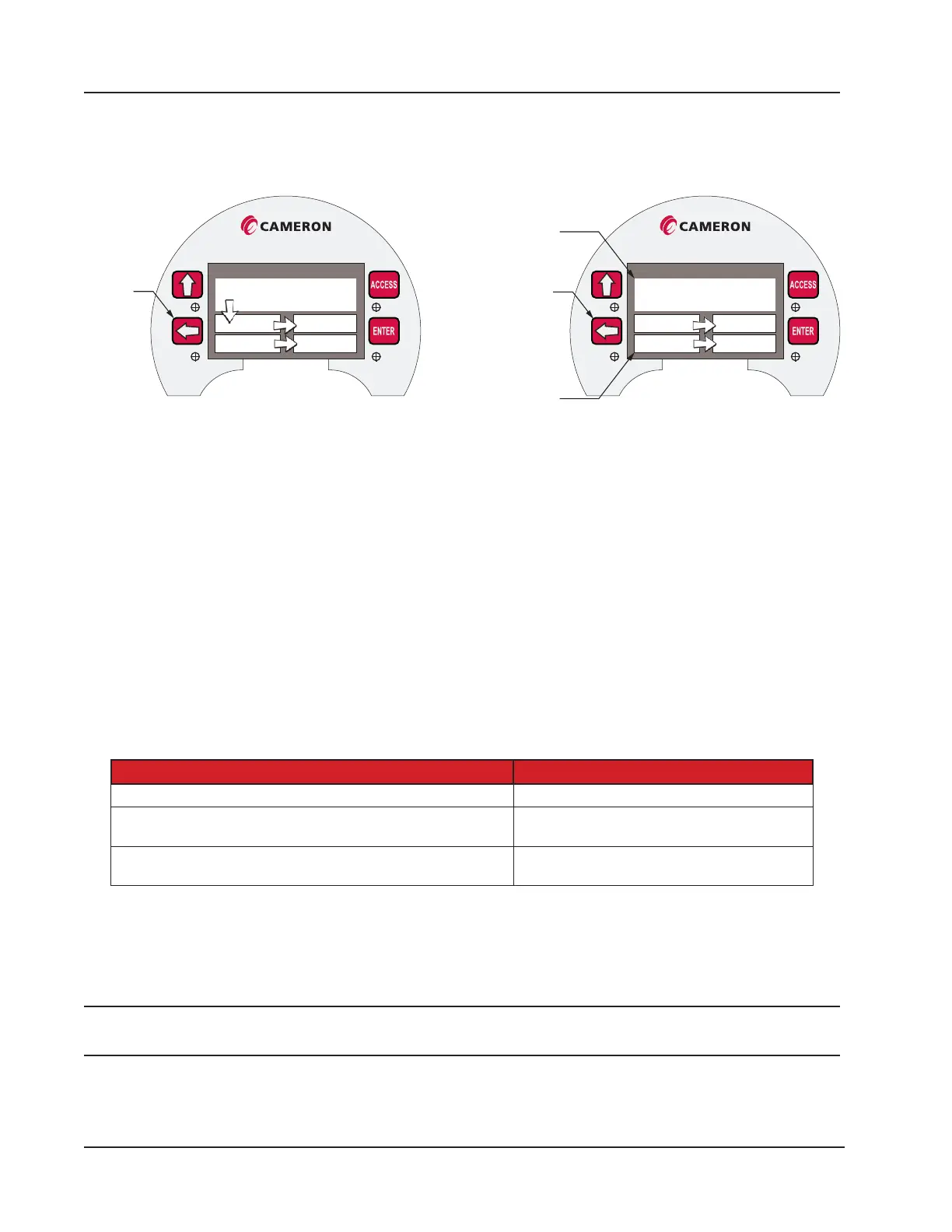
You can force selected “high priority” parameters to be displayed only in the top eld of the display by assigning a prior-
ity status to these parameters (Figure 5.2).
Scanner 3000
Position 1
2 3
4 5
Scanner 3000
“topmost” parameter(s)
1 2
3 4
Parameters configured
as “topmost” will always be
displayed in the top field
Parameters configured
as “normal” will scroll through
the four fields in the bottom half
View next parameter
Figure 5.2—Arrangement of parameters in LCD display
Figure 5.2, page 82 shows the standard order of progression as parameters cycle through ve display elds on the
LCD. You may choose to restrict the large topmost display eld for displaying high-priority parameters that require con-
stant monitoring. When one or more parameters are congured as “topmost” priority in the web interface, the display
effectively functions as two parallel scrolling sequences. The large “topmost” eld will scroll the high priority param-
eters and the bottom four elds will scroll the other normal priority parameters. If only one parameter is congured as
“topmost” priority, it will remain in constant view in the top display. For additional message display modes, refer to the
Scanner 3100 Web Interface Manual.
Keypad Controls
Using the keypad buttons, a user can manually pace the Scanner 3100 display, locate its serial number and rmware ver-
sion, and view communications settings. Table 5.3—Keyboard Controls identies the button-press congurations for
performing these tasks.
Table 5.3—Keyboard Controls
Keyboard Control Action
Stop scrolling and advance parameters manually Press LEFT ARROW or COVER RIGHT
View device name, rmware version, serial number, metrology
hash codes, IP address
COVER LEFT
View serial port conguration settings (including protocol,
baud rate, slave address, unit ID)
Press ACCESS
LCD Display Indicator
To change the LCD display view, leave the enclosure lid in place and cover the right side or left side of the LCD with
your hand for 4 to 8 seconds, after which the device should detect your hand. Upon detection, the Scanner window will
display a popup window with the device information.
Note When covering the LCD display, there is no need to touch the LCD glass or to completely block your view of the
LCD.
When the LCD Display Indicator changes position from the center to the left, the device name, rmware version, serial
number, metrology hash codes, and IP address will appear. The metrology device and software codes are 32-bit values
82
Section 5 Scanner 3100 EFM













 To Next Page