3. Congure and calibrate the Scanner 3100.
3. Replace the enclosure cover.
Power Supply Wiring
Internal Power Supply
Cameron’s 7.2 V lithium battery packs provide reliable backup power when used with an external primary power supply.
The Scanner 3100 supports up to two battery packs simultaneously. The battery compartment is located below the dis-
play/keypad assembly and is readily accessible when the front cover is removed from the enclosure.
!
WARNING: EXPLOSION RISK. Housing temperature must not exceed 70 degC (158 degF). Excessive tem-
peratures, which could result from ambient conditions combined with radiated and conductive heat from
the process, could cause the internal lithium battery to ignite or explode.
To determine which battery pack to change, look at the battery life indicator on the device display. See Status Indicators
(Glyphs), page 79 and Table 5.1—Device Status Glyph Denitions, page 80 for additional information.
To install a battery pack,
1. Insert the pack so that the cable end of the battery faces the back of the compartment.
2. Wrap the loose end of the cable toward the front of the compartment so that the connector is visible with the pack
installed.
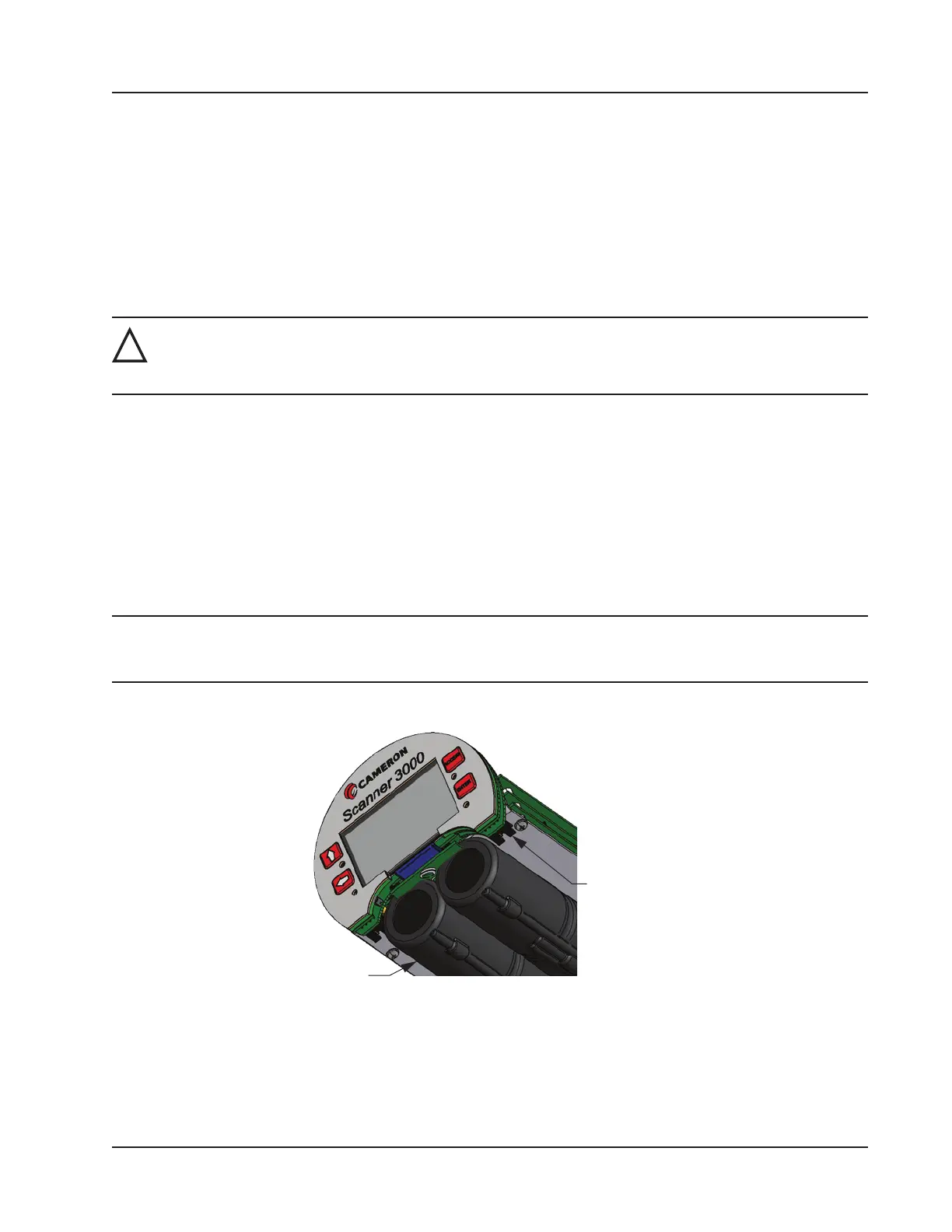
3. Locate the two receptacles on the back of the display board assembly (Figure 3.3).
4. Taking note of pin positions on the cable receptacle, slide the battery cable connector securely onto the pins of the
receptacle nearest the battery pack.
Note Proceed carefully when connecting the battery packs to the plastic receptacles to avoid damaging the connector
or bending pins. Using a pair of needle-nose pliers to grasp the plastic battery cable connector may aid in align-
ing the connector and receptacle pins when connecting and disconnecting battery packs.
5. Repeat steps 1 through 4 to install the second battery pack.
Battery pack
Battery
Figure 3.3—Lithium battery pack connectors (shown with enclosure removed from view)
Battery Life
Although external power is recommended for continuous use, the dual battery packs will autonomously power the Scan-
ner 3100 for an estimated 2 to 3 weeks under a base load (no analog inputs, digital outputs, or Ethernet communication).
57
Scanner 3100 EFM Section 3













 To Next Page