purchase.
Note A user-supplied external 110/240 VAC, 50/60 Hz power supply is required to power the WiFi box.
The WiFi box is pre-assembled and the router is pre-congured at the factory. Field wiring is limited to power connec-
tions to the box and to the Scanner 3100 and an Ethernet connection to the Scanner 3100.
Installation
The WiFi box is approved for mounting in Class 1, Div. 2, Group A, B, C, or D locations. Select a suitable location in a
safe area at least 3 feet from any Class 1, Div. 1 area and free of physical obstructions.
!
WARNING: To avoid personal injury and property damage, ensure the antenna is clear of any overhead
power lines.
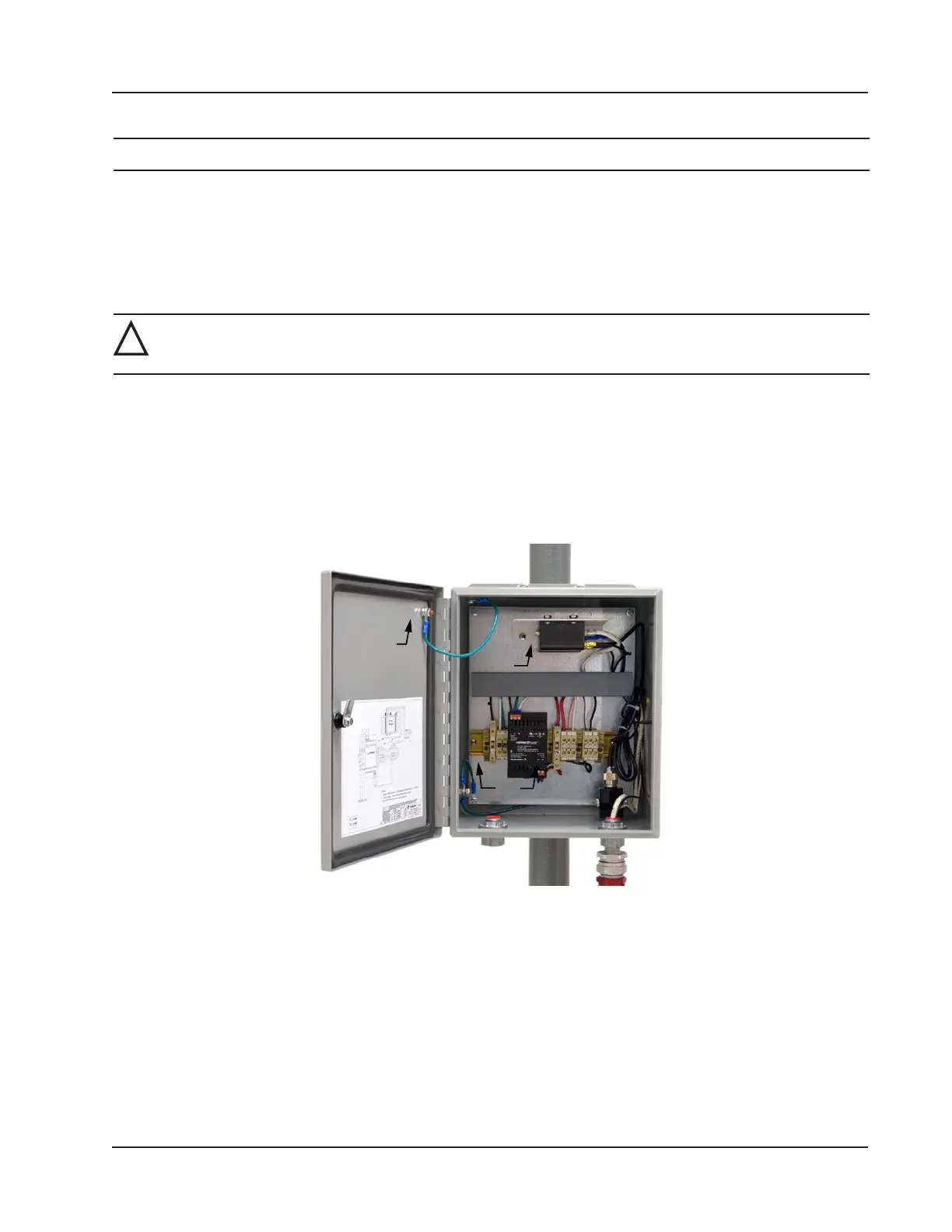
The WiFi box is preassembled at the factory (Figure 4.1) and ships with:
• One pair of installed fuses
• One pair of spare fuses
• Hardware for mounting to a vertical pipe or to a at vertical surface
• An external 31.5-in. antenna with pole-mounting hardware
• A 10-ft antenna cable (if longer lengths are required, 20-ft and 30-ft cable can be ordered separately)
Figure 4.1—Interior of WiFi Communications box
Pole Mount
To mount the WiFi box on a vertical pipe or pole, position the U-bolts around the pipe and secure them to the integral
brackets on the WiFi box using the nuts provided (Figure 4.2, page 72).
71
Scanner 3100 EFM Section 4













 To Next Page