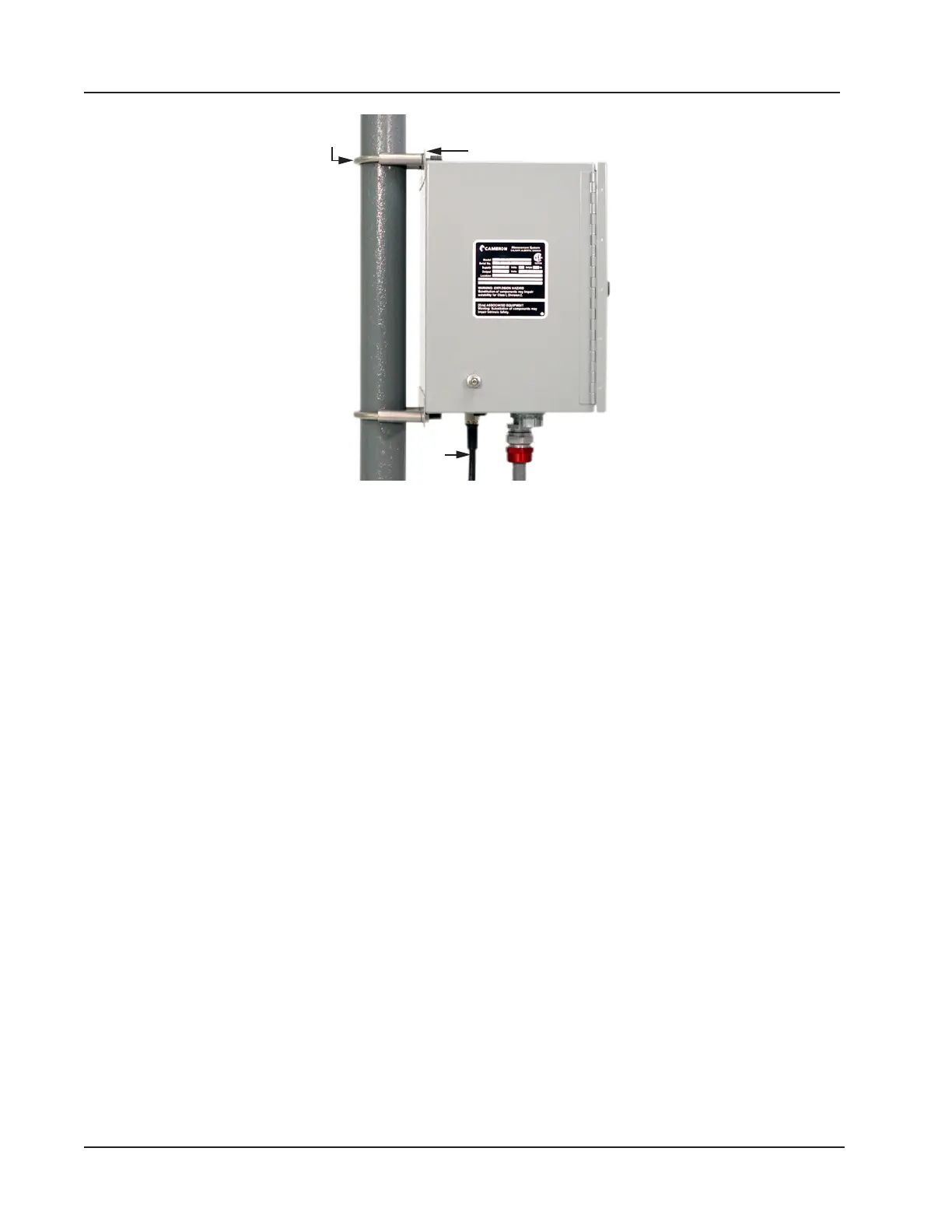
Antenna
cable
Integral mounting
bracket (1 of 2)
U-bolt
(1 of 2)
Figure 4.2—WiFi box mounted on a 2-in. pole
Bulkhead Mount
To mount the WiFi box to a at vertical surface,
1. Dry-t the WiFi box and mark screw locations using the outside holes on the top and bottom of the WiFi box inte-
gral mounting brackets.
2. Secure the box in place using the screws provided.
Antenna Mount
The antenna must be mounted in a vertical position with the metal base closest to the ground. The antenna connector at
the base of the antenna must be no more than 10 feet from the antenna connector on the bottom of the WiFi enclosure to
accommodate the 10-ft antenna cable.
If the antenna will be mounted to a 2-in. pipe with a 2 3/8-in. OD, an alternate 2-in. pipe bracket must be used in place of
the standard bracket (Figure 4.3, page 73).
To install the antenna,
1. Determine the mounting location and verify that the 10-ft cable will connect to the WiFi box from that location.
2. Position the U-bolts around the pipe and secure to the mounting bracket with the nuts provided.
72
Section 4 Scanner 3100 EFM













 To Next Page