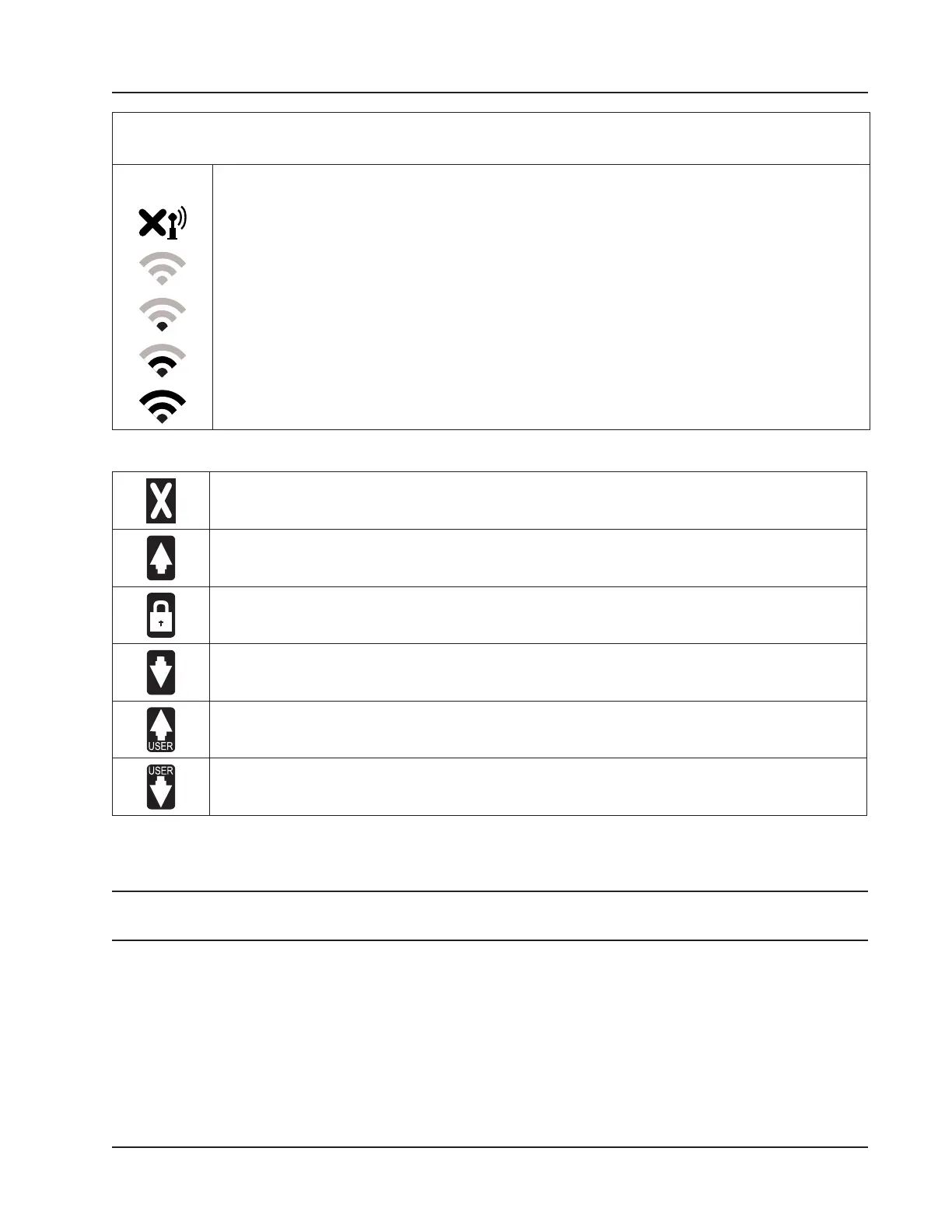
Table 5.1—Device Status Glyph Denitions
Wireless Communications Status.
The wireless transmitter is disabled.
No mesh nodes are congured.
At least one mesh node is congured but none are operational.
One or more mesh nodes are congured and at least one is operational.
Multiple mesh nodes are congured and all are operational.
Table 5.2—Parameter Status Glyph Denitions
Fail. This parameter value is in a fail state.
High System Alarm. The parameter value exceeds the top end of the system operating range.
Locked. The parameter is in Maintenance mode, or is congured to use a user-specied override
value.
Low System Alarm. The parameter value is below the low end of the system operating range (low
end).
High User-Configured Alarm. The parameter value exceeds the user-congured high setpoint.
Low User-Configured Alarm. The parameter value is below the user-congured low setpoint.
Congurable Display Features
A number of display features can be congured via the Scanner 3100 web interface with the proper user permissions.
Note Only users with Administrator or Conguration Editor user access levels can change display features. See the
Scanner 3100 Web Interface User Manual for instructions on setting user security levels.
• Orientation. By default, display orientation is set to “automatically detect” the orientation of the device. If the
device is inverted, the display will automatically invert as well for optimum visibility. A user can also specify the
orientation of the MVT port as upward or downward.
• Color Scheme. The LCD display background can be congured as light gray or dark gray. Character color
automatically adjusts to provide contrast for easy viewing.
• Message Delay. This setting determines the length of time a set of parameters is displayed between scrolls. The
default setting is 10 seconds. The congurable range of values is 0 to 600 seconds (10 minutes).
81
Scanner 3100 EFM Section 5













 To Next Page