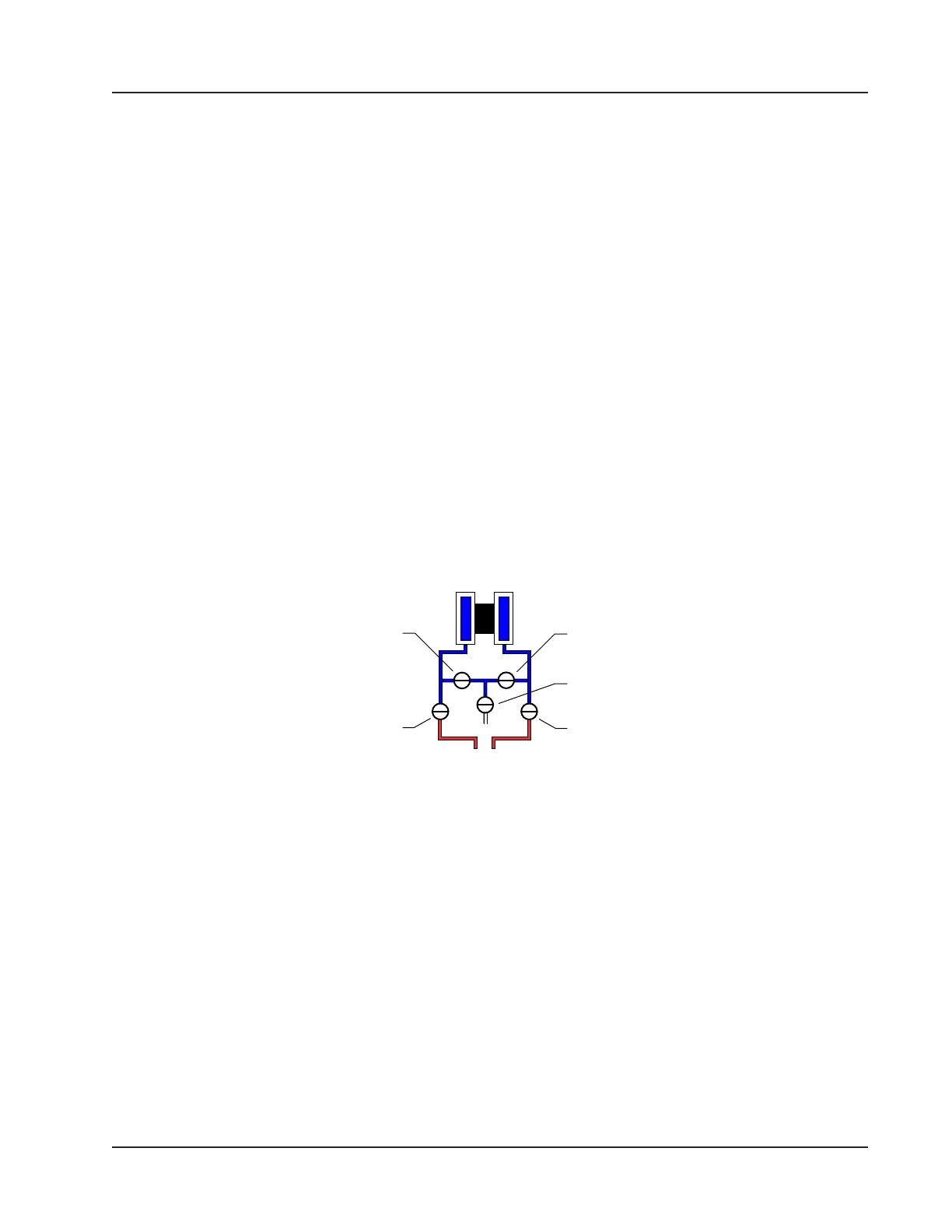
Performing a Manifold Leak Test
A manifold leak test is recommended prior to operating any differential pressure meter into service. Check the manifold
for leaks as follows:
1. Verify that the instrument is approximately level and is properly connected to the pressure source.
2. Make sure the vent valve in the manifold is closed. (The bypass/block valves should be open.)
3. Close both bypass/block valves on the manifold to isolate pressure between the block valve and the MVT (Figure
2.15).
4. Open both equalizer valves to distribute pressure throughout.
5. Monitor the pressure readout and watch for a steady decrease in pressure.
6. If desired, spray all connections and valves with soapy water and observe for bubbling to detect the location of any
leak(s). If leakage is indicated,
a. Depressurize the system by opening both bypass/block valves.
b. Check all manifold and piping joints.
c. Tighten connections and/or replace seals as necessary.
d. Repeat steps 3 through 6 to retest the manifold for leaks.
7. When the manifold is determined to be free of leaks, verify the condition of the equalizing valves as follows.
a. Close both equalizing valves and open the vent.
b. Monitor the differential pressure reading for any change.
8. Repair or replace the manifold as required if the differential pressure varies.
VENT
BYPASS/
BLOCK
EQUALIZER
BYPASS/
BLOCK
EQUALIZER
Figure 2.15—Valve positions for manifold leak test
Zero Offset (Static Pressure or Differential Pressure)
The static pressure input for the Scanner 3100 is zeroed at the factory before shipment. However, changes in temperature
and atmospheric pressure can cause the static pressure and differential pressure readings to vary. The inputs can be easily
zeroed in the eld prior to putting the Scanner 3100 into service, if necessary.
To zero the static pressure or differential pressure:
1. Close the bypass valves to isolate the pressure below the manifold (Figure 2.16, page 52).
2. Open the equalizer and vent valves.
3. Connect to the Scanner 3100 via the web interface.
4. Navigate to the Local I/O>DP:Diff Pres or Local I/O>SP:Stat Pres screen, click the Zero Offset tab, and click the
Modify button. You will be prompted to enter the Maintenance mode. See the Scanner 3100 Web Interface User
Manual for complete instructions.
5. Click the “Applied/As Left” eld, enter 0.0, and wait for the reading to be acquired.
6. Click Accept to exit the dialog. The measured zero offset will be displayed on the screen.
51
Scanner 3100 EFM Section 2













 To Next Page