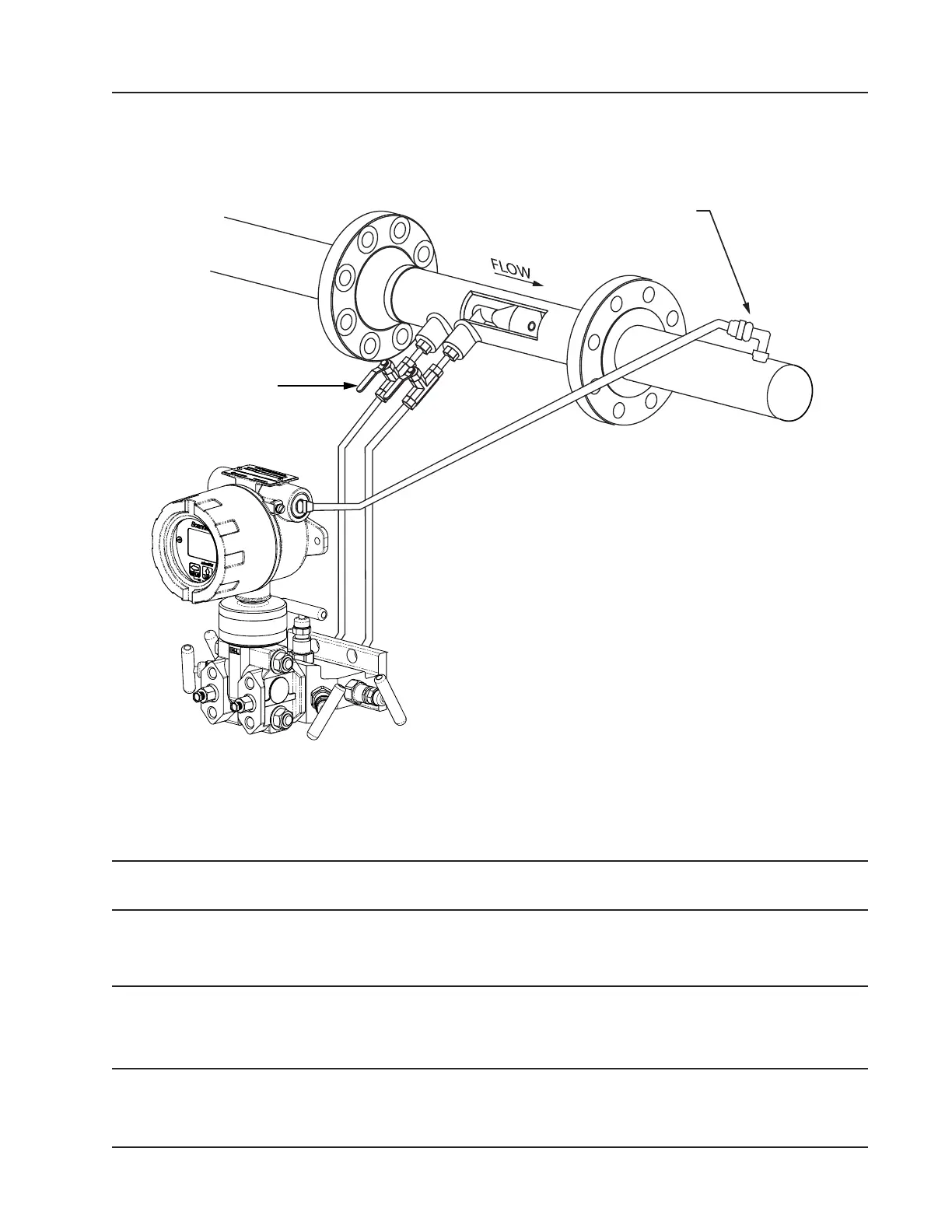
4. Install the RTD assembly in the thermowell. Remove the plug from a conduit opening in the top of the Scanner 3100
enclosure, route the RTD assembly cable through the conduit opening and connect it to the terminal board. A wiring
diagram for the RTD assembly is provided in Figure 3.6, page 59. For hazardous areas, review Hazardous Area
Precautions, page 27.
RTD assembly
Positioning of sensor below the
meter and slope of tubing helps
prevent gas bubbles from entering
the liquid
Shut-off valves
throttle flow to
the manifold
and MVT
Figure 2.14—Remote-mount liquid cone meter run installation. The remote-mount method can be used with an orice
meter as well.
5. Route any additional inputs/outputs, communications connections, etc. through a conduit opening in the top of the
Scanner 3100. For hazardous areas, review Hazardous Area Precautions, page 27.
Note To prevent ttings from turning and/or to avoid putting tension on stainless steel tubing, use a backup wrench to
attach stainless steel tubing to shutoff valves, or sensor ports.
6. To eliminate air bubbles in the MVT, manifold and legs connecting them to the meter, ll the legs with uid. Choose
a uid that is safe for the environment and stable when depressurized.
Important If the process uid does not present an environmental risk and is stable when depressurized, it
may be used to bleed air from the lines. If the process uid can contaminate the environment or is
highly volatile when depressurized as with liqueed gases, a different seal uid should be used to
ll the legs. An ideal seal uid is one that does not dissolve in the process uid.
7. If process uid is to be used, bleed air from the lines as follows. If a different seal uid is to be used, proceed to step
8.
49
Scanner 3100 EFM Section 2













 To Next Page