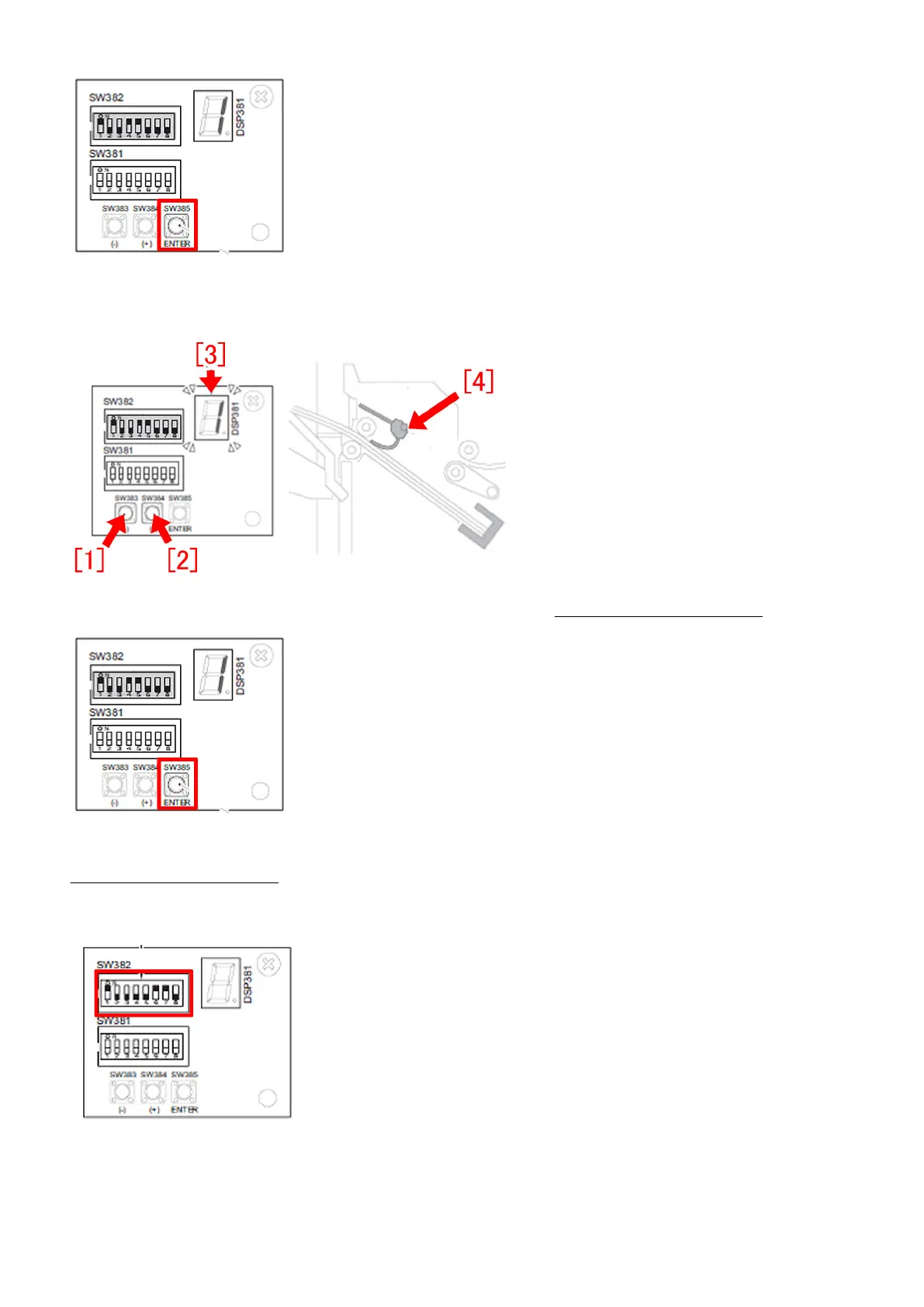
B-3) Press SW383[1] or SW384[2] a few times to have the LED [3] to indicate "-1".
[Reference] The default value is "0" and the paddle [4] height becomes lower when setting to "-1".
B-4) Press switch SW385 again to complete this adjustment. Next, proceed to C. Adjusting Position of Feed Belt.
C. Adjusting Position of Feed Belt
C-1) Set DIP SW382 on the switch PCB as shown in the figure below.
[Note] SW1, SW6 and SW7 are ON.
C-2) Press switch SW385 to start position adjustment of the feed belt.
95











 To Next Page