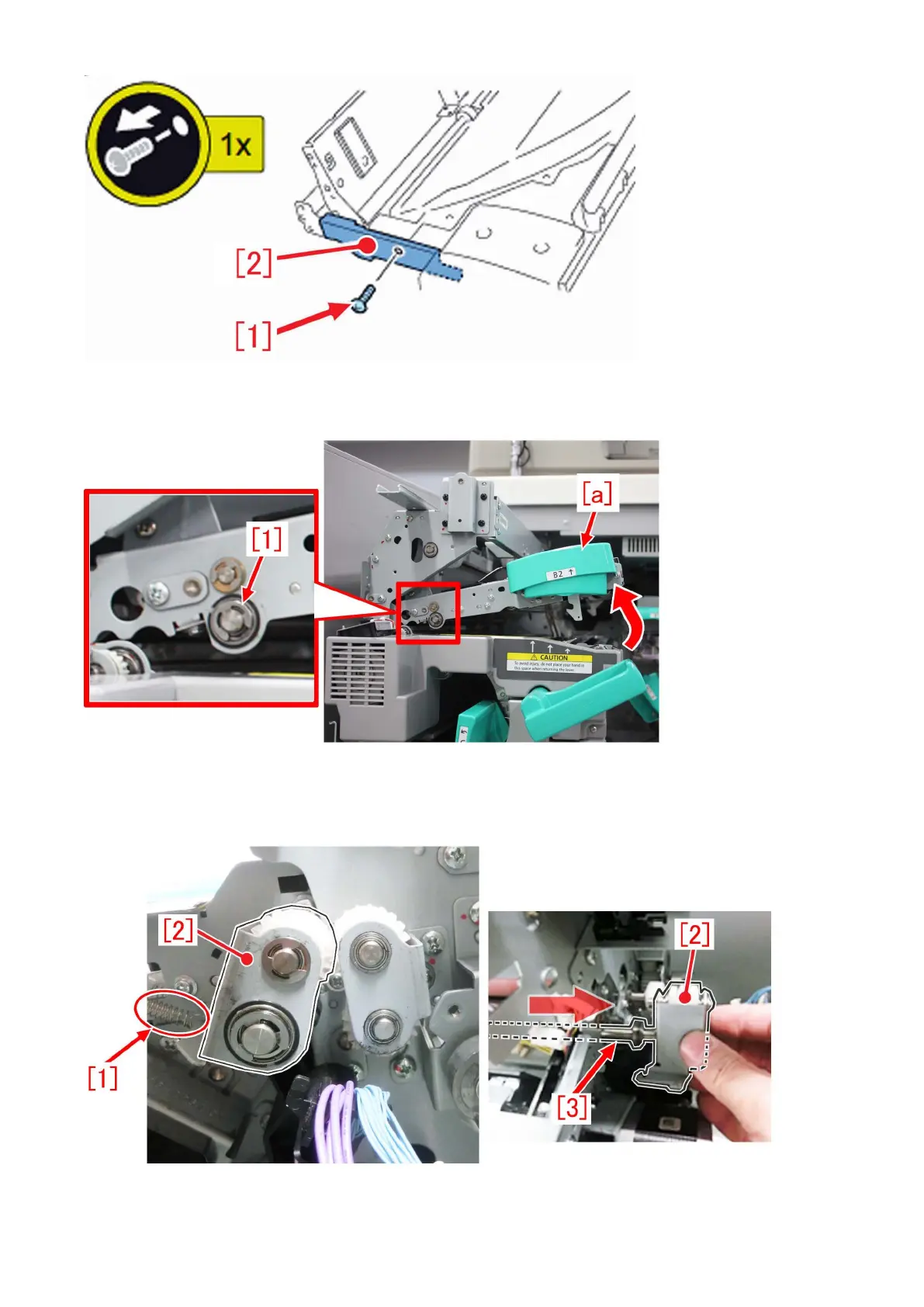
c-3) Referring to "a) Step to replace the decurler drive shaft", perform work from the step a-1) to a-4).
c-4) Lift the lever (C-B2) [a] of the delivery upper guide unit, and remove the E-ring [1] and the ball bearing.
c-5) Remove the tension spring [1] of the drive swing plate on the rear side of the delivery upper guide unit (the rear side of the
machine), and pull out the drive swing plate [2] together with the shaft [3].
144











 To Next Page