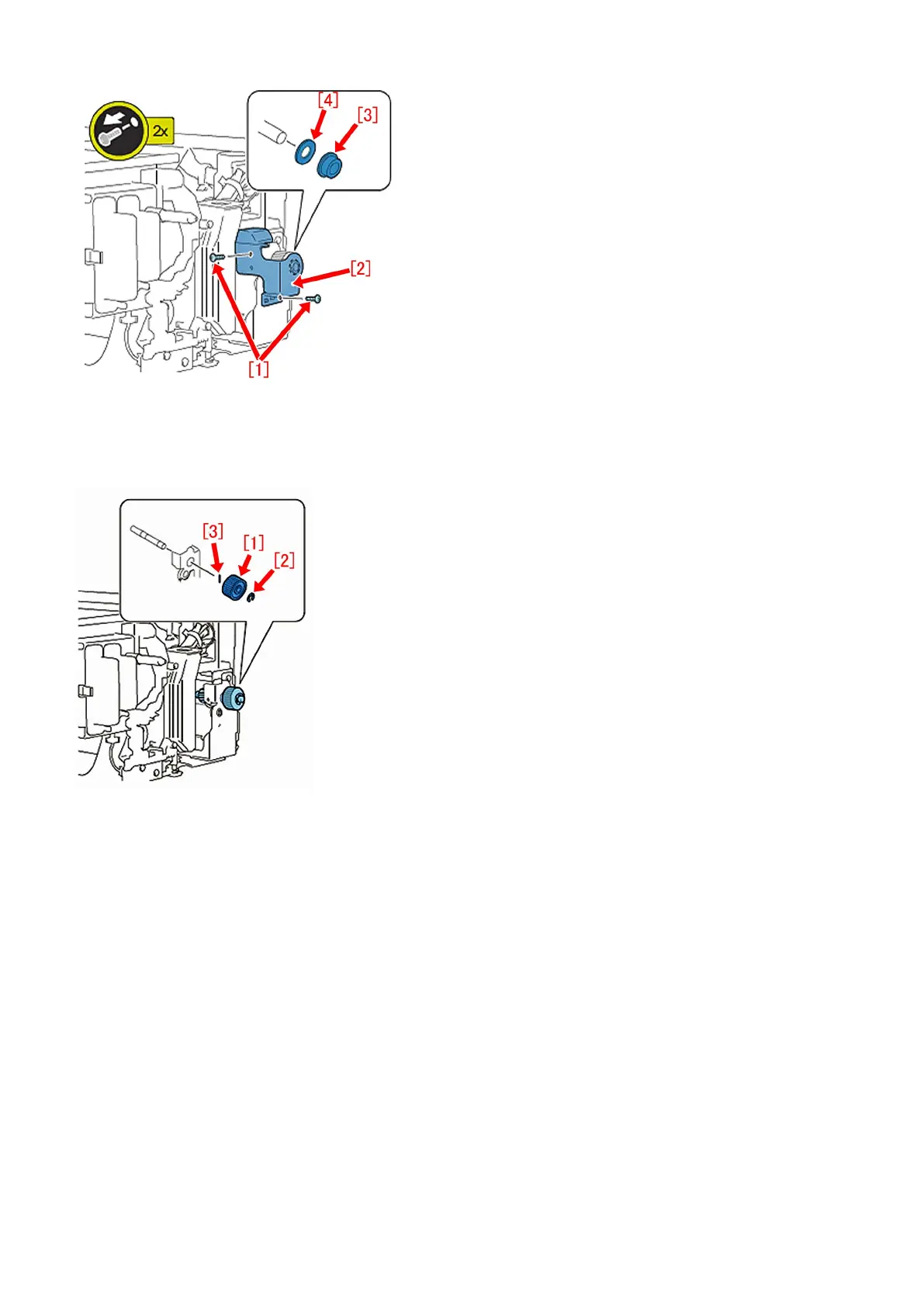
3) Remove the E-ring [2] to detach the 41T gear [1] and the dowel pin [3].
[Note]
- Take care in handling the dowel pin because it is small.
- Replace the E-ring with new one when putting it back.
4) Remove the E-ring [1] and the washer [2] to detach the developing drive shaft [5] with the 30T gear [4] and the ball bearing
[3].
[Reference] The 30T gear [4] and the developing drive shaft [5] are high durable parts whose estimated timing for the replacement
is 9000K printings. If the timing reaches the criteria at the time of work, replace them with new ones at this step together.
[Note] Replace the E-ring with new one when putting it back.
215




 To Next Page