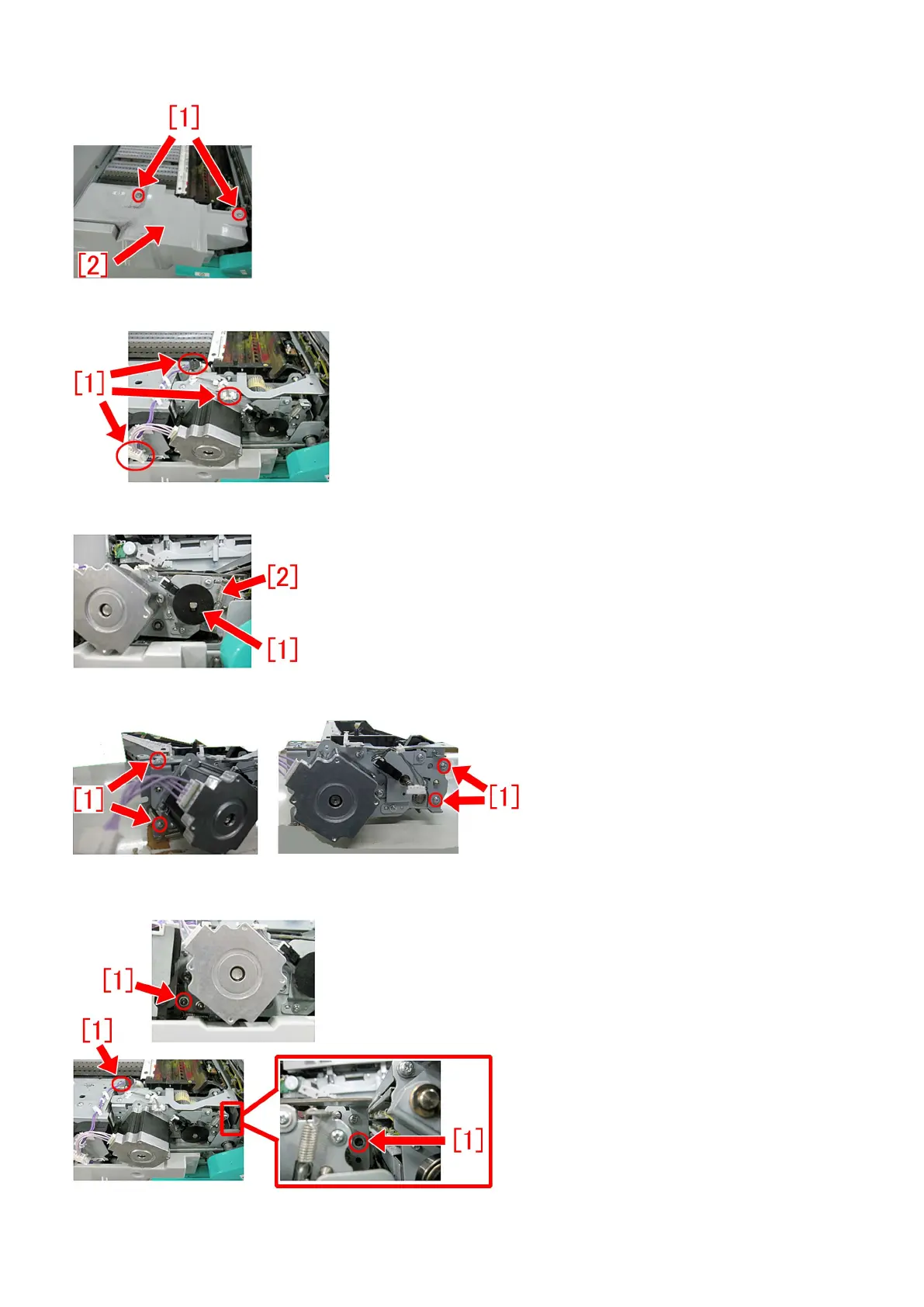
4) Remove the 2 screws [1], and remove the pre-fixing feed upper cover [2].
5) Disconnect the connectors [1] in the 3 sections, and remove the cable from the saddle.
6) Remove the sensor flag [1] and the tension spring [2].
7) Remove the 4 screws [1].
8) Remove the 3 screws [1].
48











 To Next Page