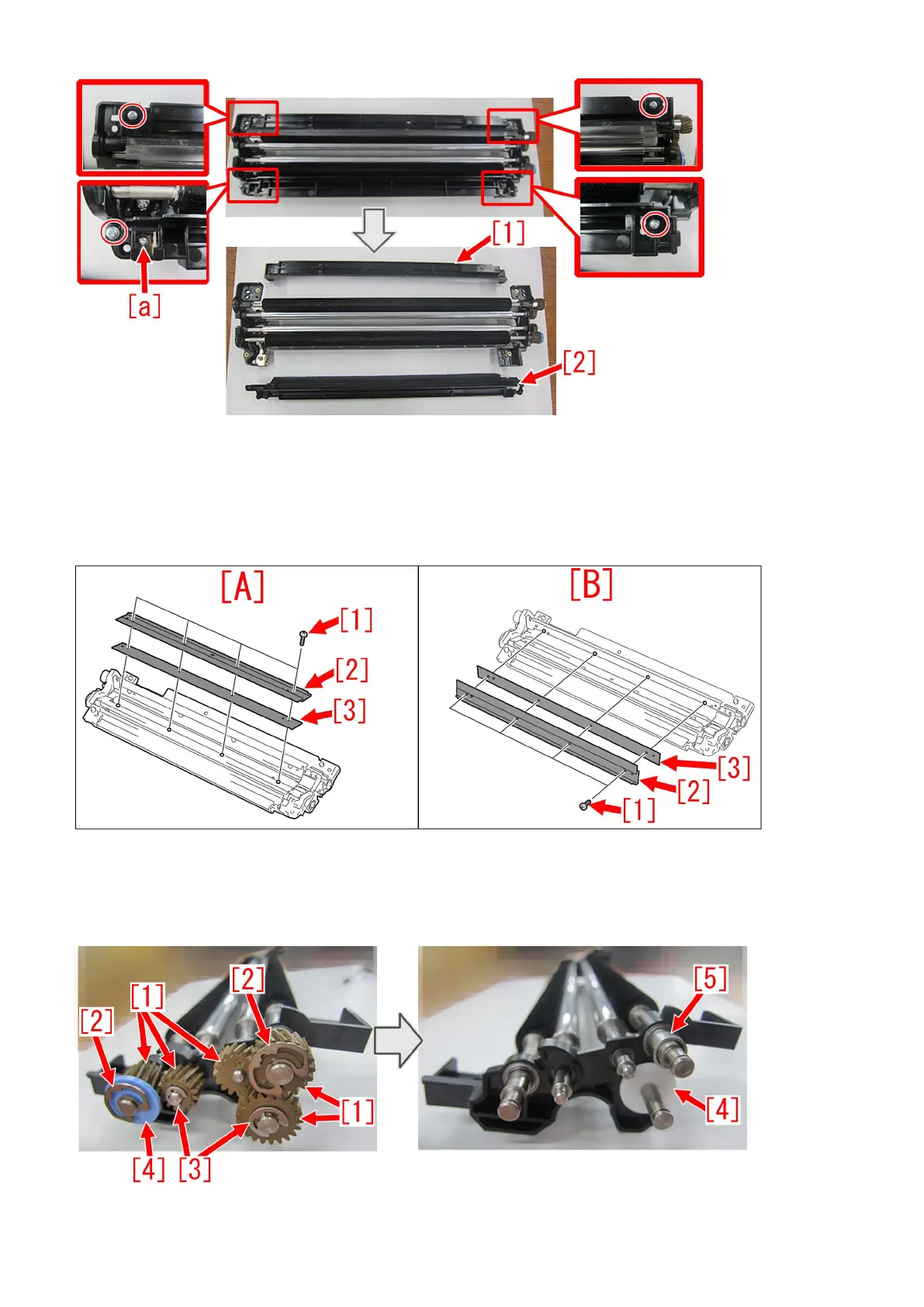
3) Refer to Service manual: "4 Parts Replacement and Cleaning" > "Image Formation System" > "Replacing the Secondary
Transfer Bias Roller Cleaning Blade" and remove the screws [1] x4pcs, blade [2] x1pc and blade adjuster plate [3] x1pc.
There are blades in 2 locations, right/left so remove them both. Shown below, [A] is the right blade and [B] is the left.
In addition, there may be multiple numbers of blade adjuster plates [3] attached. Remove them all in such case.
4) Remove 5pcs of gears [1], 2 pcs of N rings [2], 2pcs of E rings [3], 2pcs of spacers [4], 1pc of spacer [5]. Photo below shows
that new type of gears are installed. In the case of old type gears, one spacer [5] is not attached.
77











 To Next Page