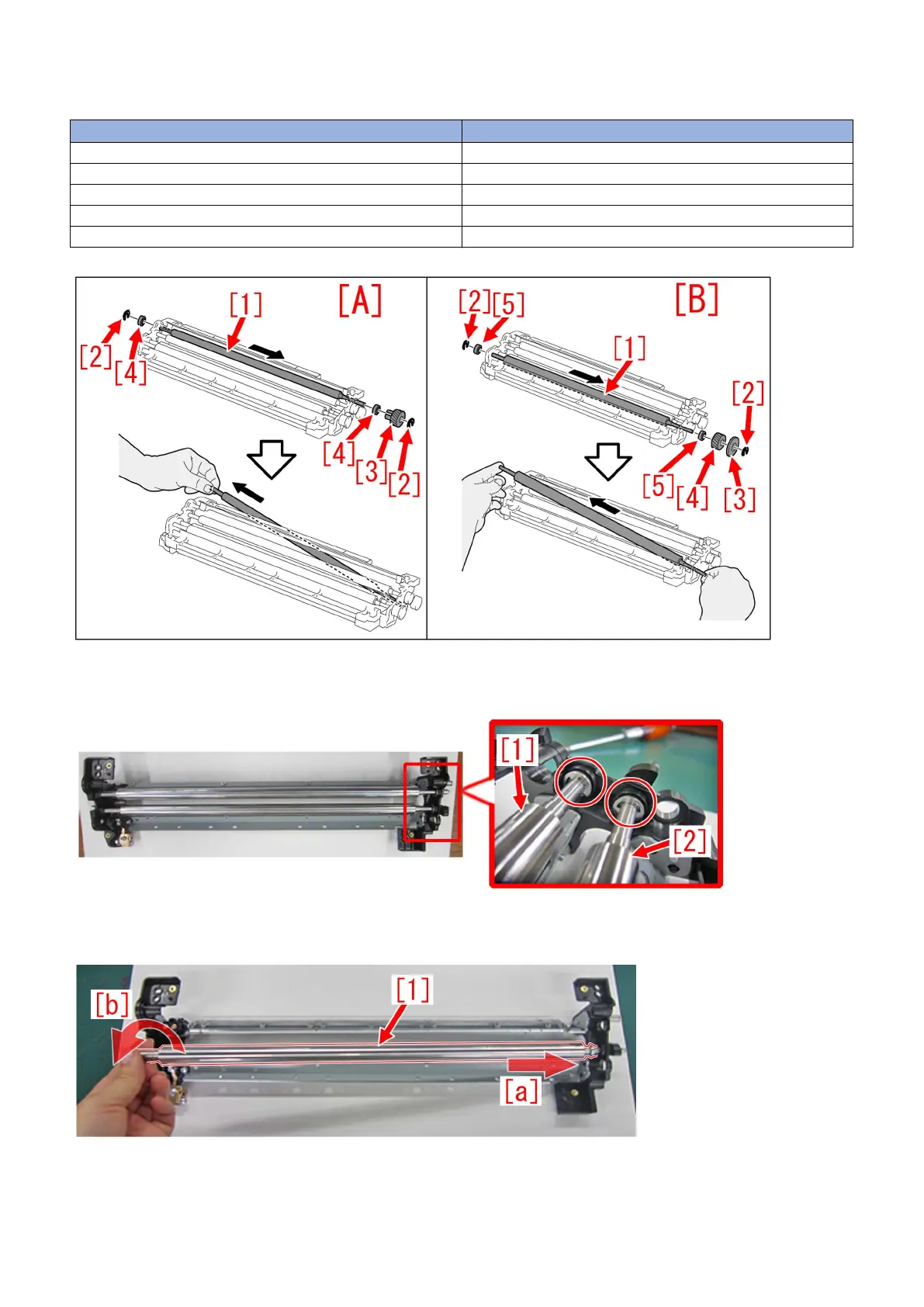
5) Refer to Service manual: "4 Parts Replacement and Cleaning" > "Image Formation System" > "Replacing the Secondary
Transfer Cleaning Brush Roller (Right/Left)" and remove both right [A] and left [B] Cleaning Brush Rollers.
[A] Cleaning brush roller (Right) [B] Cleaning brush roller (Left)
[1] Cleaning brush rolle [1] Cleaning brush roller
[2] E-ring [2] E-ring
[3] Gear [3] Washer
[4] Bearing [4] Gear
[5] Bearing
6) Remove the E rings and bearings of the bias roller [1] and bias roller 2 [2] respectively.
7) Bias roller [1] shall be removed, by sliding it to [a] direction, and detach from side [b]. Remove the bias roller 2 in the same
manner.
8) Remove 2pcs of screws[1], while holding the cleaner front side plate gently [a].
78











 To Next Page