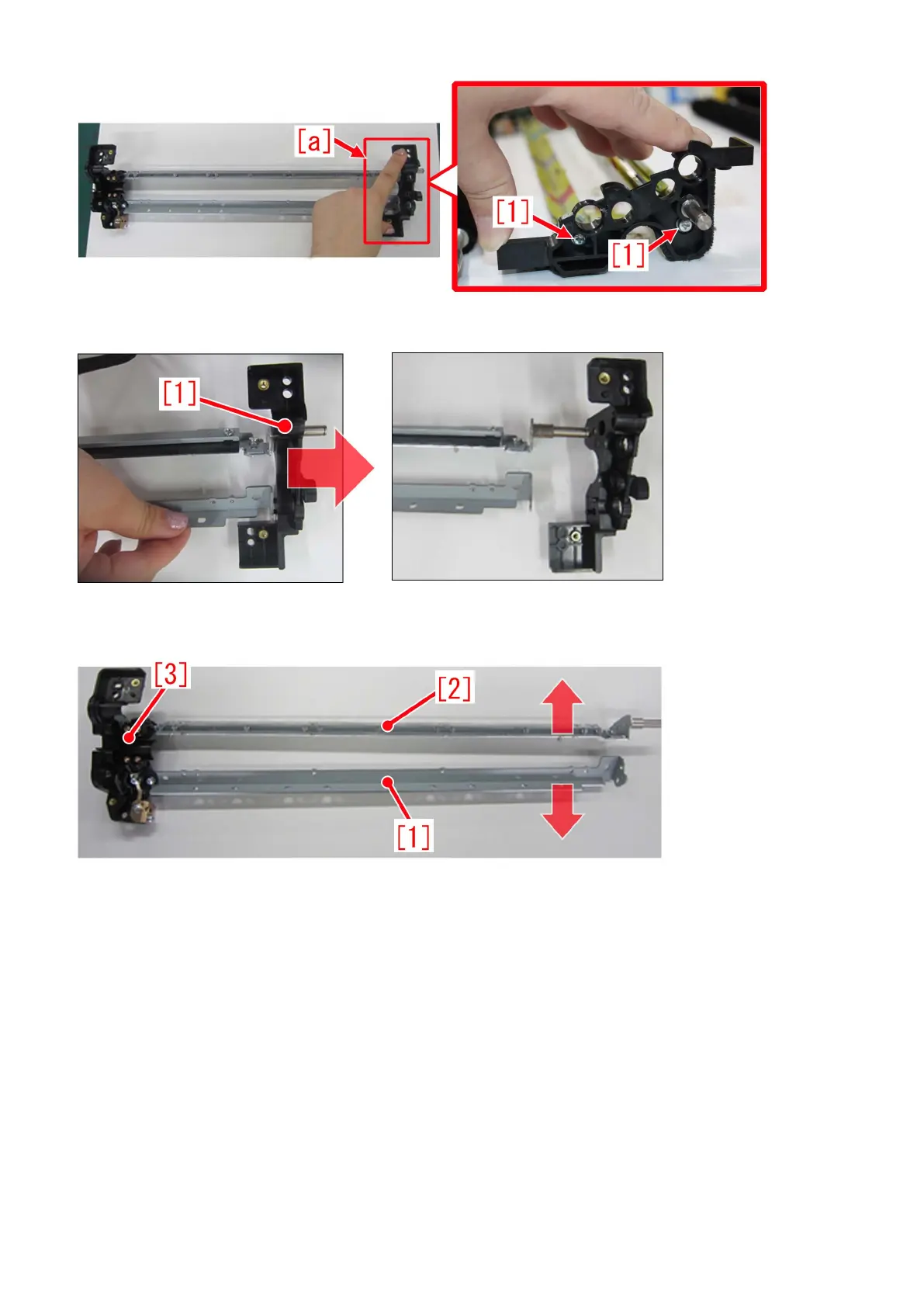
9) Pull out the cleaner front side plate [1] slowly in the arrow direction.
[Caution] At step 9), be careful not to expand the space between the upper blade support [1] and lower blade support [2] in the
arrow direction. If it expand, cleaner rear side plate [3] may break.
10) Install the newly assigned service part, cleaner front side plate (FL0-5502-000) [1] by inserting in the direction shown in arrow
slowly.
[Reference] When installing the cleaner front side plate, be sure to fit in the shaft [2] and the 3 bosses [a] as shown below.
79











 To Next Page