[Remedy/Answer]
Upon service visit for replacing the periodically replaced parts of 1st fixing assembly etc., check if there is any abrasion on front/
rear tension plates, and if any abrasion or detachment of a transmission shaft is observed, follow the steps below to replace the
washers attached on both sides of the transmission shaft with the new type toothed lock washers (FE2-A267-000) , and also
replace the transmission shaft (FC6-0335) with the new one at the same time.
<Parts to be prepared>
- Toothed lock washer (FE2-A267-000): 2pcs
- Transmission shaft (FC6-0335): 1pcs
- Front belt tension plate (FC6-0334): Replace it if abrasion or deformation is observed.
- Rear belt tension plate (FC6-0364): Replace it if abrasion or deformation is observed.
- E-ring: Do note reuse the E-ring when removed. Prepare a new one.
1) Refer to
Service manual > 4 Parts Replacement and Cleaning > Fixing System > "Disassembling the Primary Fixing Pressure Belt Unit"
and remove the 1st Fixing Pressure belt.
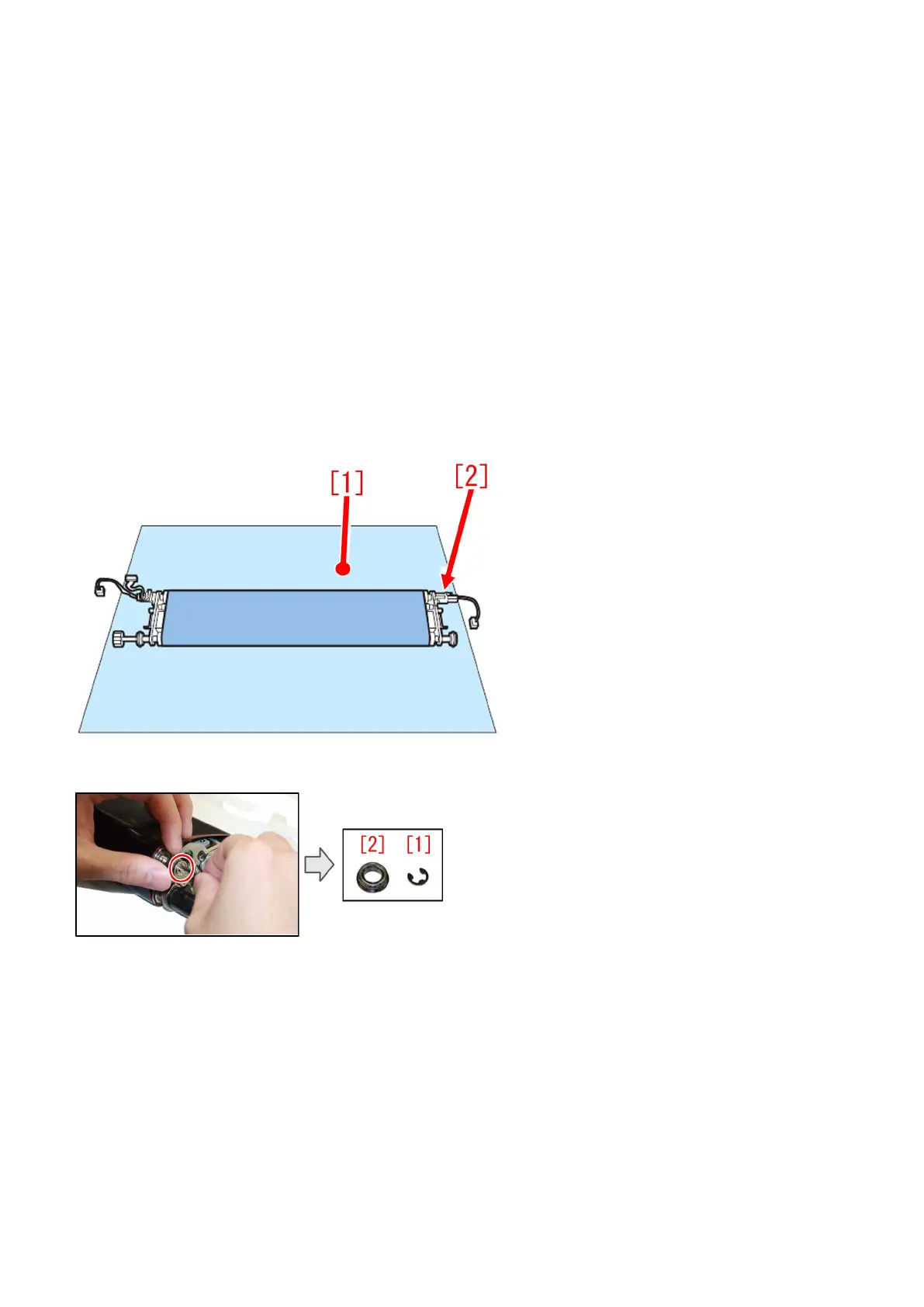
[Note] Be careful not to touch the surface of the fixing pressure belt, and place the 1st fixing pressure belt assembly [2] on paper
[1] etc.
2) Remove the E-ring [1] and the bearing [2] from the transmission shaft of 1st fixing pressure belt assembly.
3) Remove two screws [1], and the stopper retaining plate/the tensioner stopper [2], the tension spring [3] and the rear belt tension
plate [4]. If any deformation or wear out is seen on the rear belt tension plate, replace the rear belt tension plate with a new part.
87











 To Next Page