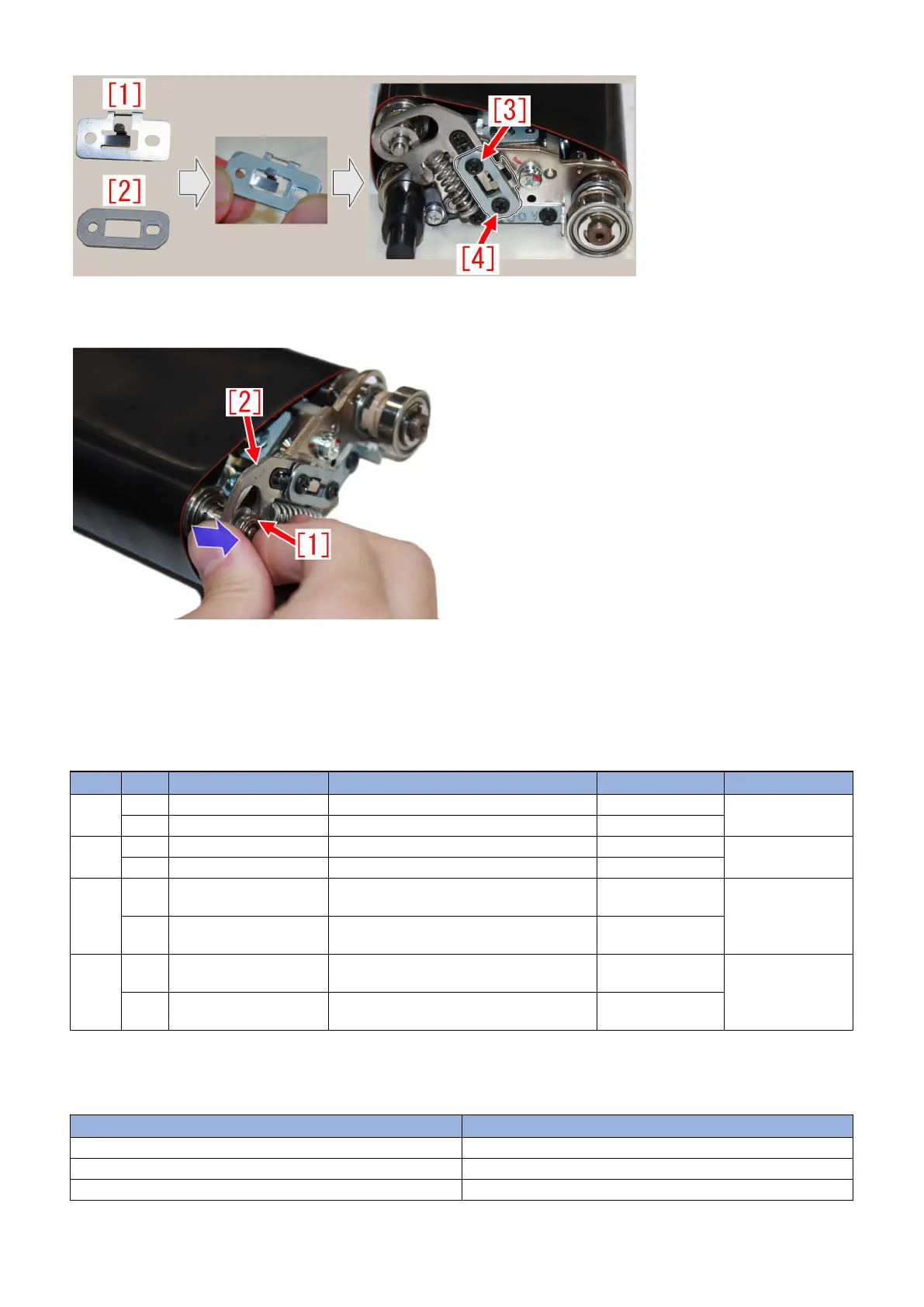
- When installing a bearing [1] on the transmission shaft, pushing down the rear belt tension plate [2] in the direction shown in
arrow below would make it easier to fit it on.
6) In a similar way, follow the steps 2) to 5) for the front belt tension plate, which is located on the other side, and replace the
washer to a new type toothed lock washer.
7) Install a 1st fixing pressure belt assembly on the 1st fixing assembly, then put the assembly back to the main unit, referring to
the instructions on the service manual.
[Service parts]
No. Part Number Description Q'ty Fig. No.
1 Old FS5-6488-000 WASHER 2 -> 0 813A
813B
New FE2-A267-000 WASHER, TOOTHED LOCK 0 -> 2
2 Old FC6-0335-000 SHAFT, TRANSMISSION 1 -> 1 813A
813B
New
3 Old FM1-A385-010 FIXING PRESSURE BELT ASSEMBLY
(200V,208V)
1 -> 0 813A
New FM1-A385-020 FIXING PRESSURE BELT ASSEMBLY
(200V,208V)
0 -> 1
4 Old FM1-A409-020 FIXING PRESSURE BELT ASSEMBLY
(400V)
1 -> 0 813B
New FM1-A409-030 FIXING PRESSURE BELT ASSEMBLY
(400V)
0 -> 1
※ In the service manual, the FIXING PRESSURE BELT ASSEMBLY is described as Primary Fixing Pressure Belt Unit.
[Countermeasure cut-in serial numbers in factory]
Model Serial No.
iPR C10000VPSR FS US WBE15706
iPR C10000VPSR FS EUO WBF15620
iPR C10000VPSR FS CN WBG15053
89




 To Next Page