SERVICING THE IMAGEPRESS SERVER WITH FURNITURE 141
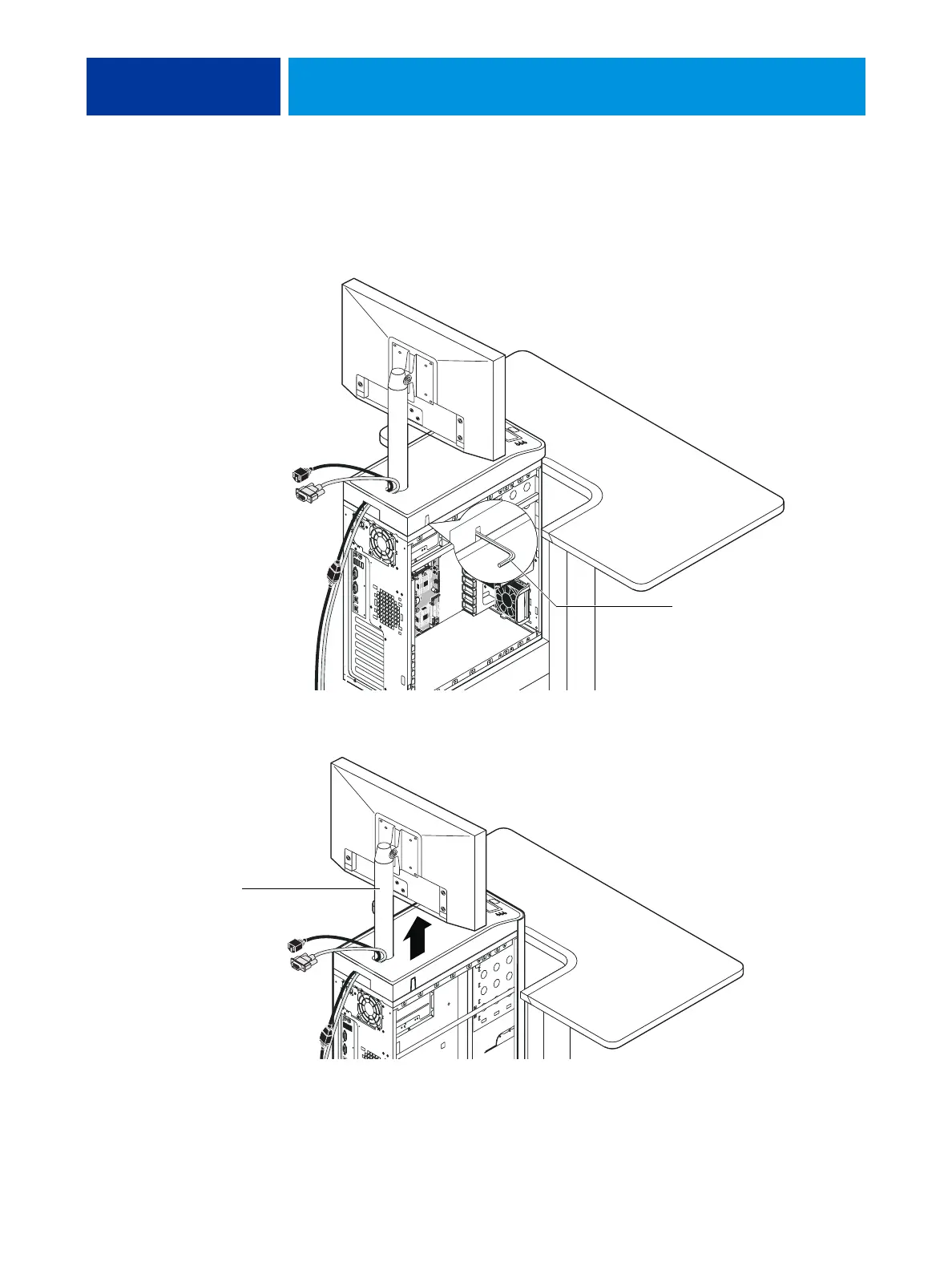
6. Use the allen key to loosen the screw that secures the monitor pole to the imagePRESS
Server.
The allen key should be stored in the side drawer of the furniture.
7. Holding the monitor pole, gently lift the monitor pole assembly up and out of the
imagePRESS Server monitor mount.
8. Continue with the procedure “To open the imagePRESS Server” on page 51.
Allen key
Monitor pole












 To Next Page