SERVICING THE IMAGEPRESS SERVER WITH FURNITURE 145
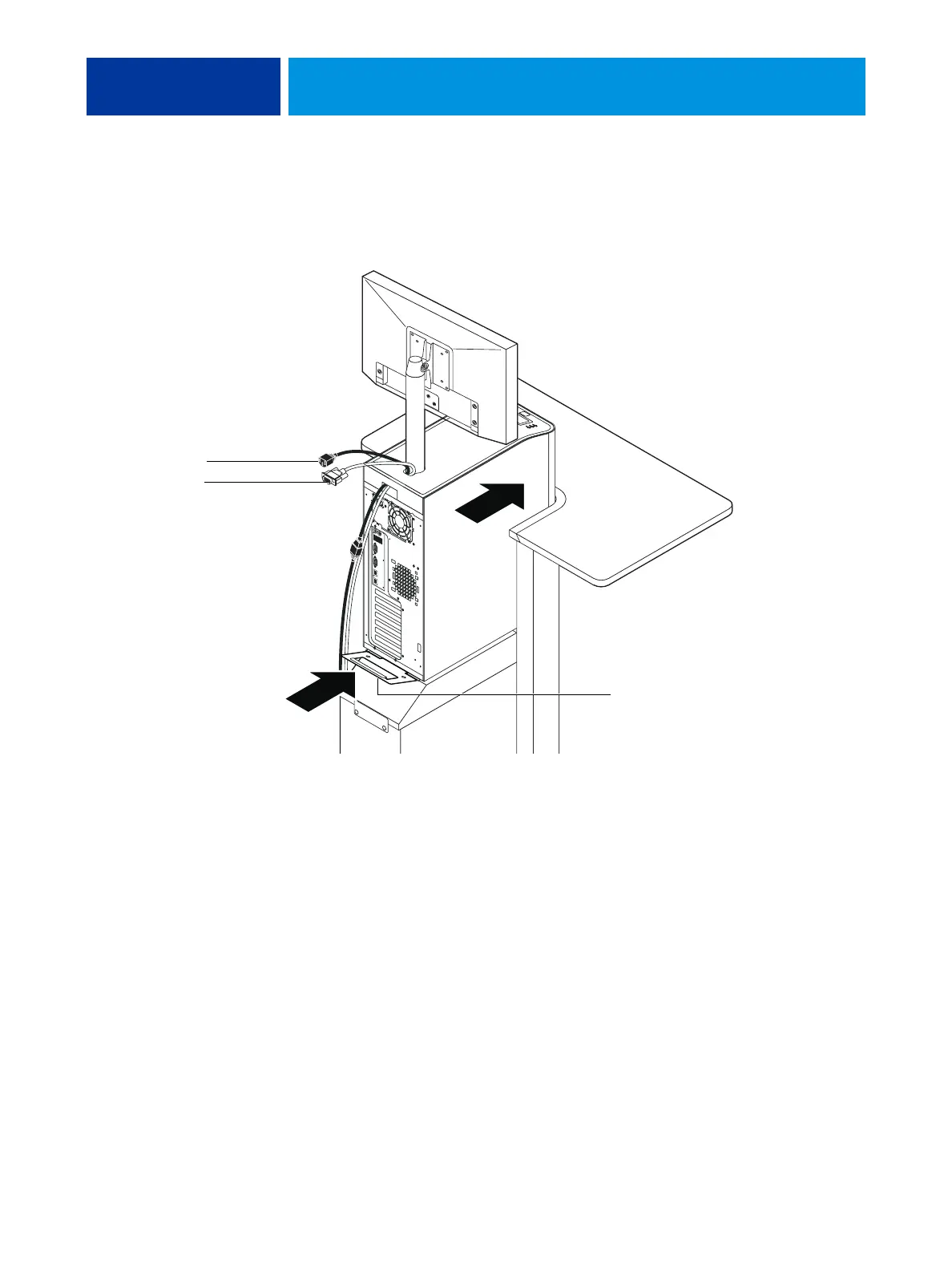
6. Use the handle on the stability bracket to lift the rear of the imagePRESS Server. Slide the
imagePRESS Server all the way forward into the stand. Lock the imagePRESS Server into place
with the two thumbscrews that you removed earlier.
7. Connect the two monitor cables (power and video):
• Power—to the back of the monitor and to the wall outlet
• Video—to the back of the monitor and to the back of the imagePRESS Server
Stability bracket (lock into
place with two thumbscrews)
Video cable
Power cable












 To Next Page