5
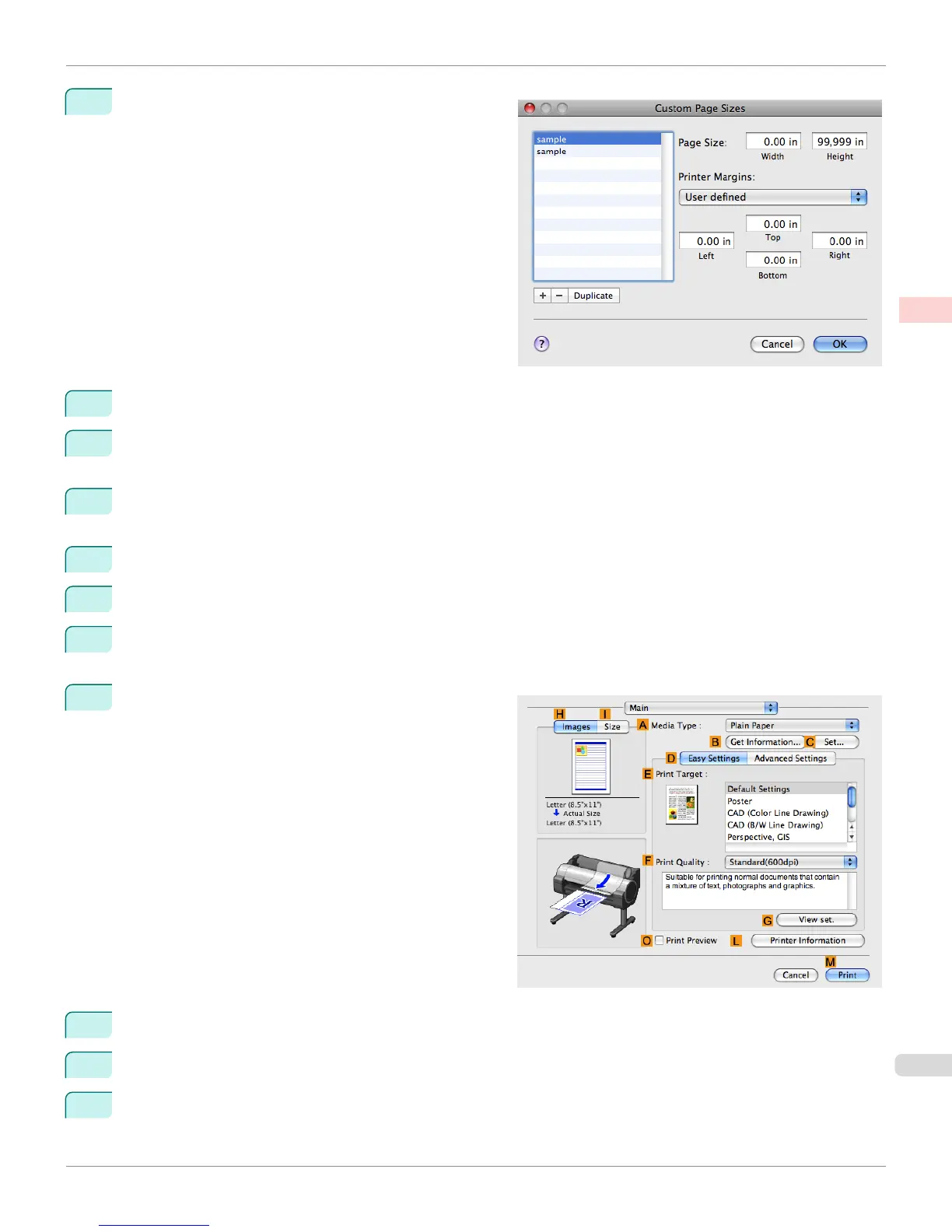
Click Manage Custom Sizes in the F Paper Size list to
display the Custom Page Sizes dialog box.
6
In Page Size, enter the height and width of the original. Here, enter 43.00 cm in Height and Width.
7
In Printer Margins, enter 0.5 for the top and side margins and 2.3 for the bottom margin. Here, measurements
are entered in centimeters.
8
Double-click Untitled in the list at left in the Custom Page Sizes dialog box and enter the paper name—in this
case, 430*430.
9
Click OK to close the Custom Page Sizes dialog box.
10
In the F Paper Size list, click the size of the original. In this case, click 430*430, the size you registered.
11
If you configured the settings using the Page Attributes dialog box, click OK to close the dialog box, and then
select Print from the application software menu.
12
Access the Main pane.
13
In the A Media Type list, select the type of paper that is loaded.
14
After confirming that D Easy Settings is selected, select from the E Print Target list.
15
Make your selection in the F Print Quality list.
iPF765
Printing on Non-Standard Paper Sizes (Mac OS X)
User's Guide
Enhanced Printing Options Printing banners or at other non-standard sizes
123


 To Next Page
 Loading...













