Ink Tanks
Ink Tanks
Ink Tanks ............................................................................................................................................................ 620
Replacing Ink Tanks ........................................................................................................................................... 620
Checking Ink Tank Levels .................................................................................................................................. 624
When to Replace Ink Tanks ............................................................................................................................... 625
Ink Tanks
Ink Tanks
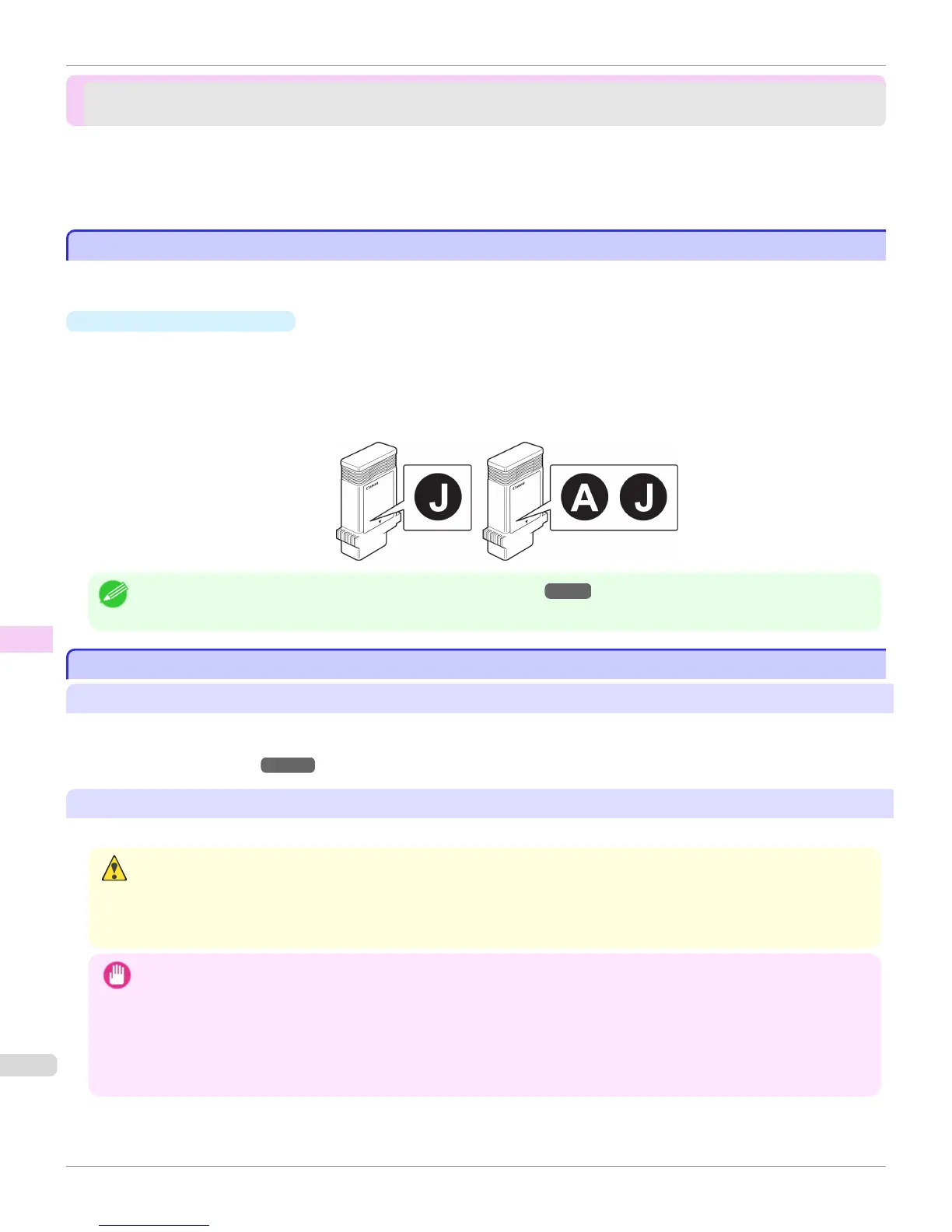
When purchasing ink tanks, make sure a J is printed on the label, along with the following [W is printed on the label,
along with the following Ink Tank serial numbers.
•
130 ml (4.4 fl oz) per color
•
BK Ink Tank PFI-102BK
•
MBK Ink Tank PFI-102MBK
•
C Ink Tank PFI-102C
•
M Ink Tank PFI-104M
•
Y Ink Tank PFI-102Y
Note
• For instructions on Ink Tank replacement, see "Replacing Ink Tanks." →P.620
Replacing Ink Tanks
Replacing Ink Tanks
Compatible ink tanks
Ink tanks that can be used in the printer are labeled with a white letter J in a black circle on the side.
Request ink tanks with the same label when you purchase new ones.
For details, see "Ink Tanks." →P.620
Precautions when handling ink tanks
Take the following precautions when handling ink tanks.
Caution
• For safety, keep ink tanks out of the reach of children.
• If ink is accidentally ingested, contact a physician immediately.
• There may be ink around the ink supply section of ink tanks you removed. Handle ink tanks carefully during replacement. The
ink may stain clothing.
Important
• Do not install used ink tanks in another model of printer.
This will prevent correct ink level detection, which may damage the printer or cause other problems.
• We recommend using up an Ink Tank in the course of printing within six months after breaking the seal. Printing quality may
be affected if you use older ink tanks.
• Do not leave the printer without ink tanks installed for extended periods (a month or more). Residual ink may become clog-
ged inside the printer and affect printing quality.
Ink Tanks
iPF765
User's Guide
Maintenance and Consumables Ink Tanks
620















 To Next Page