Removing the Roll Holder from Rolls
Removing the Roll Holder from Rolls
1
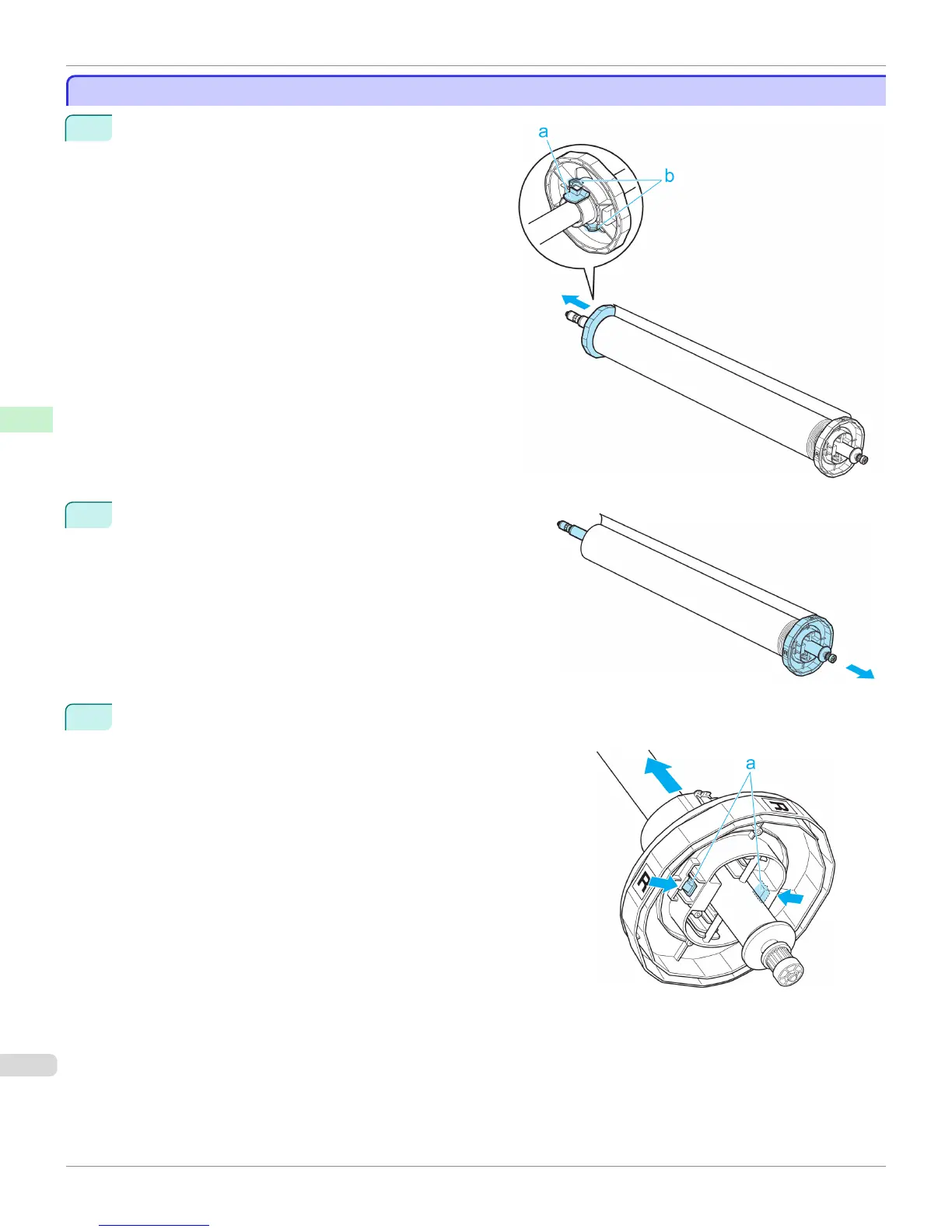
Lift the Holder Stopper lever (a) from the shaft side to
unlock it. Holding the Holder Stopper at the position in-
dicated (b), remove it from the Roll Holder.
2
Remove the Roll Holder from the roll.
3
When removing attachments, push the tips (a) in as you remove the attachment.
•
3-Inch Paper Core Attachment R ( Roll Holder side)
Removing the Roll Holder from Rolls
iPF765
User's Guide
Handling Paper Handling rolls
454


 To Next Page
 Loading...












