11
Make sure the width of the loaded roll is displayed in the B Roll Width list—in this case, ISO A2/A3
(420.0mm).
Note
•
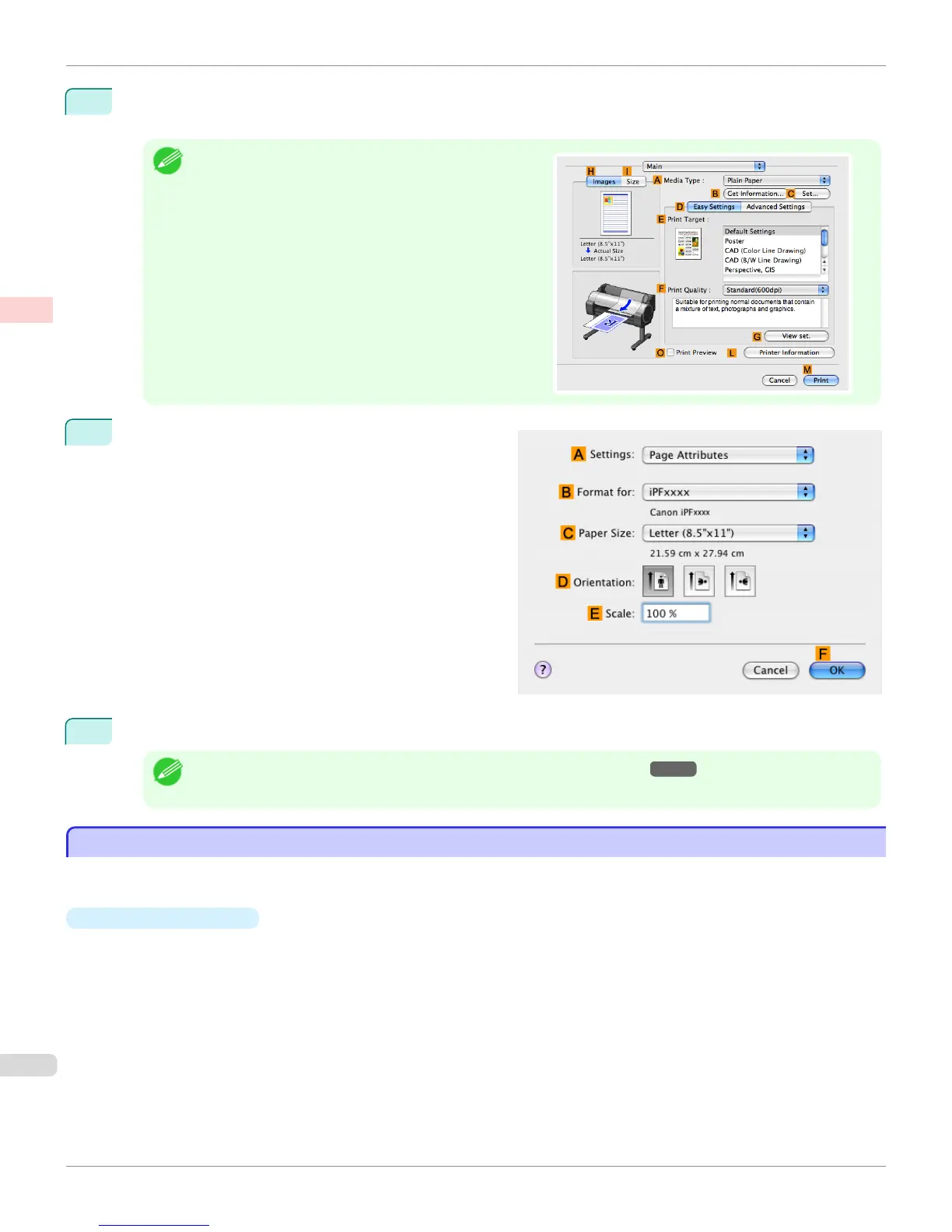
If the width of the roll loaded in the printer is not shown in
B Roll Width, click L Printer Information on the Main
pane to update the printer information.
12
Make sure C Page Size shows the original size as
specified in C Paper Size in the Page Attributes dia-
log box—in this case, ISO A4 - Oversize.
13
Confirm the print settings, and then click M Print to start printing.
Note
• For tips on confirming print settings, see "Confirming Print Settings(Mac OS X) →P.329 "
Borderless Printing at Actual Size
Borderless Printing at Actual Size
Take advantage of borderless printing to print documents such as posters (made up mainly of photos or images) with-
out a surrounding margin, or border.
•
Borderless Printing
In regular printing, a margin required by the printer is added around the original. With borderless printing, you can
print documents without the margin, so that the printed image covers the entire surface of the paper.
Borderless Printing at Actual Size
iPF765
User's Guide
Enhanced Printing Options Printing at full size
90


 To Next Page
 Loading...












