Important
• When Print Preview is selected on the Main panel, Print Preview is disabled.
•
Printing Multiple Originals Next to Each Other →P.125
Utility Pane
Utility Pane
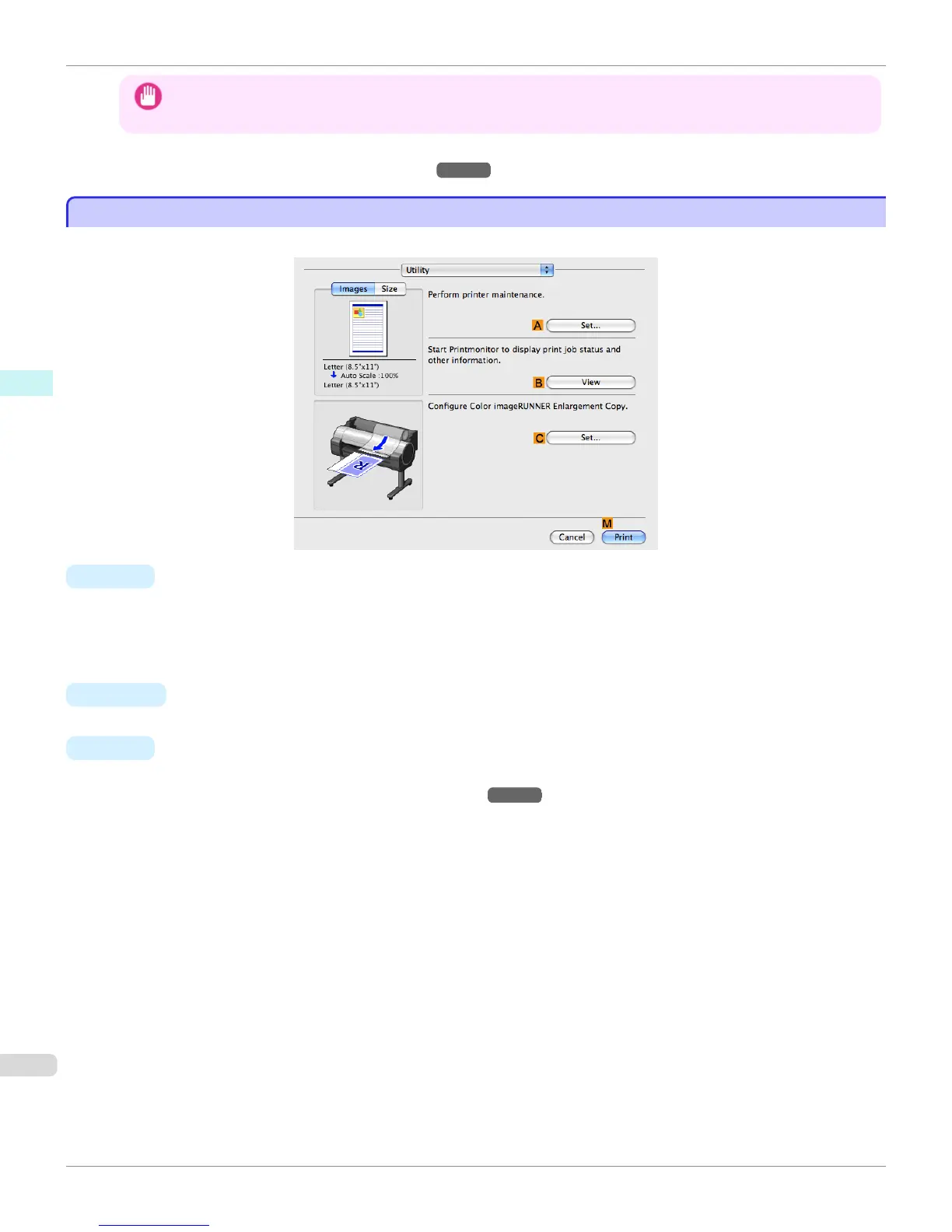
The following settings are available on the Utility pane.
• A Set
Click to display the Printer Information dialog box, which offers the following maintenance for the printer.
•
Nozzle (ink ejecting outlet) cleaning
•
Head alignment adjustment
•
Feed amount adjustment
• B View
Click to start imagePROGRAF Printmonitor, which enables you to view the status of print jobs.
• C Set
Click to complete the settings for Color imageRUNNER Enlargement Copy (iR enlargement copy).
For details, see Color imageRUNNER Enlargement Copy →P.399 .
Utility Pane
iPF765
User's Guide
Mac OS X Software Printer Driver
344


 To Next Page
 Loading...













