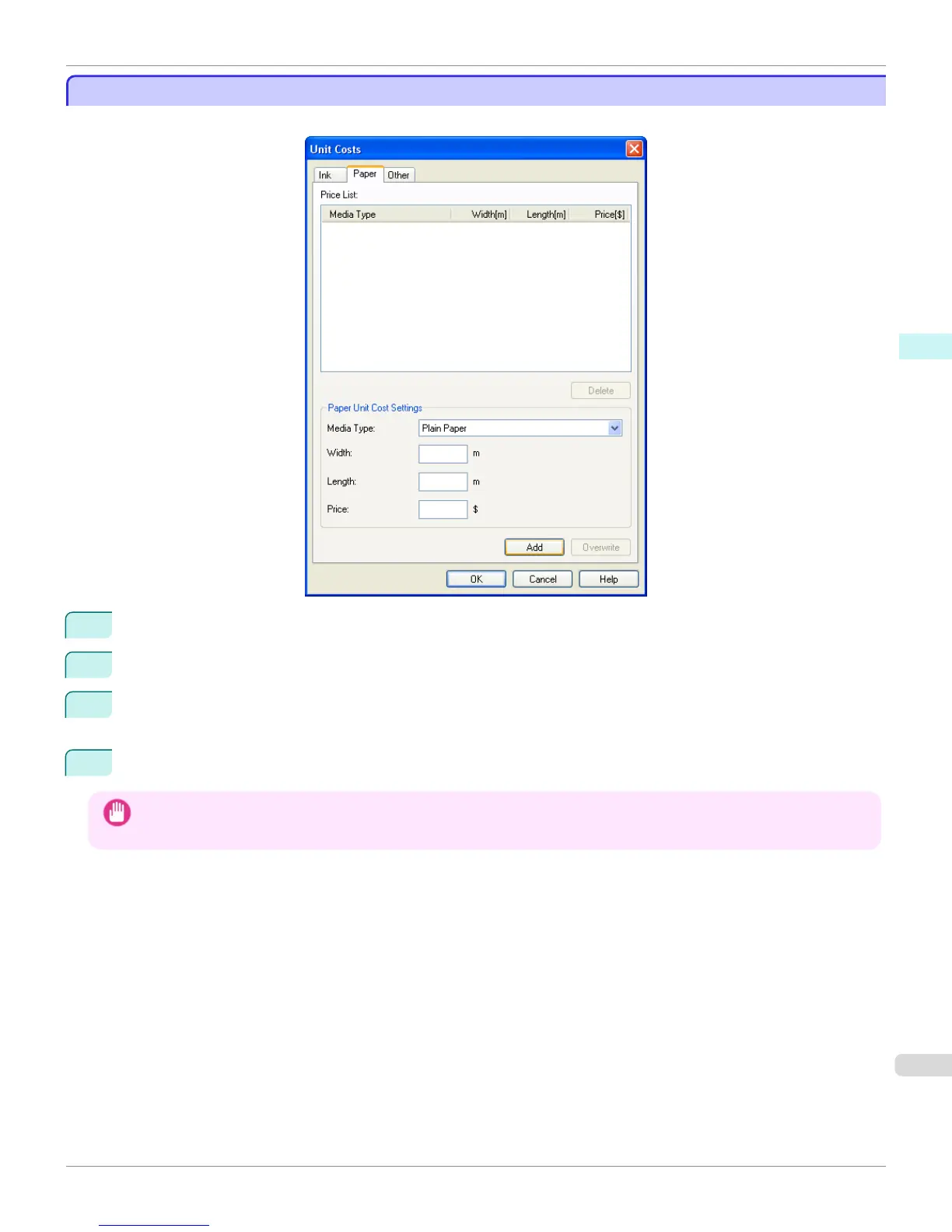
Setting the Unit Cost for Paper
Setting the Unit Cost for Paper
Open the Paper sheet. Set the unit cost for paper in this sheet.
1
Select a media type from the Media Type list.
2
Enter the Width and Length of the paper, and the Price per area for the configured width x height.
3
Click the Add button. To change the unit cost for a media type you have already set, click the Overwrite but-
ton.
4
Click the OK button.
Important
• Your settings are not applied until you click the OK button.
iPF765
Setting the Unit Cost for Paper
User's Guide
Windows Software Accounting
303



 To Next Page
 Loading...












