Configuring the Destination for AppleTalk Networks
Configuring the Destination for AppleTalk Networks
To print over an AppleTalk network, activate the AppleTalk protocol and configure the destination as follows.
Activating AppleTalk on the printer
Important
• By factory default, the AppleTalk protocol is disabled on the printer.
1
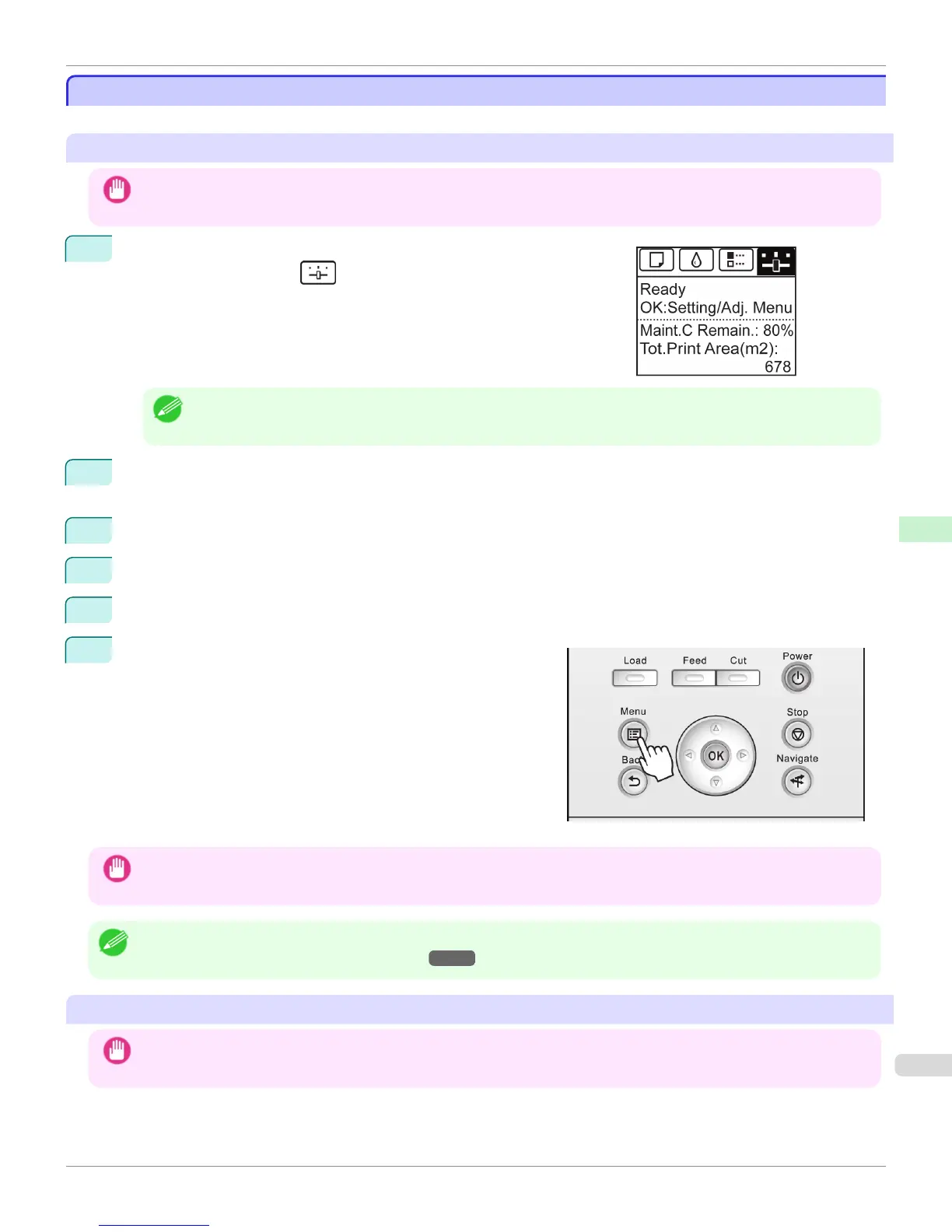
On the Tab Selection screen of the Control Panel, press ◀ or ▶ to se-
lect the Settings/Adj. tab ( ).
Note
• If the Tab Selection screen is not displayed, press the Menu button.
2
Press the OK button.
The Set./Adj. Menu is displayed.
3
Press ▲ or ▼ to select Interface Setup, and then press the OK button.
4
Press ▲ or ▼ to select AppleTalk, and then press the OK button.
5
Press ▲ or ▼ to select On, and then press the OK button.
6
Press the Menu button.
If any of the settings is changed, a confirmation message is
displayed. In this case, press the OK button.
Important
• Be sure to complete step 6. This will activate the values you have entered.
Note
• By using RemoteUI, you can also specify the object name used for AppleTalk, as well as the printer zone name.
For details on RemoteUI, see "Using RemoteUI." →P.535
Configuring the Destination (Mac OS X)
Important
• AppleTalk is supported in Mac OS X 10.2.8–10.4.
iPF765
Configuring the Destination for AppleTalk Networks
User's Guide
Network Setting Mac OS X Settings
555



 To Next Page
 Loading...












