6
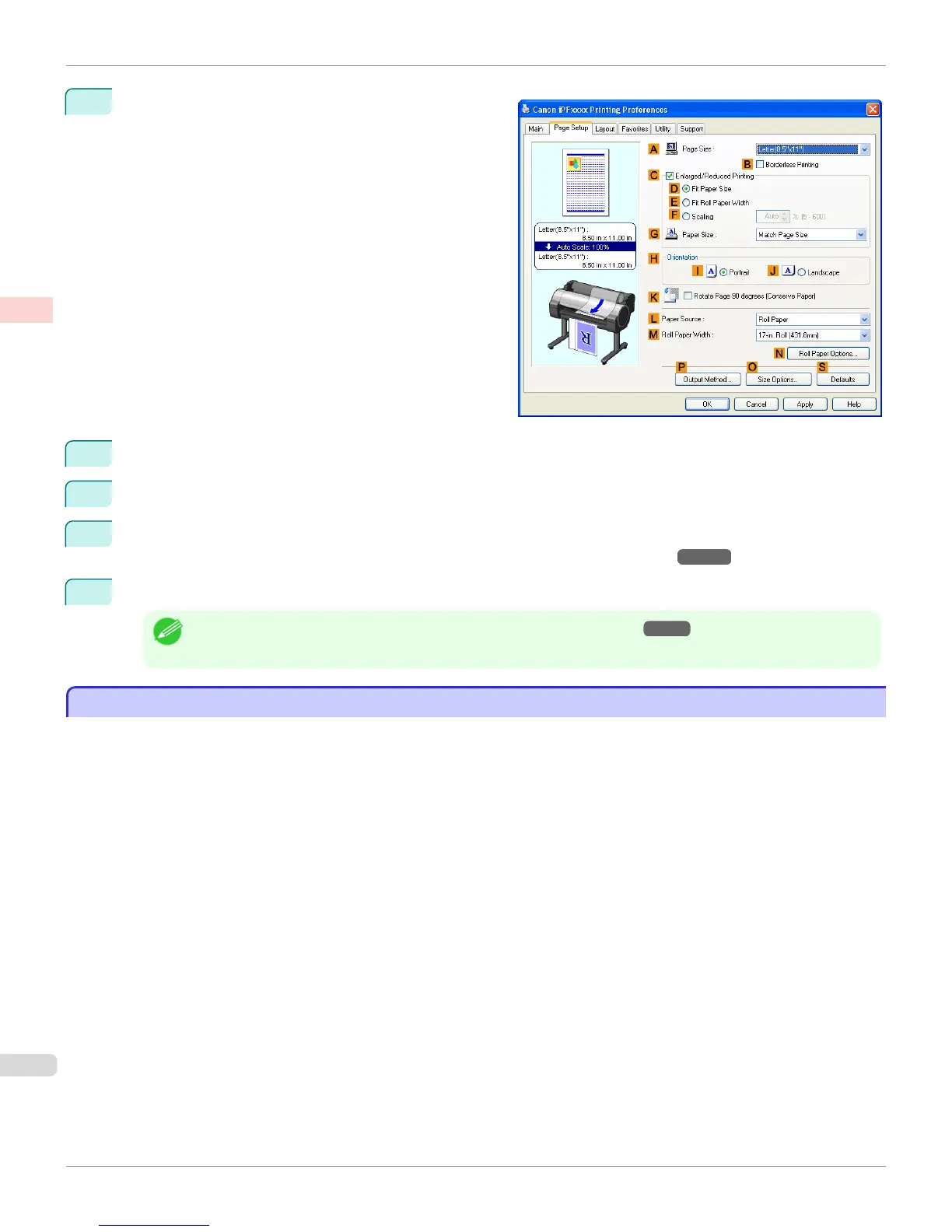
Click the Page Setup tab to display the Page Setup
sheet.
7
In the A Page Size list, click the size of the original as specified in the application. In this case, click ISO A4.
8
Click Manual in the L Paper Source list.
9
Specify additional printing conditions.
For details on available printing conditions, see "Printer Driver Settings(Windows) →P.176 "
10
Confirm the print settings and print as desired.
Note
• For tips on confirming print settings, see "Confirming Print Settings(Windows) →P.179 "
Printing Office Documents (Mac OS X)
Printing Office Documents (Mac OS X)
This topic describes how to print office documents based on the following example.
•
Document: Office document created using word-processing or spreadsheet programs
•
Page size: A4 (210.0 × 297.0 mm [8.3 × 11.7 in])
•
Paper: Sheets
•
Paper type: Plain Paper
•
Paper size: A4 (210.0 × 297.0 mm [8.3 × 11.7 in])
Printing Office Documents (Mac OS X)
iPF765
User's Guide
Enhanced Printing Options Printing Photos and Office Documents
42


 To Next Page
 Loading...













