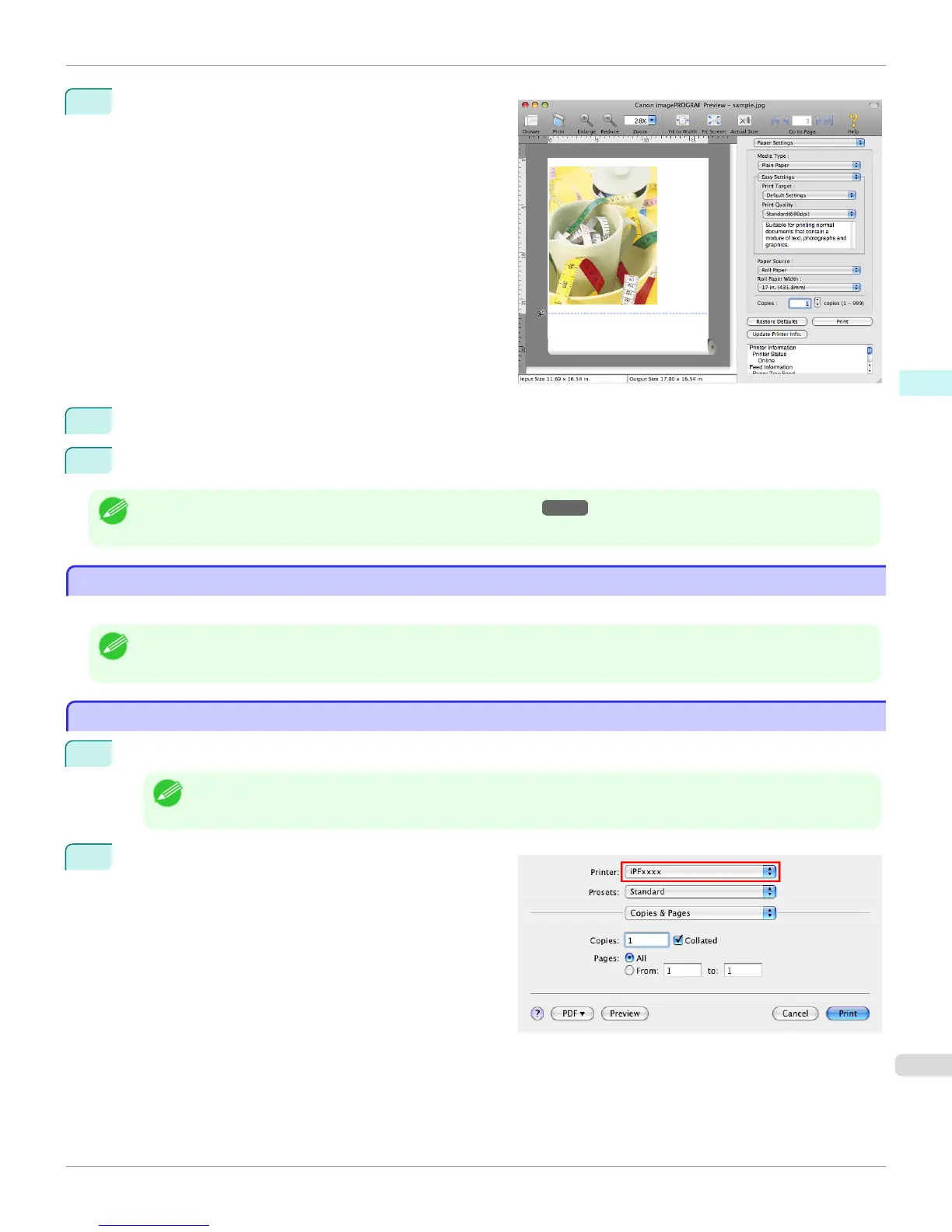
5
The Canon imagePROGRAF Preview window is dis-
played.
6
Check the layout and adjust settings in the Canon imagePROGRAF Preview window as desired.
7
Print from the Canon imagePROGRAF Preview menu.
Note
• For details on imagePROGRAF Preview functions, refer to Preview →P.347 .
Using Favorites
Using Favorites
You can use the Presets function in Mac OS X for favorite-based printing.
Note
• In the printing dialog box, click Save As in the Presets list to save the current print settings. This is a standard feature of the
operating system. For details, refer to the Mac OS documentation.
Accessing the Printer Driver Dialog Box from Applications
Accessing the Printer Driver Dialog Box from Applications
1
In the application software, select Print from the File menu to display the dialog box for printing conditions.
Note
• This dialog box includes basic printing options and enables you to choose the printer, specify the range of pages,
number of copies, and so on.
2
Select the printer in the Printer list.
iPF765
Using Favorites
User's Guide
Mac OS X Software Printer Driver
331















 To Next Page