2
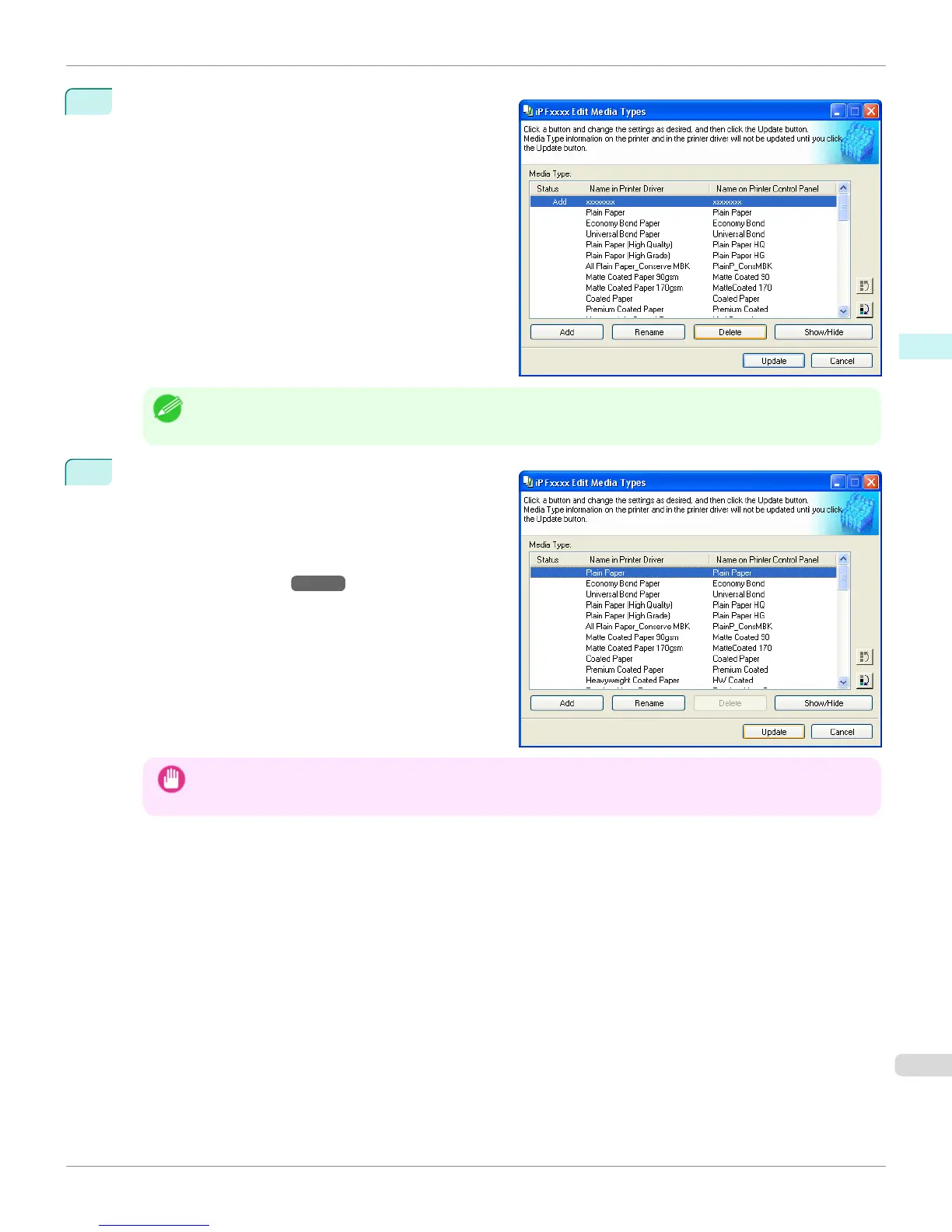
In the Media Type list, select the name of the media to
delete.
Click the Delete button.
Note
• Only paper for which Status in the Media Type is Add can be deleted.
3
In the Edit Media Types dialog box, click the Update
button.
The Update Media Types wizard is started at this
point. For details on the procedure to update paper in-
formation using the Update Media Types wizard, see
"Updating Media Types." →P.322
Important
• Be sure to click the Update button. If you do not, your changes will not be applied to the printer and printer driver.
iPF765
Deleting Media Types You Have Added
User's Guide
Windows Software Media Configuration Tool
319


 To Next Page
 Loading...













