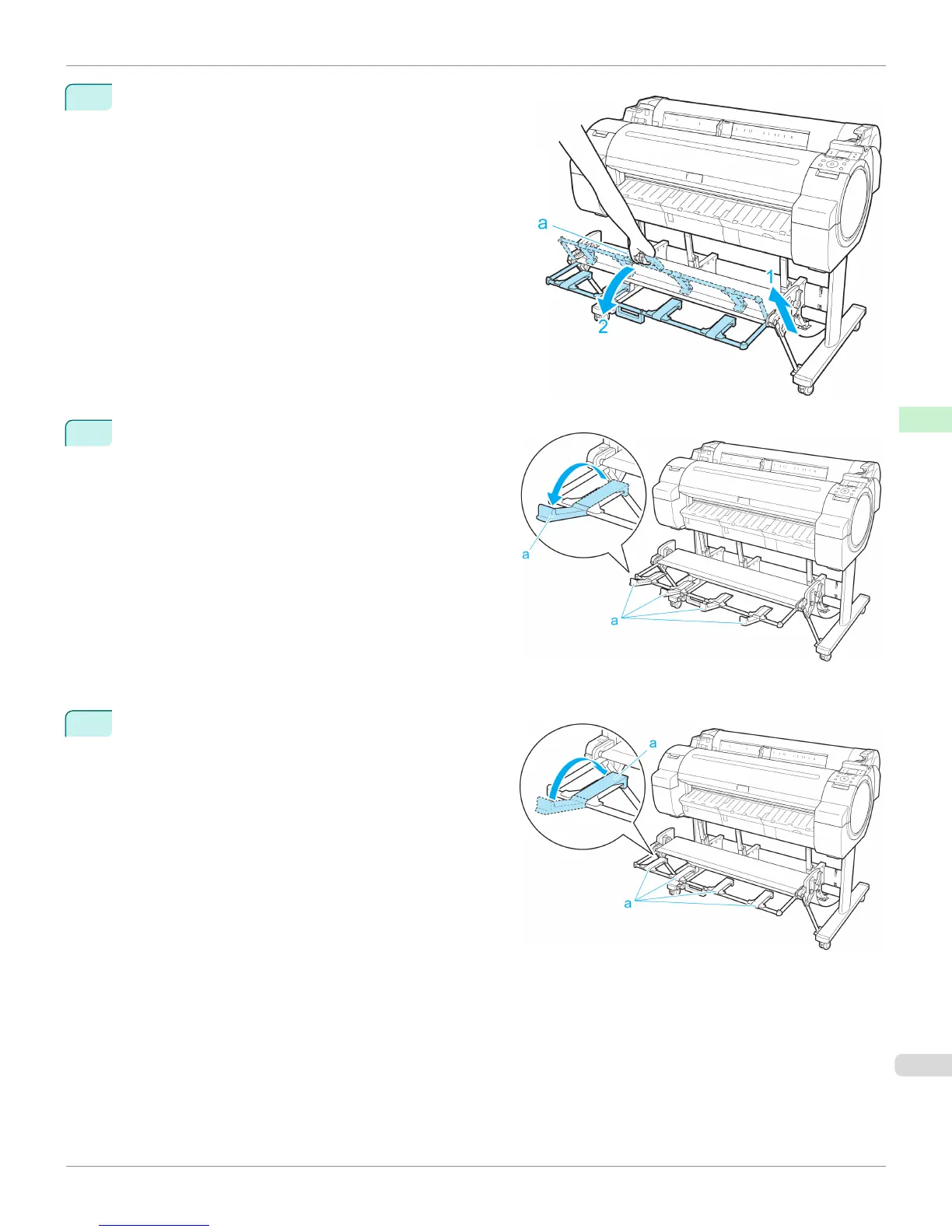
1
Grasp the Output stacker handle (a) and pull out the Out-
put Stacker so that it tilts towards you.
2
Open the Output Stacker Ejection Guides (a). This
completes the procedure of switching to Extended posi-
tion B.
Once the printing has finished, use the following procedure to return to the regular position.
1
Push the Output Stacker Ejection Guides (a) closed un-
til it clicks into place.
iPF765
Using the Output Stacker
User's Guide
Handling Paper Output Stacker
475


 To Next Page
 Loading...













