8
Make your selection in the F Print Quality list.
9
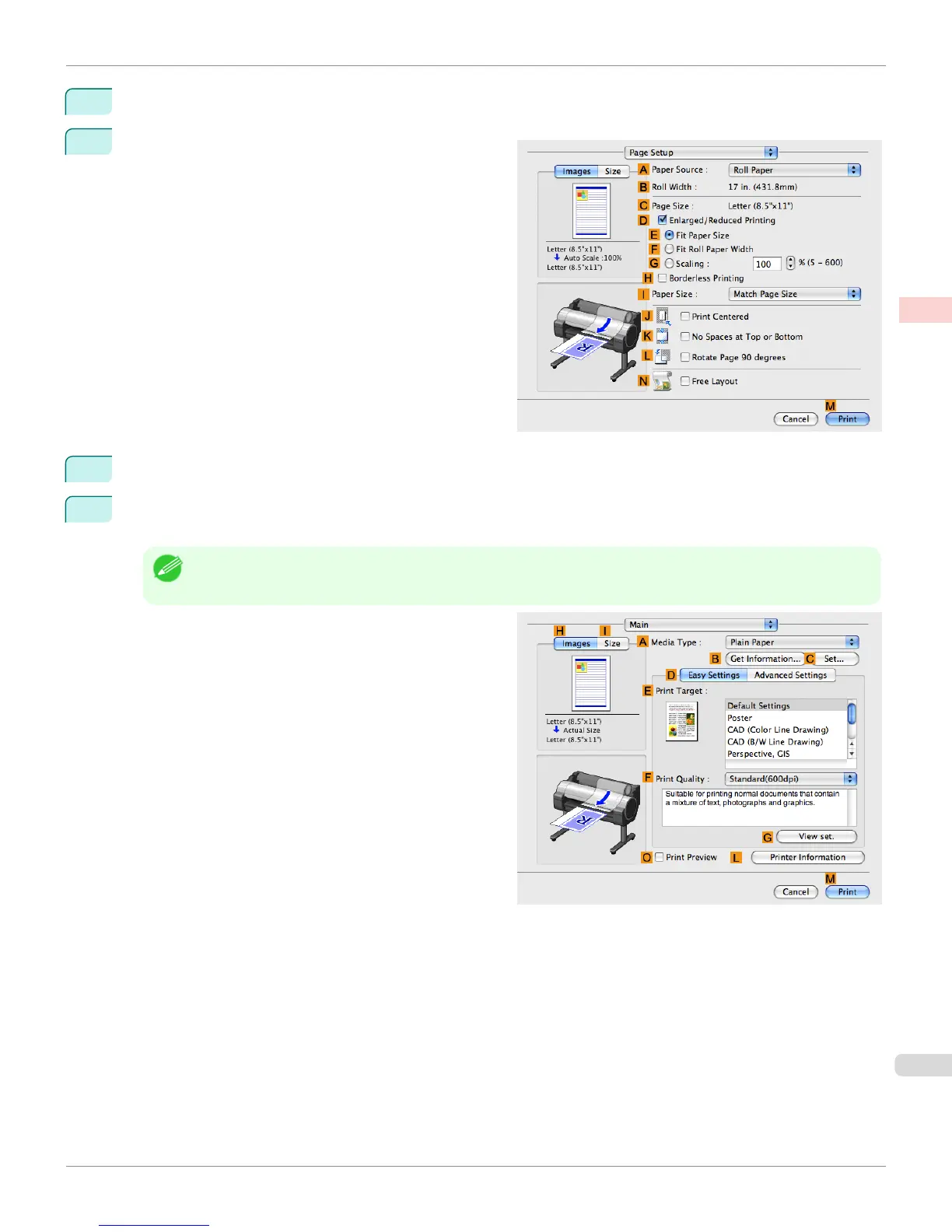
Access the Page Setup pane.
10
Select and click a roll paper in the A Paper Source list.
11
Make sure the width of the loaded roll is displayed in the B Roll Width list—in this case, ISO A2/A3
(420.0mm).
Note
• If the width of the roll loaded in the printer is not shown in B Roll Width, click L Printer Information on the Main
pane to update the printer information.
iPF765
Printing Line Drawings and Text (Mac OS X)
User's Guide
Enhanced Printing Options Printing CAD Drawings
51


 To Next Page
 Loading...













