Using imagePROGRAF Status Monitor (Windows)
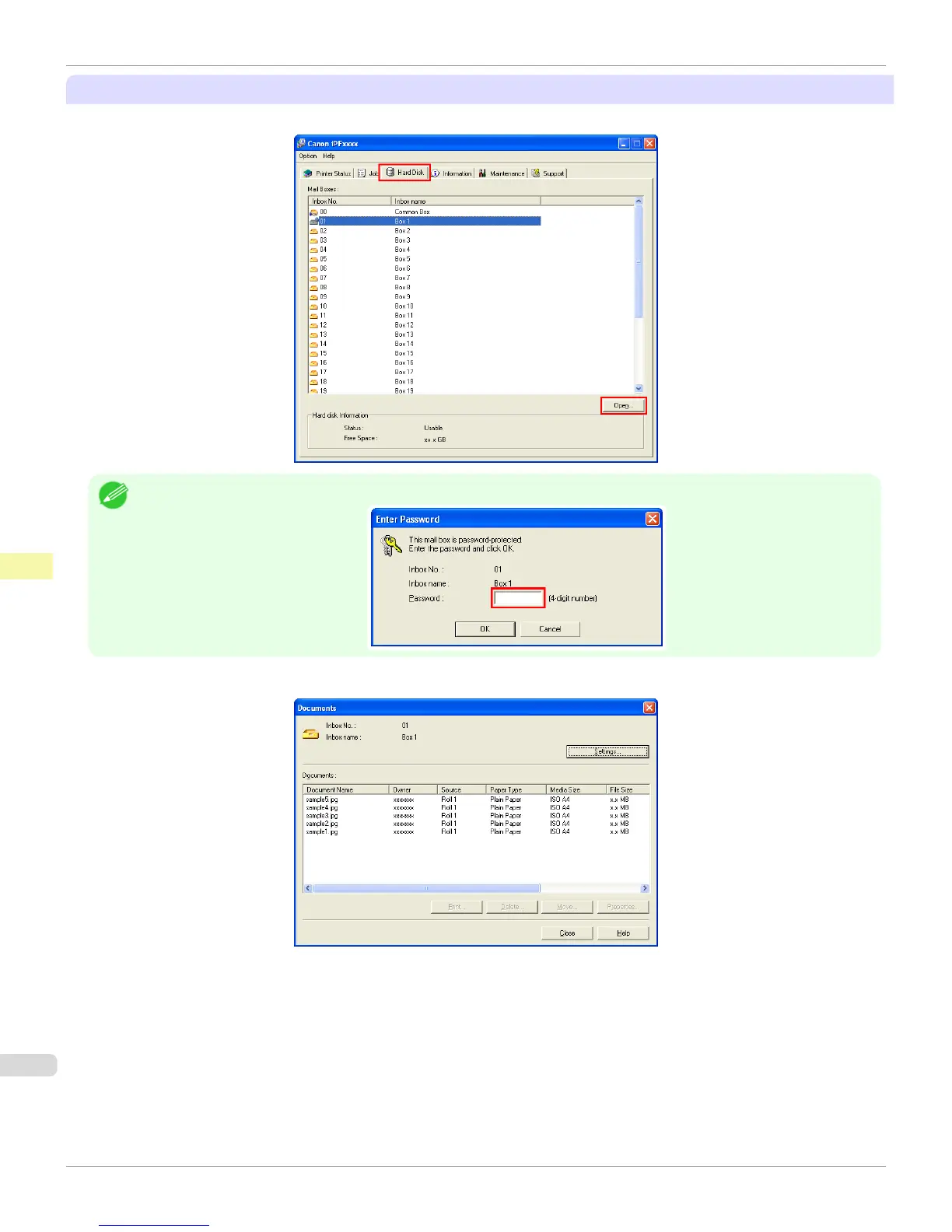
On the Hard Disk sheet, select a box and click Open.
Note
• Enter a password if one has been set.
Jobs saved in that box are displayed in the Documents dialog box.
For details, refer to the imagePROGRAF Status Monitor help file.
Displaying a List of Saved Jobs
iPF765
User's Guide
Print Job Operations Advanced Print Job Operations
594


 To Next Page
 Loading...













