2
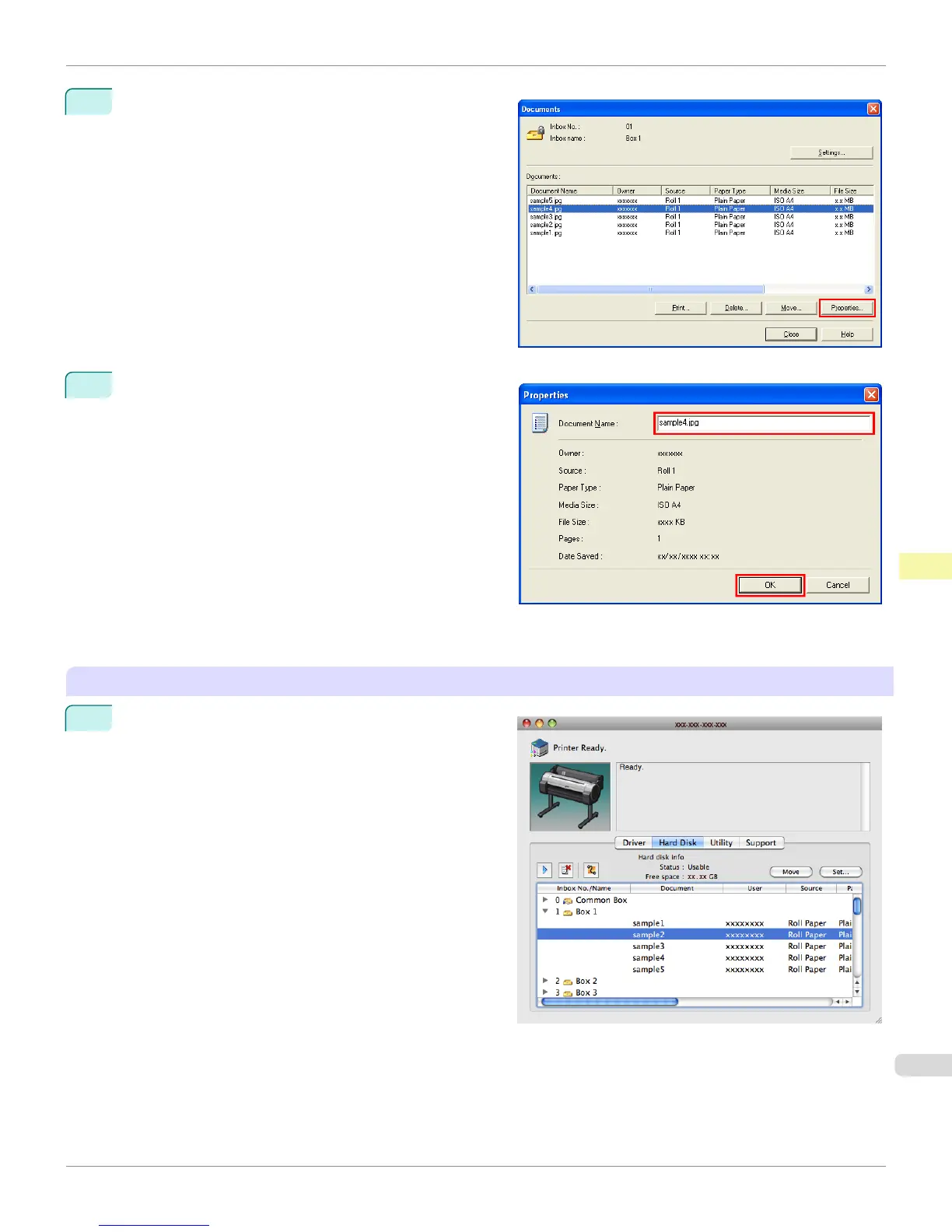
In the Documents dialog box, select the print job and
click Properties.
3
In the Properties dialog box, enter the new name and
click OK.
For details, refer to the imagePROGRAF Status Monitor help file.
Using imagePROGRAF Printmonitor (Macintosh)
1
In the Hard Disk pane, click ▶ next to Inbox No./
Name.
iPF765
Renaming Saved Jobs
User's Guide
Print Job Operations Advanced Print Job Operations
601


 To Next Page
 Loading...













