3
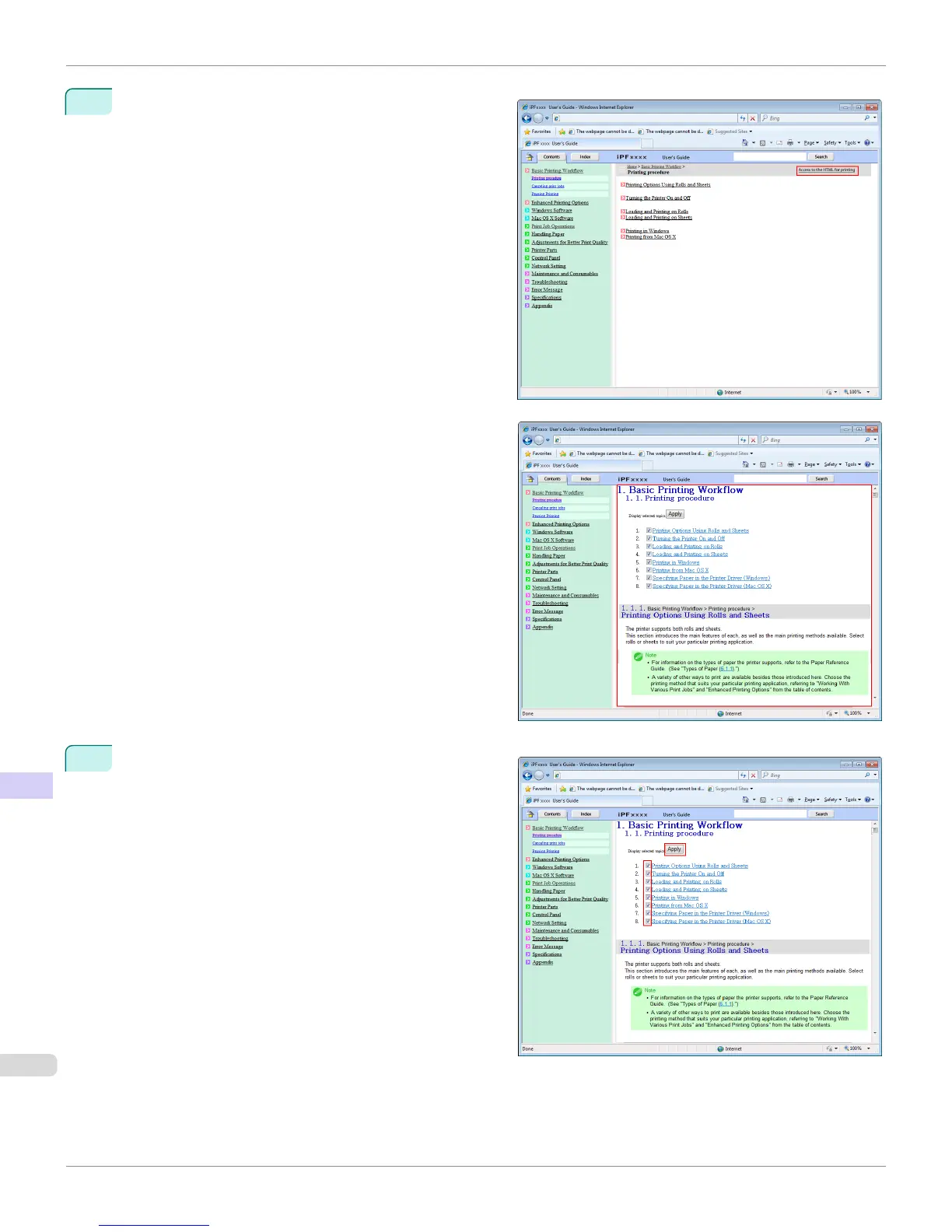
Click Access to the HTML for printing in the title
area.
The topics in Printing Procedure are displayed togeth-
er in HTML format, ready for printing.
4
Clear the topics you will not print and click the Apply
button.
HTML Version of the Manual for Printing
iPF765
User's Guide
Appendix How to use this manual
724


 To Next Page
 Loading...













