7
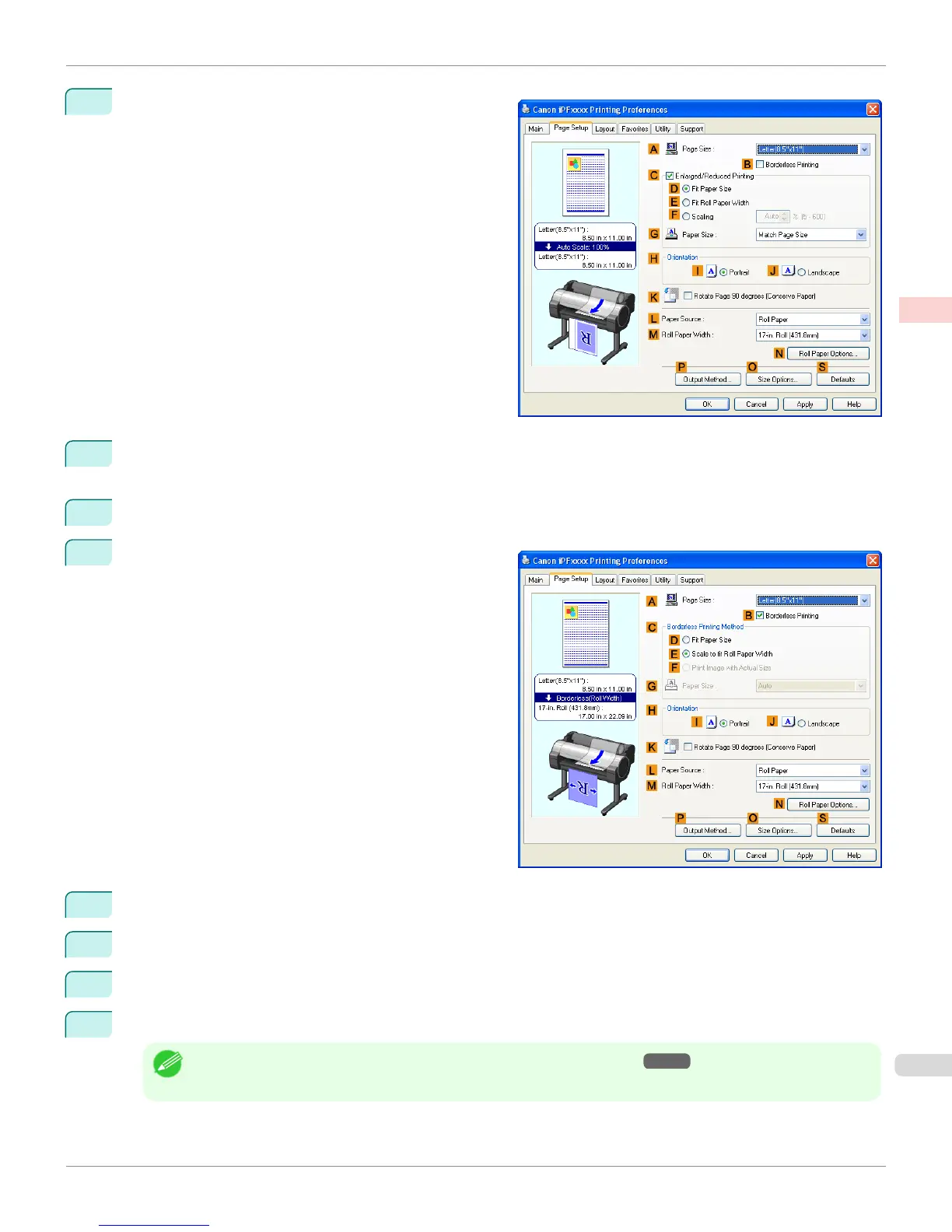
Click the Page Setup tab to display the Page Setup
sheet.
8
In the A Page Size list, click the size of the original as specified in the source application. In this case, click
10"x12".
9
Select and click a roll paper in the L Paper Source list.
10
Select the B Borderless Printing check box to display
the Information dialog box.
11
Select the width of the loaded roll in the Roll Paper Width list—in this case, click 10-in. Roll (254.0mm).
12
Click OK to close the Information dialog box.
13
In C Borderless Printing Method, click F Print Image with Actual Size.
14
Confirm the print settings and print as desired.
Note
• For tips on confirming print settings, see "Confirming Print Settings(Windows) →P.179 "
iPF765
Borderless Printing at Actual Size (Windows)
User's Guide
Enhanced Printing Options Printing at full size
93


 To Next Page
 Loading...













