COPYRIGHT © 1998 CANON INC. CANON PC400/420/430,FC200/220 REV.0 JAN.1998 PRINTED IN JAPAN (IMPRIME AU JAPON)
7-4
CHAPTER 7 EXTERNALS/AUXILIARY MECHANISMS
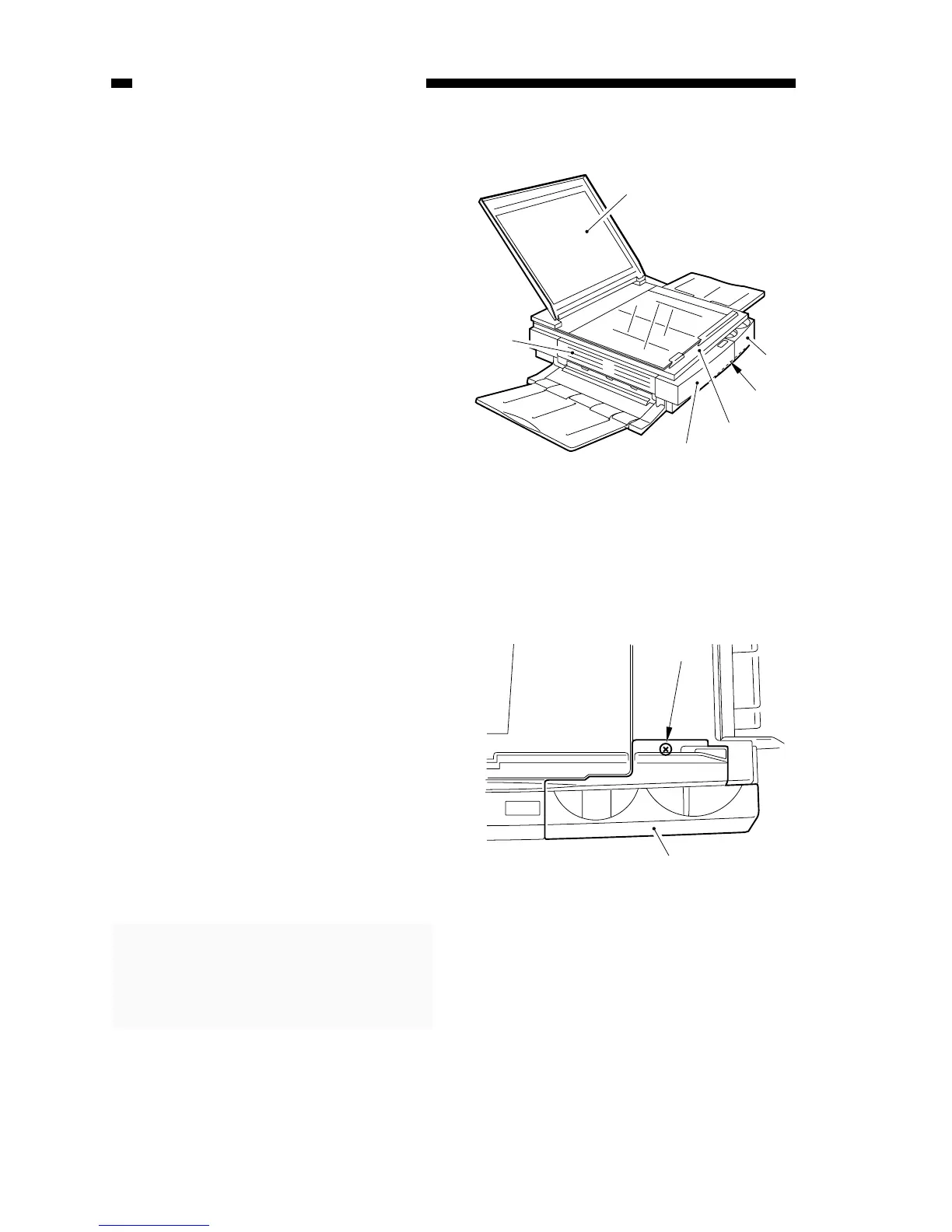
A. External Covers
Detach the covers as follows to
clean, inspect, or repair the inside of the
machine.
Figure 7-202A
q Control panel cover
w Bottom cover
e Top cover
r Body cover
t Delivery assembly cover
y Copyboard cover
Figure 7-201A
1. Detaching the Control Panel Cover
1) Move the copyboard cover to the left
until it stops.
2) Open the top cover, and remove the
screw q.
3) Detach the control cover w as if to lift
it to the front.
Note:
When attaching the PC400/FC200
control panel cover, fit the VR on
the control panel PCB into the
groove of the density control lever.



 To Next Page