COPYRIGHT © 1998 CANON INC. CANON PC400/420/430,FC200/220 REV.0 JAN.1998 PRINTED IN JAPAN (IMPRIME AU JAPON)
CHAPTER 7 EXTERNALS/AUXILIARY MECHANISMS
7-5
2. Detaching the Body Cover
1) Detach the copyboard.
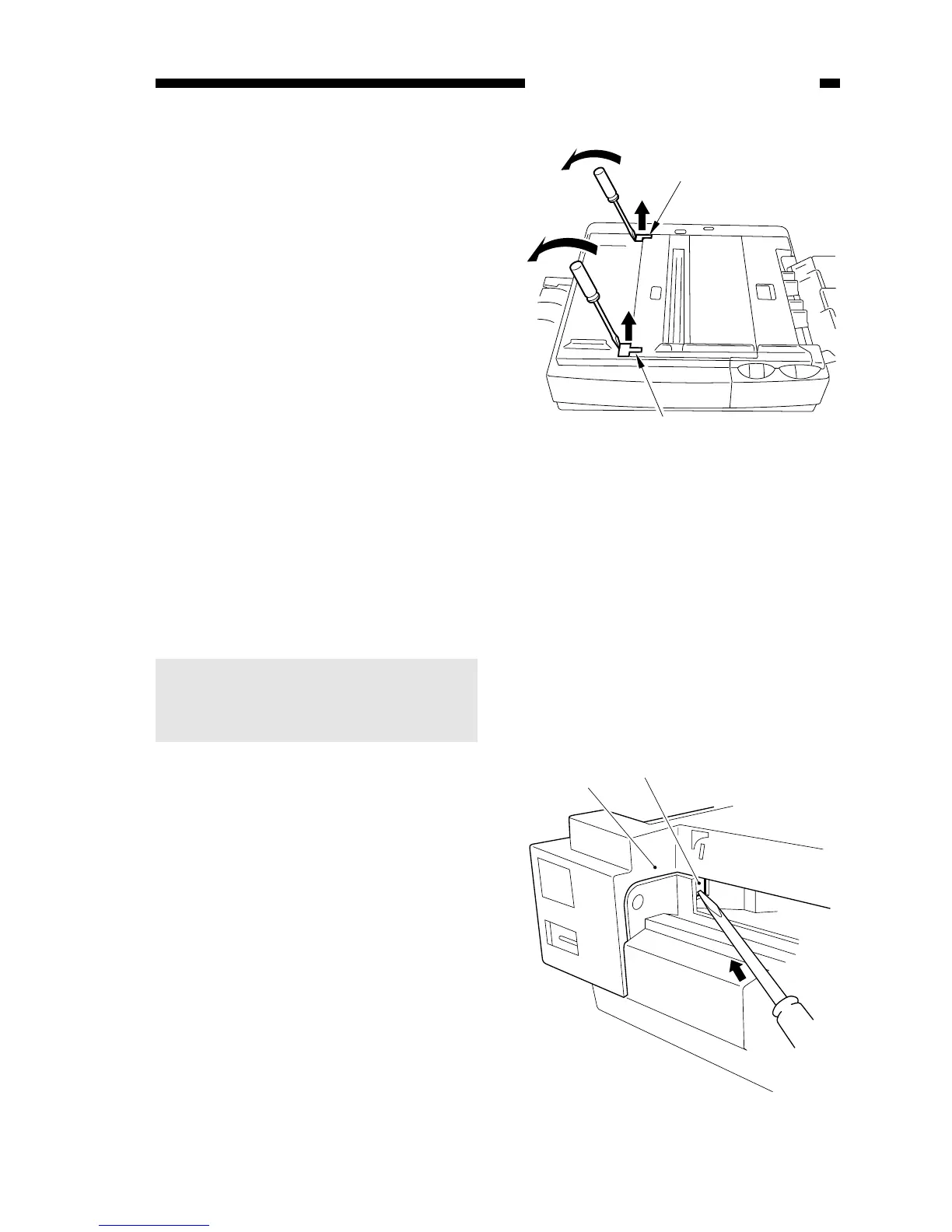
2) Detach the two cover plates q by
pulling them up.
Figure 7-203A
3) Detach the pick-up tray and delivery
tray.
4) Detach the control cover.
5) Open the top cover, and take out the
cartridge.
6) Press the delivery assembly cover
open/close button to open the
delivery cover.
Note:
You must disengage the five hooks
that hold the body cover in place
before detaching the body cover.
7) Push the hook found down the hole
e in the body cover w with a
screwdriver, and lift the body cover
slightly.
Figure 7-204A (right view)



 To Next Page