COPYRIGHT © 1998 CANON INC. CANON PC400/420/430,FC200/220 REV.0 JAN.1998 PRINTED IN JAPAN (IMPRIME AU JAPON)
7-6
CHAPTER 7 EXTERNALS/AUXILIARY MECHANISMS
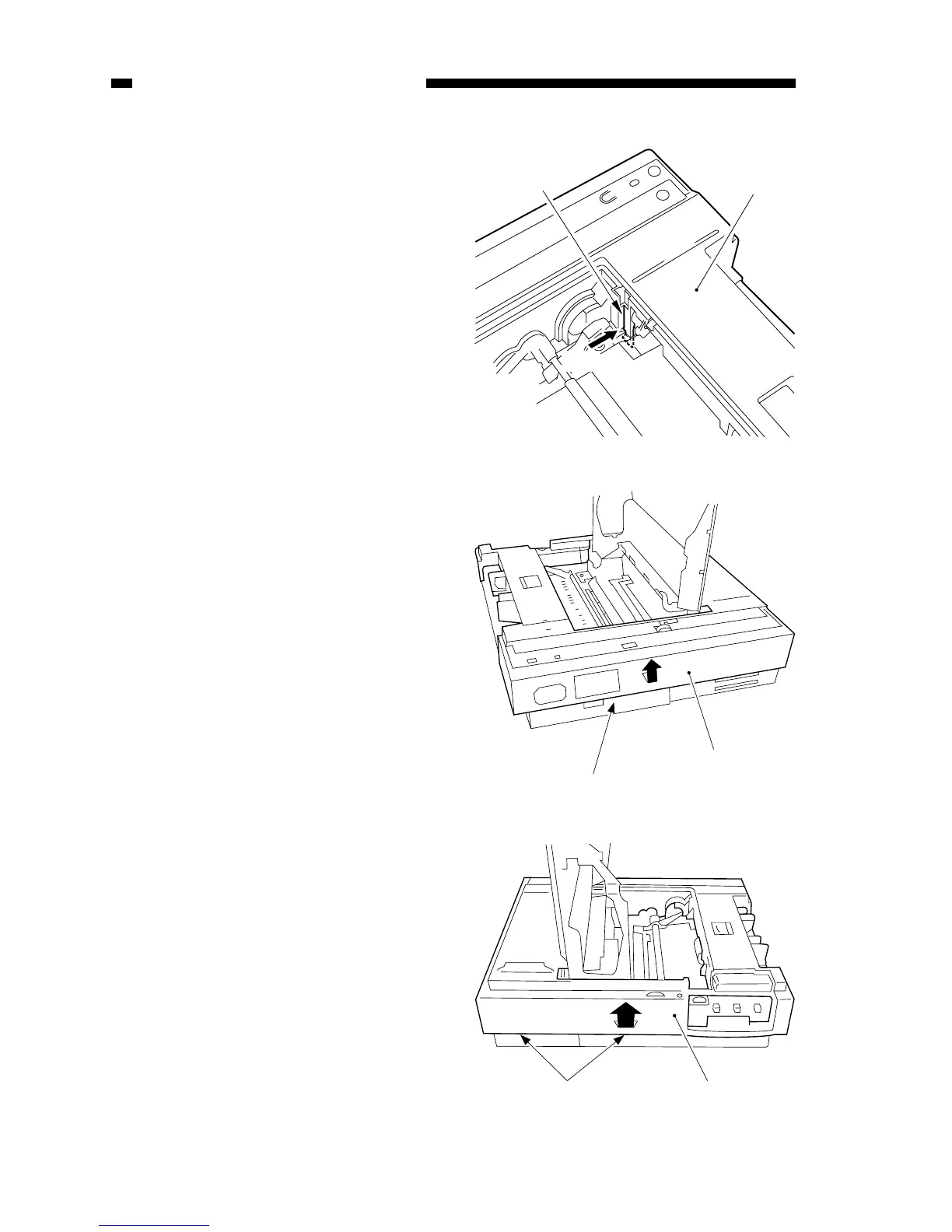
8) Push the hook r found at the right
rear of the body with a screwdriver,
and lift the body cover t slightly.
Figure 7-205A (right rear view)
Figure 7-206A (rear view)
9) Detach the hook at the rear y as if to
pull the body cover u to the front;
then, lift the body cover slightly.
10) Disengage the two hooks at the front
i as if to pull the body cover to the
front.
11) Detach the body cover o by lifting it.
Figure 7-207A



 To Next Page