COPYRIGHT © 1998 CANON INC. CANON PC400/420/430,FC200/220 REV.0 JAN.1998 PRINTED IN JAPAN (IMPRIME AU JAPON)
CHAPTER 7 EXTERNALS/AUXILIARY MECHANISMS
7-9
B. Copyboard Assembly
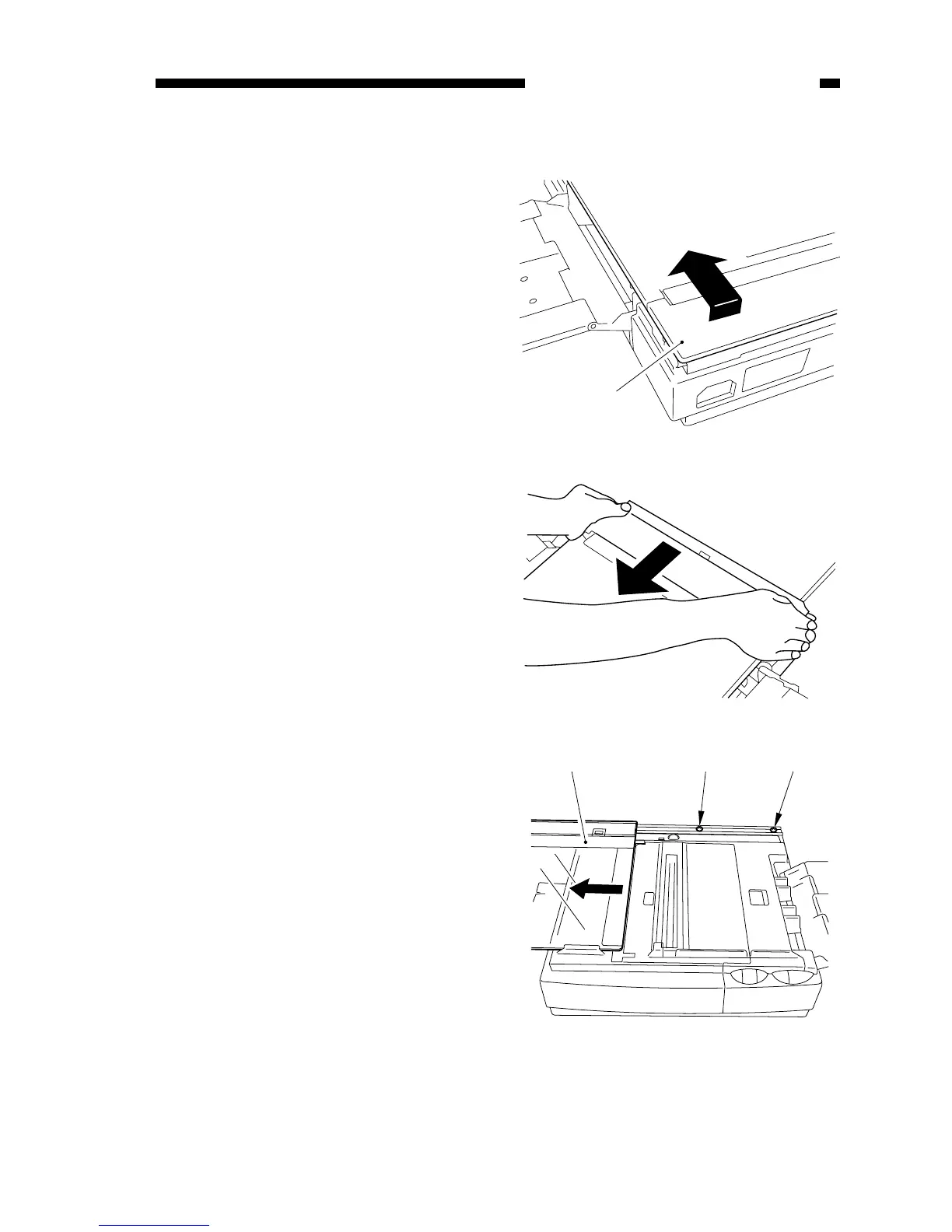
1. Detaching the Copyboard Cover
1) Lift the right rear corner of the
copyboard cover about 5 mm; then,
slide it to the front.
2) Slide the left rear corner the same
way.
Figure 7-201B
Figure 7-202B
2. Detaching the Copyboard
1) Move the copyboard q to the left
until it stops, and remove the screws
(w, M3X6, white; e, M4X10, black).



 To Next Page