EasyManua.ls Logo

Canon PC430 - Control Panel Pcb

Canon PC430
306 pages
Print Icon
To Next Page IconTo Next Page
To Previous Page IconTo Previous Page
Loading...
6-6
CHAPTER 6 ARRANGEMENT AND FUNCTIONS OF ELECTRICAL PARTS
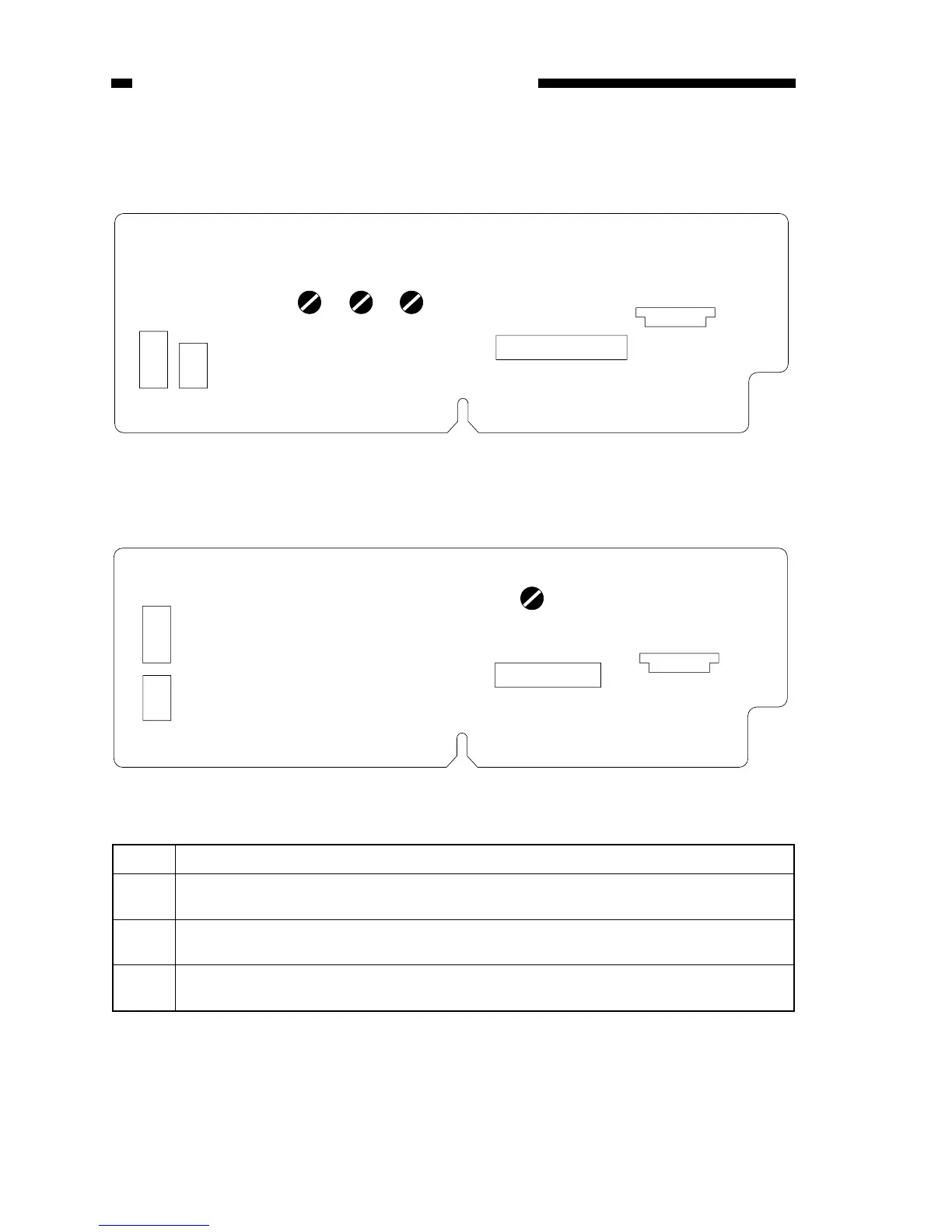
2. Control Panel PCB
a. PC420/430/FC220
VR603 VR604VR602
J601
J611
21
22
1
2
71
J621
41
J603
51
VR604
J601
J611
17
18
1
2
71
J621
41
J603
15
VR Description
VR602 Use it to adjust the AE offset (use it only after replacing the scanning lamp unit, intensity
sensor, AE sensor, or control panel PCB).

VR603 Use it to adjust the AE gain (use it only after replacing the scanning lamp unit, intensity
sensor, AE sensor, or control panel PCB).

VR604 Use it to adjust the light intensity (use it only after replacing the scanning lamp unit, intensity
sensor, AE sensor, or control panel PCB).
Figure 6-2E
b. PC400/FC200
Figure 6-3E
Table 6-1E

Table of Contents

Other manuals for Canon PC430

Related product manuals