Note:
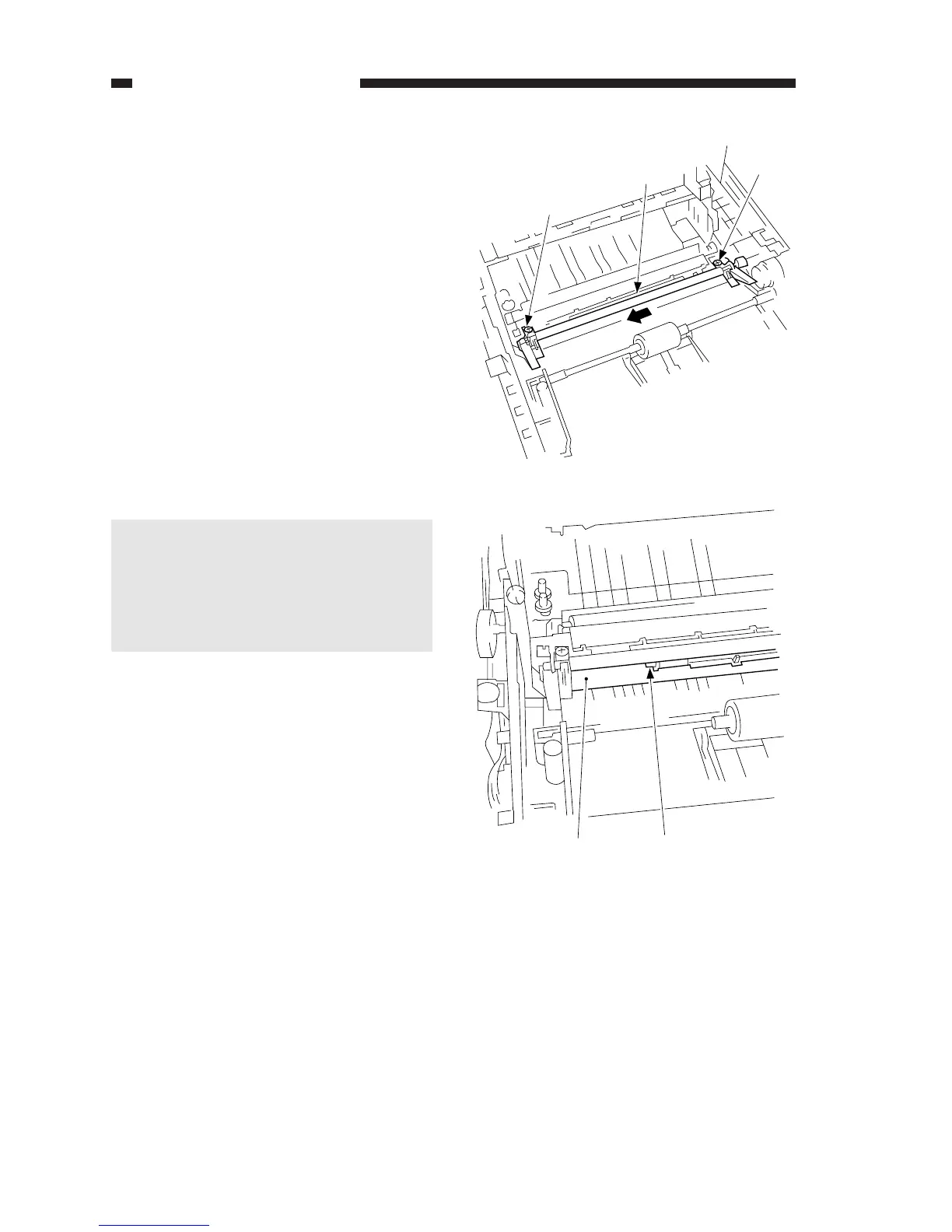
When installing the registration
roller assembly to the copier, be
sure that the sheet shown in Figure
5-502B is between the upper and
lower registration rollers.
COPYRIGHT © 1998 CANON INC. CANON PC400/420/430,FC200/220 REV.0 JAN.1998 PRINTED IN JAPAN (IMPRIME AU JAPON)
5-14
CHAPTER 5 PICK-UP/FEEDING SYSTEM
B. Registration Roller
Assembly
1. Detaching the Registration Roller
Assembly
1) Detach the copyboard drive
assembly.
2) Remove the two screws (M4X10;
black) q, and detach the registration
roller assembly w while lifting its
front slightly and as if to move it to
the front.
Figure 5-501B
Figure 5-502B



 To Next Page