COPYRIGHT © 1998 CANON INC. CANON PC400/420/430,FC200/220 REV.0 JAN.1998 PRINTED IN JAPAN (IMPRIME AU JAPON)
CHAPTER 7 EXTERNALS/AUXILIARY MECHANISMS
7-7
3. Detaching the Top Cover
Assembly
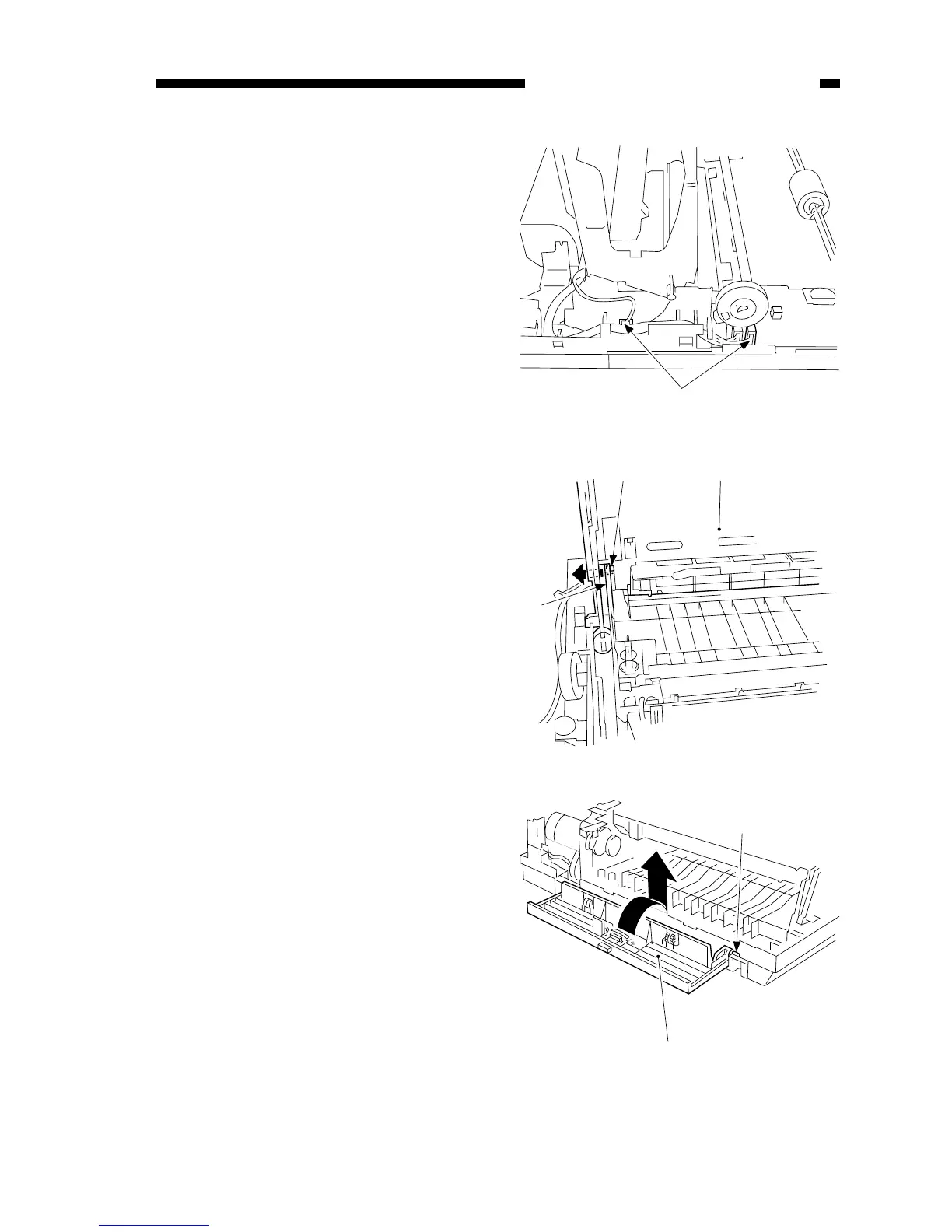
1) Detach the body cover.
2) Disconnect the two connectors q.
Figure 7-208A
Figure 7-209A
3) Bend the support w at the front to
the front, and remove the pin e from
the top cover assembly.
4) Detach the top cover assembly r.
4. Detaching the Delivery Assembly
Cover
1) Take out the fixing assembly.
2) Shift the delivery assembly cover q
in the direction of “close,” and match
the D-cut w of the hinge with the cut
in the bushing; then, remove it from
the front.



 To Next Page