D. Control Panel PCB
Note:
You must adjust the VR for intensity
and AE (PC420/430/FC220) after
replacing the control panel PCB.
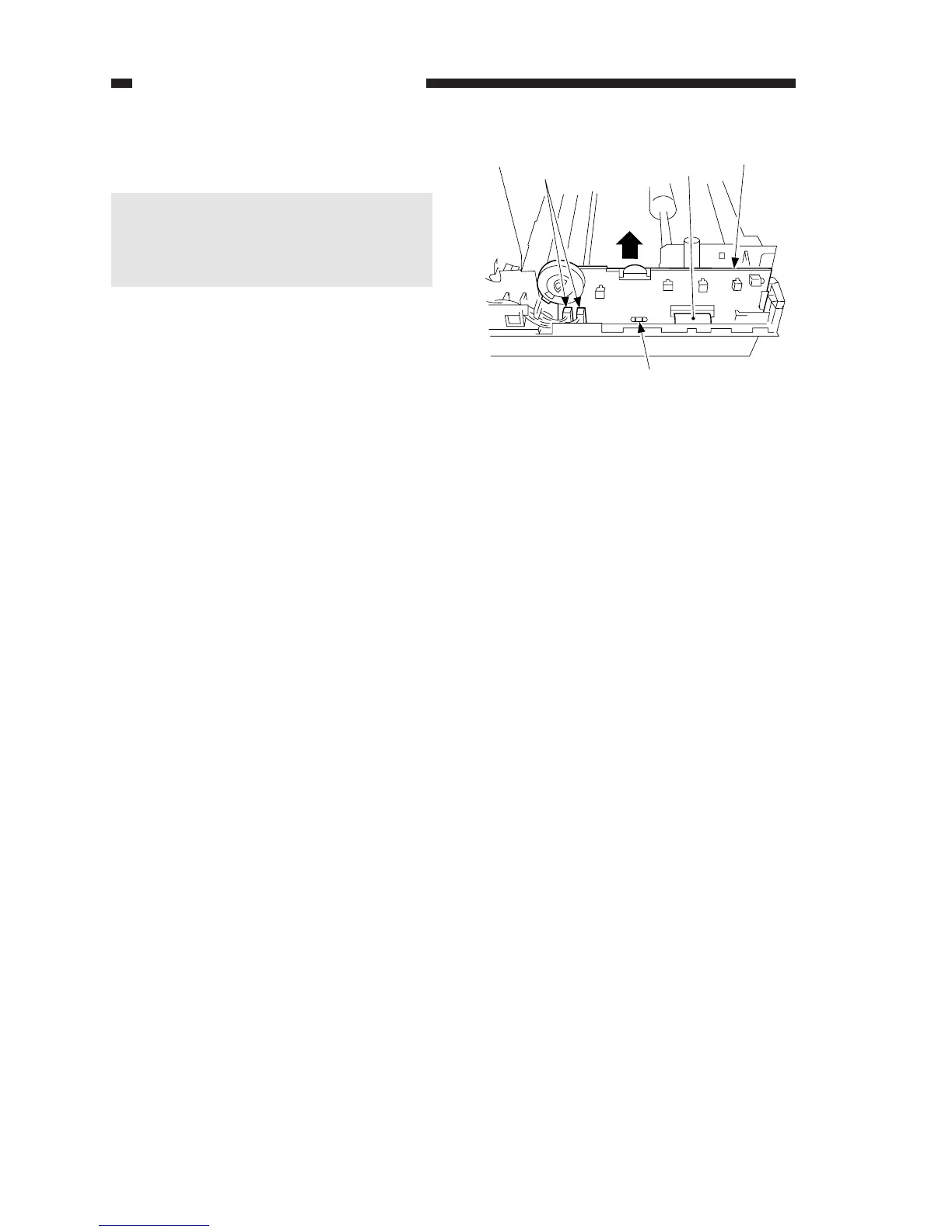
1. Detaching the Control Panel PCB
1) Detach the body cover.
2) Disconnect the three connectors q.
3) Hold the flat cable w with both
hands, and detach them from the
connector by lifting them straight up.
4) Disengage the hook e, and detach
the control panel PCB r by pulling it
up.
COPYRIGHT © 1998 CANON INC. CANON PC400/420/430,FC200/220 REV.0 JAN.1998 PRINTED IN JAPAN (IMPRIME AU JAPON)
7-14
CHAPTER 7 EXTERNALS/AUXILIARY MECHANISMS



 To Next Page